
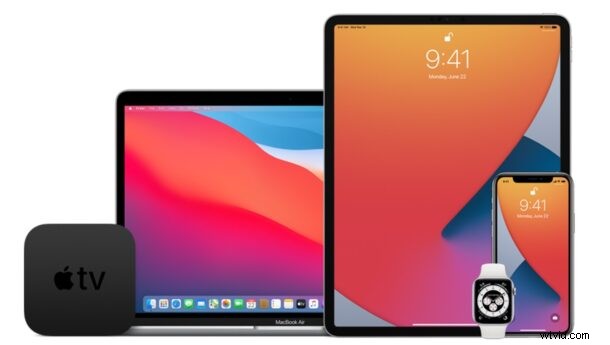
Apple has released the latest public beta of iOS 15, iPadOS 15, and macOS Monterey to users enrolled in the public beta testing programs for the upcoming operating systems.
The latest beta builds match the developer beta builds released a few days ago, as typically Apple rolls out a dev beta first and soon follows with the same release a public beta.
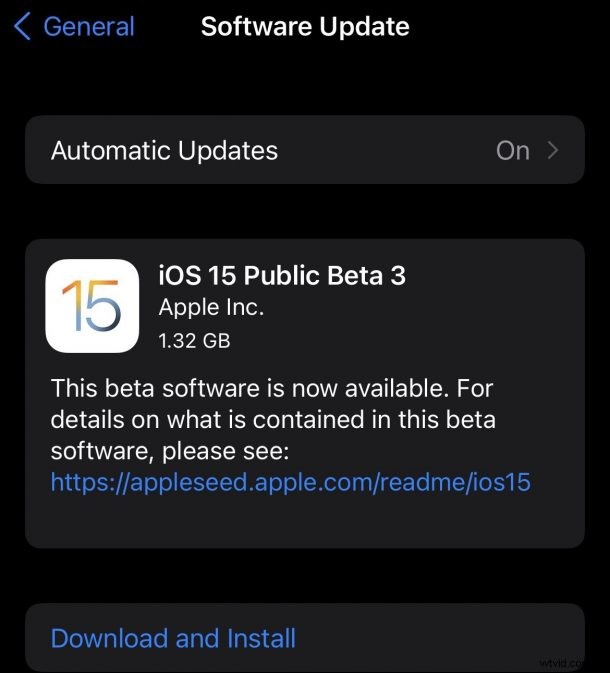
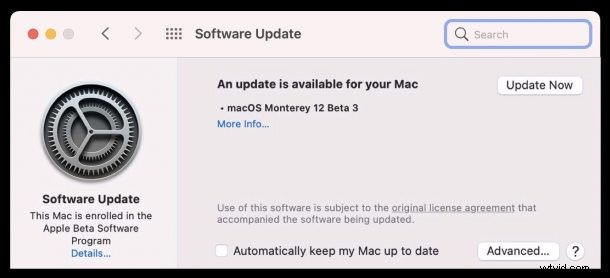
Versioning lists them as iOS 15 public beta 3, iPadOS 15 public beta 3, and MacOS Monterey public beta 3, however they are technically the second public beta version available. Presumably the versioning is done this way to keep them in line with the equivalent builds for developer betas, which are also currently available as beta 3 of iOS 15 and iPadOS 15, and beta 3 of MacOS Monterey.
Downloading iOS 15 Public Beta 3 & iPadOS 15 Public Beta 3
For iOS 15 and iPadOS 15, users can update to the latest public beta version by going to Settings > General > Software Update.
If you’re interested, you can learn how to install iOS 15 public beta and iPadOS 15 public beta onto any compatible iPhone or iPad. Beta system software is typically for advanced users, and on secondary devices, as the experience is much buggier and more prone to issues than final versions.
iOS 15 beta and iPadOS 15 beta feature the ability to screen share in FaceTime, Live Text for selecting text within images, Safari Extensions, changes to many bundles apps including Safari, Photos, Maps, Messages, Health, and Music, and more. iPadOS 15 beta also allows users to put widgets anywhere on their Home Screen, and brings changes to how multitasking on iPad works.
Downloading MacOS Monterey Public Beta 3
For MacOS Monterey, beta testers can find the latest public beta release available via Apple menu > System Preferences > Software Update.
Those interested in installing macOS Monterey public beta can learn how to do so here. Using beta system software is best reserved for advanced Mac users who have a secondary computer to install the OS onto.
MacOS Monterey beta includes new FaceTime Capabilities like Screen Sharing, Live Text which allows users eo select text in photos, Universal Control which allows for controlling a Mac and iPad with the same keyboard and trackpad (similar to Teleport or Synergy software), changes to Safari, Low Power Mode for Mac laptops, Shortcuts for Mac, and new features and changes to Photos, Maps, Messages, Music, and more.
The final versions of MacOS Monterey, iOS 15, and iPadOS 15 will be released to the public in the fall.