
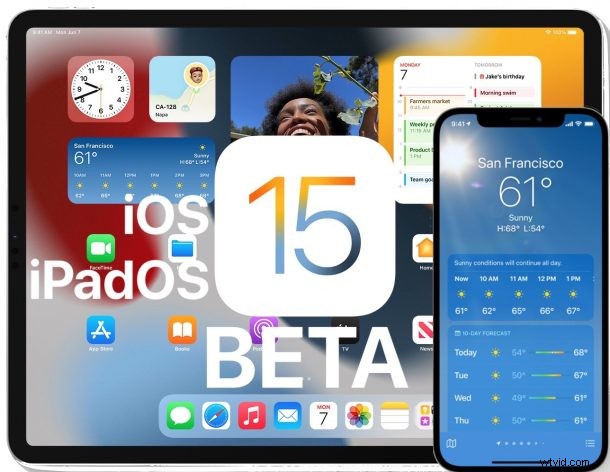
Apple has released the iOS 15 public beta and iPadOS 15 public beta to anyone interested in enrolling in the public beta testing programs for the next generation operating systems
Public betas of iOS 15 and iPadOS 15 offer users a chance to experience and beta test features and changes to the upcoming operating systems, including new FaceTime features that allow for Screen Sharing, Live Text which allows users to select text from within photos and images, a Focus feature for Do Not Disturb, redesigned Notifications, redesigned Safari tabs and tab grouping capability, Safari Extensions, improvements and changes to Photos, Maps, Music, Spotlight, and Health app, and for iPadOS 15 the ability to place widgets anywhere on the Home Screen, amongst many other smaller changes and features.
Anyone can choose to participate in the public beta program by enrolling their device with Apple, you can see the list of iOS 15 compatible iPhone models and iPadOS 15 compatible iPad models if interested. Due to the nature of beta system software, this is only recommended to advanced users and ideally on secondary devices, because beta system software is notoriously buggy and less reliable. Most users are better off waiting until the final versions are released in the fall.
How to Download iOS 15 Public Beta & iPadOS 15 Public Beta
Be sure to backup the iPhone or iPad to iCloud, iTunes, or Finder before installing any system software, but especially with beta versions.
- Open Safari on the iPhone or iPad you want to enroll in the public beta program and then visit https://beta.apple.com/sp/betaprogram/
- Sign up with your Apple ID and go through the enrollment process
- Download the beta profile and install it onto your device, this will require a reboot
- Open the “Settings” app and go to General > “Software Update” to find the iOS 15 public beta or iPadOS 15 public beta available to download and install
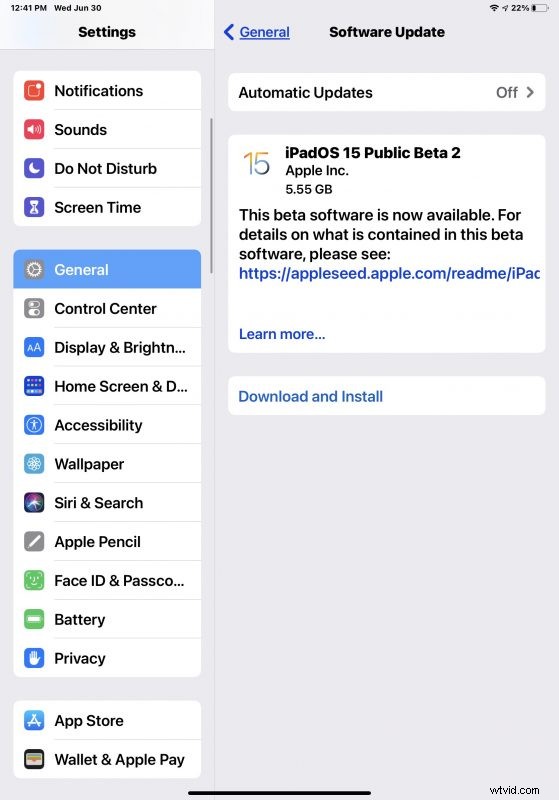
Downloading the public betas requires at least 6GB of free storage available. The device will have to reboot to complete installation.
You will notice the version is labeled as “iOS 15 Public Beta 2” or “iPadOS 15 Public Beta 2”, despite being the first public beta available. This is apparently to keep the public beta version in line with the developer beta build.
Users should expect to run into bugs and other issues when running iOS 15 and iPadOS 15 public betas, and many apps may not work as expected, or function at all. If you find the experience to be intolerable, you can always downgrade iOS 15 beta and revert back to iOS 14 if desired, as long as you have a backup handy from a prior release.
Apple has said the final version of iOS 15 and iPadOS 15 will be available later in the year, setting the fall as the general release date expectation.
Separately, interested users can also find public betas for watchOS 8 and tvOS 15. A public beta of macOS Monterey is to be expected shortly as well.