
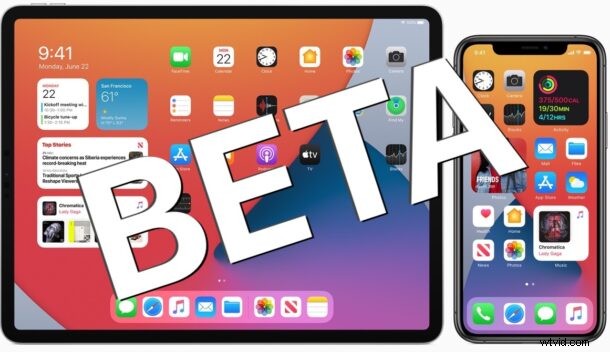
Apple has released the first public beta versions of iOS 14 and iPadOS 14 for iPhone, iPod touch, and iPad.
The public betas of iOS 14 and iPadOS 14 offer an early look at the upcoming system software and new features, including home screen widgets on iPhone, an App Library screen, instant language translation capabilities, new Messages features, and many other refinements and changes to other apps and system features.
Anyone can choose to participate and enroll in the public beta for iOS 14 and iPadOS 14, which is an easy process. Due to the buggy nature of beta system software, users should refrain from running the beta release on their primary device, or simply wait until the fall for the final version to become available to everyone.
How to Download iOS 14 Public Beta & iPadOS 14 Public Beta
The public betas can be installed onto any iOS 14 compatible iPhone models and iPadOS 14 supported iPads. As always, be sure to backup the iPhone or iPad to iCloud, iTunes, or Finder before installing any system software.
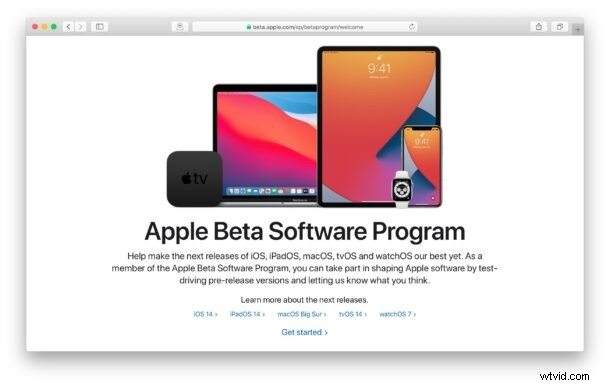
- On the device you wish to enroll in the iOS 14 or ipadOS 14 public beta, open Safari and go to https://beta.apple.com/sp/betaprogram/
- Follow the steps to enroll in the iOS 14 public beta or iPadOS 14 public beta program
- Download the beta profile and install it onto your device
- Open the “Settings” app and go to General > “Software Update” to find the iOS 14 public beta or iPadOS 14 public beta available to install
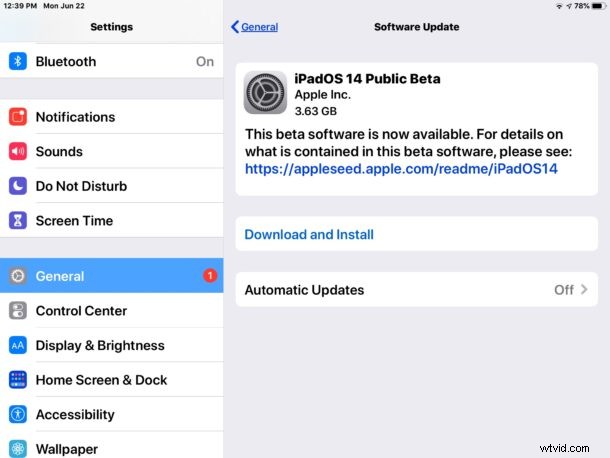
As with any software update, installing requires a reboot.
Remember that beta system software is buggier than final versions of system software, so expecting bugs, app crashes, and even potential data loss, is reasonable. Thus, running the public beta is not recommended on your primary iPhone or iPad.
Note if you’re already running the developer beta build of iOS 14 or iPadOS 14, there is little to no reason to try and redirect to the public beta program (unless perhaps you are an unofficial dev tester, and you’d feel better going an official route).
Remember that an important part of beta testing system software is filing bugs with Apple, as well as giving feedback on features and performance. The “Feedback Assistant” app will be installed on any beta testing device and can be used for that purpose. Feedback may help to shape features and behaviors for iPhone and iPad system software and is encouraged.
The final stable versions of iOS 14 and iPadOS 14 are set to be released this fall.