

Apple has released iOS 13.5.1 and iPadOS 13.5.1 with security fixes for iPhone, iPad, and iPod touch.
Specifically, iOS 13.5.1 and iPadOS 13.5.1 aims to patch the security hole that allowed for the iOS 13.5 jailbreak with unc0ver tool to function, but otherwise includes no new features not already found in iOS 13.5 and iPadOS 13.5. Users who are not interested in jailbreaking should install the iOS 13.5.1 and iPadOS 13.5.1 software updates to secure their devices.
Separately, Apple has also released a supplemental update to MacOS Catalina 10.15.5 for Macs, a security update for macOS High Sierra 10.13.6 and Mojave, tvOS 13.4.6 for Apple TV, and watchOS 6.2.6 for Apple Watch.
How to Download & Install iOS 13.5.1 and iPadOS 13.5.1 Updates
Before installing any software update, be sure to backup the iPhone or iPad to iCloud, iTunes, or to a Mac with Finder.
- Open the “Settings” app on the iPhone or iPad
- Go to “General”, and then choose “Software Update”
- Select “Download & Install” when iOS 13.5.1 or iPadOS 13.5.1 update is shown as available to download
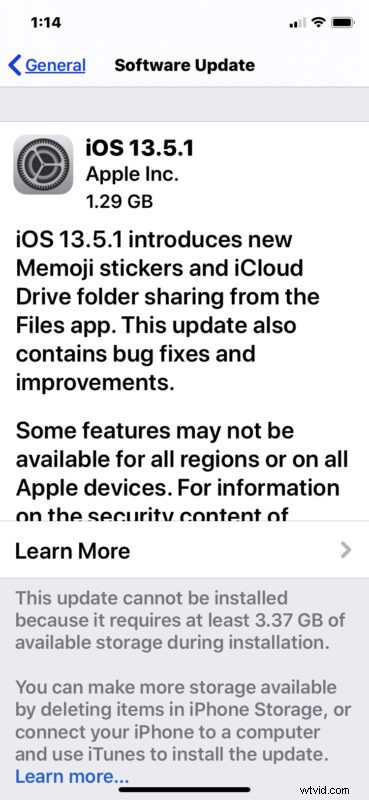
The iPhone or iPad will reboot as part of the process of completing the software update.
Optionally, users can also update to iOS 13.5.1 and iPadOS 13.5.1 by connecting their device to a computer via USB cable, then using iTunes (Windows PC and macOS Mojave or earlier) or Finder (MacOS Catalina and later) to install the software update onto the device.
Another option which is appropriate mostly for advanced users is to install iOS 13.5.1 or iPadOS 13.5.1 using IPSW firmware files downloaded from Apple, which he links below point to.
iOS 13.5.1 IPSW Direct Download Links
- Updating…
iPadOS 13.5.1 IPSW Direct Download Links
- Updating…
iOS 13.5.1 Release Notes
Release notes accompanying iOS 13.5.1 state that the update includes security updates and is therefore recommended to install on all eligible iPhone and iPad devices.
The specific security issue which has been patched is described as follows, referencing the unc0ver jailbreak:
Additionally, supplemental updates to MacOS Catalina 10.15.5 for Macs, a security update for macOS High Sierra 10.13.6 and Mojave, tvOS 13.4.6 for Apple TV, and watchOS 6.2.6 for Apple Watch are also available to download for those devices.