
Finding suitable video editing software is quite a difficult task. There are so many choices and at the present scenario, loads of tools come for free even. So, it is a natural trend for the people to incline for the free video editing tools rather than spending money on a tool, which offers nothing but almost the same features. Here is a list of top five free WMV video editing tools, which feature almost all sorts of casual video editing needs.
If you need a more professional video editing tool, Wondershare Filmora is highly recommended. It allows you to create Hollywood-like home movies with titles, effects and transitions from all regular videos, audios and photos. All the video editing tools including trim, split, crop, etc are provided. After editing videos, you can even use the software to share with family and friends, convert videos to different formats and burn DVD.
Top 5 Best Free WMV Video Editors
- Windows Movie Maker
- Movica
- VSDC Free Video Editor
- Video Toolbox
- Cellsea
1. Windows Movie Maker
Window Movie Maker is an easy-to-use video editing program developed by Microsoft. It supports various video formats including WMV, ASF, MPG, AVI, WMA, WAV and MP3. With it, you can easily combine photos with your video or can customize your video with preset video transition options as well as other video effects. However, the tool has a few limitations which make this piece of tool not suitable for professional video editing purposes.
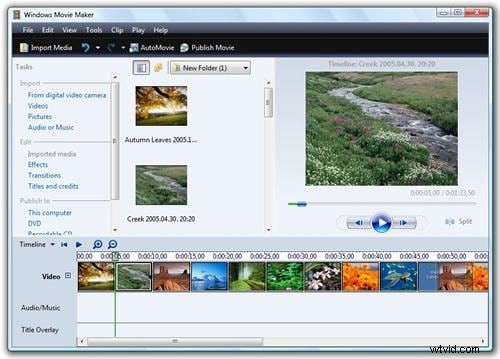
Pros:
- Easily-to-use interface;
- Practical video editing options for beginners.
Cons:
- Crashes a lot and cannot handle large files;
- Various versions have been released, though differences are truly negligible.
2. Movica
Movica is a graphic or movie editor for Windows Media (.wmv), MPEG files and FLV movies. This program enables you to copy, paste and select or delete multiple portions from a video file. It’s easy-to-use and has keyboard shortcuts which makes the job of editing WMV much easily. However, it’s compiled as a 32-bit Windows and thus makes its major drawbacks from other users who are already using 64-bit Windows.
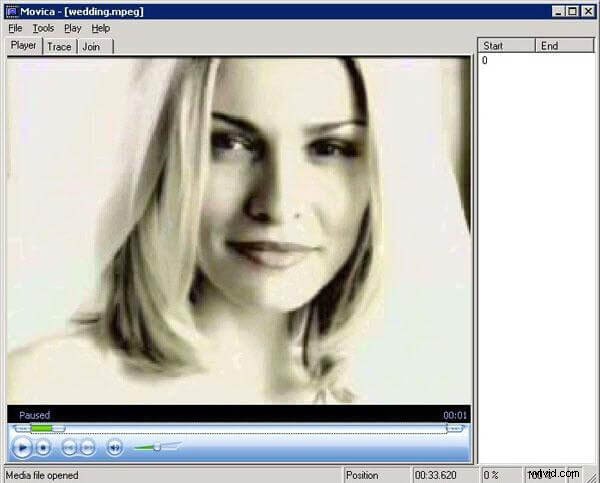
Pros:
- Lots of keyboard shortcuts to make editing easy.
Cons:
- Doesn’t support 64-bit Windows;
- Outdated interface.
3. VSDC Free Video Editor
VSDC Free Video Editor is an application designed for video editing. It supports various video formats including AVI, MPG, MOV, WMV, MKV, RM, SWF, and FLV files. It's a complex application with plenty of functionality: drawing and selection tools, plenty of color and lighting corrections, some useful filters, transitions, audio effects and more. All of these allow you to add a personal touch to your video files.
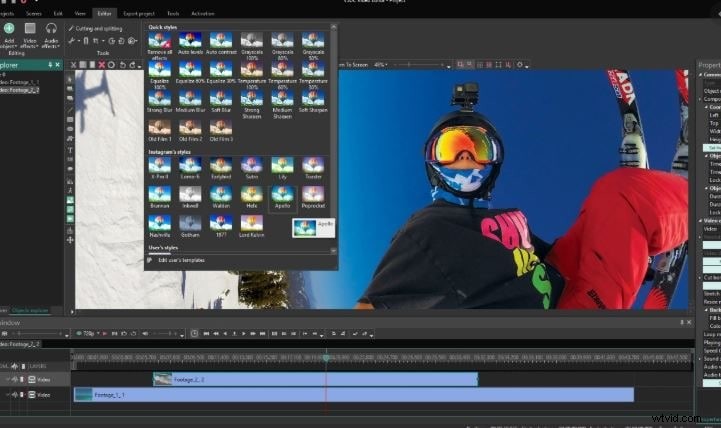
Pros:
- Many useful options provided;
- Can also be used as a video converter.
Cons:
- Computer resources (CPU and RAM) are required at a high level;
- Interface may look complex.
4. Video Toolbox
Video Toolbox is a free powerful online video editor. It enables you easily convert videos, add watermark text, cut videos, crop videos, merge several video files, demux video files and much more. It's capable of processing video files up to 600 MB. Another feature is to analyze the video files and display detailed information about the codec, bit rate, frame rate, resolution, etc.
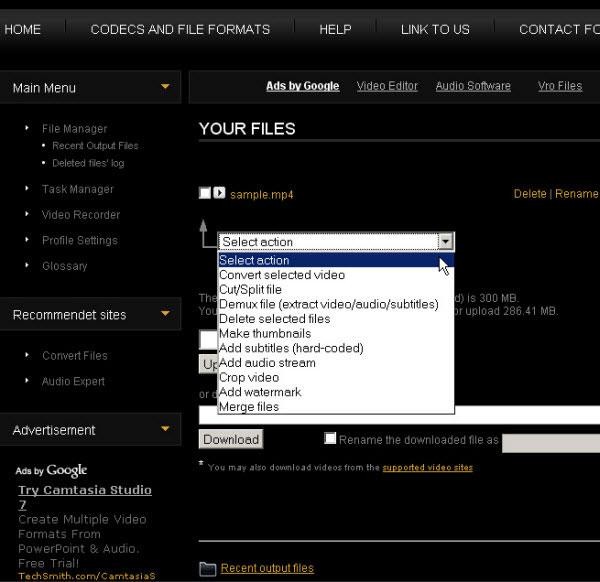
Pros:
- Easy-to-use;
- Powerful video conversion ability.
Cons:
- Only provides simple video editing functions.
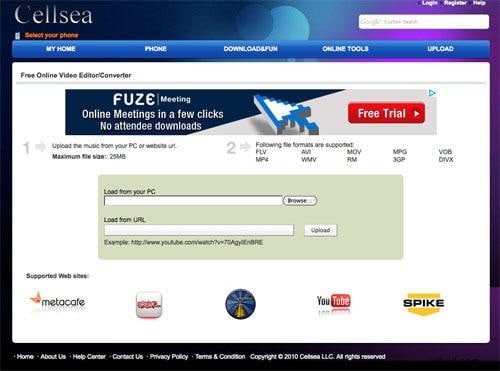
5. Cellsea
Cellsea is an another online video editor which supports various video formats including WMV, RM, 3GP, DIVX, FLV, AVI, MOV, MPG, VOB and MP4. With this free online video editing service, you can upload your videos, easily add effects, change video size, add sound or convert your video to another format and then share with your friends instantaneously.
Pros:
- Easily edit your videos online and share with others.
Cons:
- Has file size limit.