
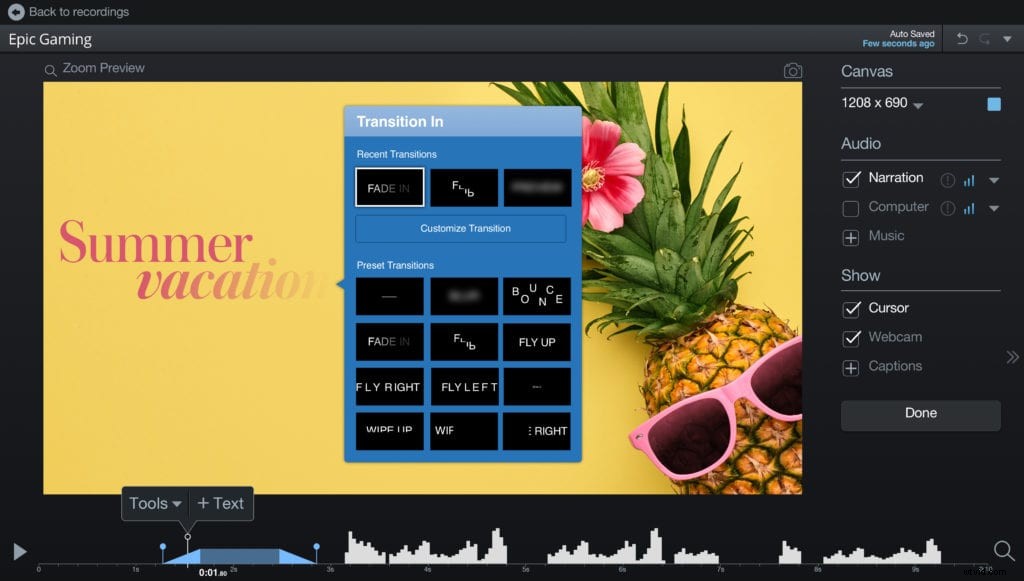
We have enhanced our overlay text tool with animations. The tool is a great way to easily add excitement to your videos and engage your audience.
The easy-to-use text animation tool allows you to add a little fun to your videos! Whether you are adding text to social videos, client testimonials, or product videos, you can drive interest with animated text.
Overlay Text Tool
The Overlay Text tool enables you to change the color of words or whole sentences, change the font, adjust the size, and customize the background color of text boxes. There’s so much you can do with your text. Here’s how to learn more about our overlay text tool.
Text Animations
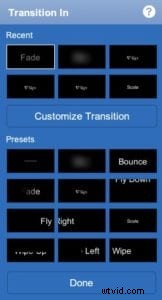 This feature allows you to add motion to your text. The new animation library can be found in the transitions menu. Animated features include:
- A list of preset text animations.
- Choose from a variety of different options including blur, bounce, fade, flip, fly and so much more!
- You can customize your animation by clicking on ‘Customize Transition.’
- Set direction, duration, and delivery for your animation.
With text animations, you have the creative power to deliver engaging motion for your video.
Interested in trying out animated text? Learn more about our video editor.