
If you want to make videos using artificial intelligence, you’ve come to the right place. This post will introduce 5 AI video generators. With them, you can create professional videos from text with ease.
With an AI video generator, you won’t need any video equipment or an editor to make videos. Just type your text and AI video generators will turn it into a video. Thankfully, this post provides 5 AI video generators. (Try MiniTool MovieMaker to edit your AI video.)
#1. Synthesia
Pricing: $30 for a Personal plan, custom pricing for a Corporate plan
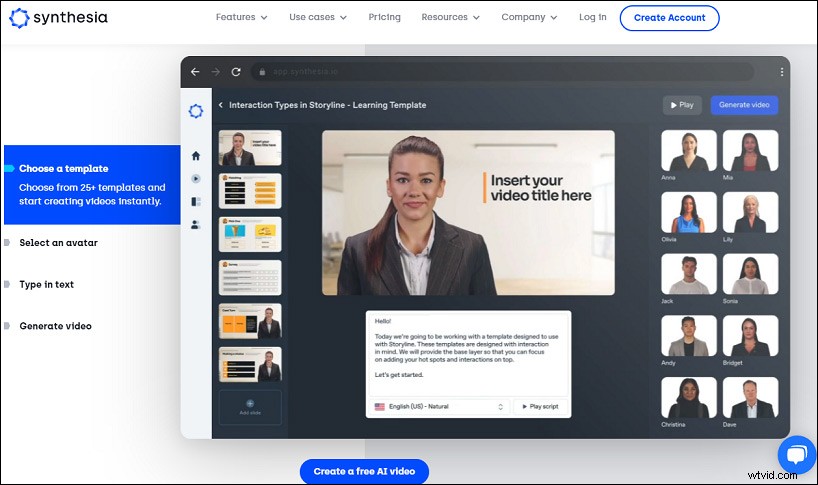
Synthesia is the first recommended AI video generator to make training videos, how-to videos, and more. To make an AI video, you should choose a template first, then choose an avatar, next type your text or upload your audio, then you can choose a background or upload a custom background, and you can also add professional-looking designs, and then generate your AI video.
After that, you can download the AI video as MP4. Synthesia has 45+ built-in avatars and 25+ templates, and it supports 60+ languages.
#2. GliaCloud
Pricing: Pro $300/month, Business $550/month
GliaCloud is also an AI video generator for publishers, marketers, and bloggers to make videos in minutes. With the text to video technology, it makes the video production process much simpler.
You can enter your text or post the article’s URL, and then GliaCloud will automatically create a video with a template and other media assets (millions of images, footage, and GIFs). And both Pro and Business plans support vertical and square videos. The Pro plan supports HD video 720p resolution, but the Business plan supports Full HD video 1080p resolution.
#3. Wave.video
Pricing: $30/month for Creator, $60/month for Business
Wave.video is another text to video generator. Powered by AI, it allows you to create videos from your text or blog post. After entering your text, you should select the aspect ratio (horizontal, square, vertical, Story) and a style, and then this AI video generator starts processing.
Next, you can edit this AI video by adding a logo, sticker, changing layouts, and more. Then you can download this video in MP4.
#4. Synths Video
Pricing: $399/month
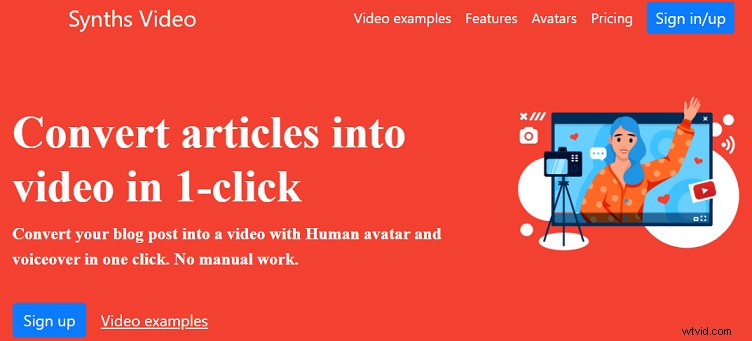
If you need an AI video generator for your YouTube channel, Synths Video is a great choice. This tool makes videos from your blog post and with a human avatar and voiceover. It has 40+ built-in avatars and works with 40+ languages.
After production, you can directly upload this AI video to YouTube or download it in HD. By the way, this text-to-video generator supports YouTube video optimization.
#5. Rephrase.ai
Pricing: Rephrase Studio: $25/month Start Plan, custom pricing for Enterprise Plan. Personalized videos start from $100/month for the Starter
Rephrase.ai is also one of the best AI video generators. With it, you can make studio-quality AI videos with templates quickly and easily. Choose the aspect ratio (16:9, mobile video, square video), select the presenter, type your script, choose your AI speaker and select a voice, then upload your media asset, and customize your video.
This text-to-video generator enables you to add animation to your text/image, add music to your video, and add a background for the video.
Conclusion
With the 5 AI video generators, you can easily create videos from text. If you’d like to share other text to video generators, just leave your recommendations in the below comments area.