
Most of us click the small “CC” icon on YouTube, Netflix, or a TV remote, but what does it really mean? And is it the same as subtitles? This guide breaks down closed captions—what they are, how they differ from subtitles, where you’ll find them, and how to add them to your own videos for greater accessibility and engagement.
What Does Closed Caption Mean?
Closed captions are a text overlay that transcribes every spoken word, speaker name, sound effect, and music cue in a video. They allow viewers who are deaf or hard‑of‑hearing to follow along, and they’re also useful for anyone watching in a silent environment. The key feature that makes them “closed” is that the viewer can toggle them on or off at will—hence the name.
Typical closed‑caption content includes:
- Spoken dialogue – every line spoken by on‑screen characters
- Speaker identification – tags like [John] or [Narrator]
- Sound effects – descriptors such as [door slams] or [phone ringing]
- Music cues – notations like [suspenseful music]
- Other audio cues – anything that helps understand the scene (e.g., [crowd cheering])
A Brief History of Closed Captioning
Closed captions originated in the early 1980s when the FCC mandated captions for broadcast TV to serve deaf and hard‑of‑hearing viewers. The Telecommunications Act of 1996 expanded this requirement to all new television programming. Today, closed captions are a standard feature across streaming services, social media, and digital content, making accessibility a universal expectation.
How Do Closed Captions Work?
Closed captions are produced in three stages:
1. Transcription
The audio is transcribed by a professional captioner or an AI transcription tool, capturing every spoken word and sound cue.
2. Time‑Syncing
The text is divided into caption frames, each assigned a timecode that tells the player when to display and hide the line.
3. Delivery as a Caption File
The time‑synchronized text is saved in a caption file that the video player reads. Common formats include:
- SRT (SubRip Subtitle) – the most widely supported format
- VTT (WebVTT) – used by HTML5 players
- SCC – primarily for broadcast TV and iOS media
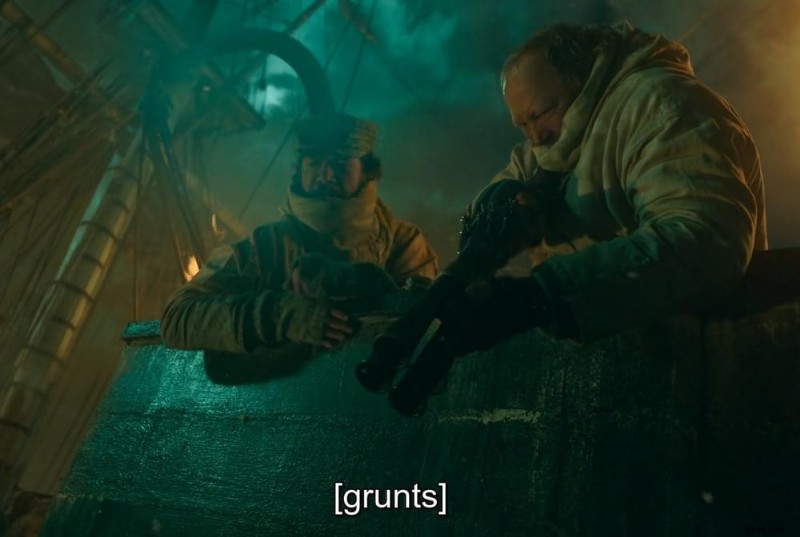
When you hit the CC button, the player loads the caption file and overlays the text in real time. Because the captions are stored separately, you can enable or disable them at any moment.
Auto‑Generated vs. Professional Captions
Platforms like YouTube use AI to auto‑generate captions, which can be quick but often misinterpret accents, technical terms, or overlapping speakers. For the highest accuracy—especially for branded content—human captioners or advanced AI tools like SubtitleBee provide near‑perfect sync and fidelity.
Closed Captions vs. Subtitles: Are They the Same?
In the United States, closed captions and subtitles serve different purposes. Closed captions provide full audio descriptions for viewers who cannot hear, while subtitles translate spoken language for viewers who can hear but do not understand the language. Outside the U.S., the terms are sometimes used interchangeably, but the distinction remains important.
| Feature | Closed Captions | Subtitles |
|---|---|---|
| Purpose | Accessibility for hard‑of‑hearing | Language translation |
| Audience | Viewers who cannot hear audio | Viewers who understand the language but need translation |
| Dialogue | Yes | Yes |
| Sound Effects | Yes ([door slams]) | No |
| Speaker IDs | Yes ([John]) | No |
| Music Cues | Yes ([suspenseful music]) | No |
| Toggleable | Yes | Yes |
Closed Captions vs. Open Captions
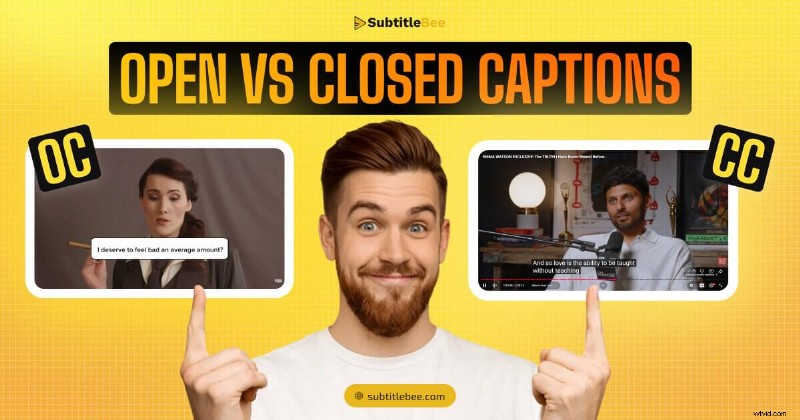
Closed captions are an optional layer that viewers can enable or disable. Open captions are permanently burned into the video and cannot be turned off. Social media platforms often use open captions to capture viewers scrolling with sound off.
What Does CC Mean on Streaming Platforms?
When you see a CC icon on Netflix, Disney+, or YouTube, it indicates that a closed‑caption track is available. Turning it on reveals the full audio description layer.
How to Enable CC on Popular Services
Netflix
Click the speech bubble during playback, select a language, and choose the track marked with a [CC] tag.
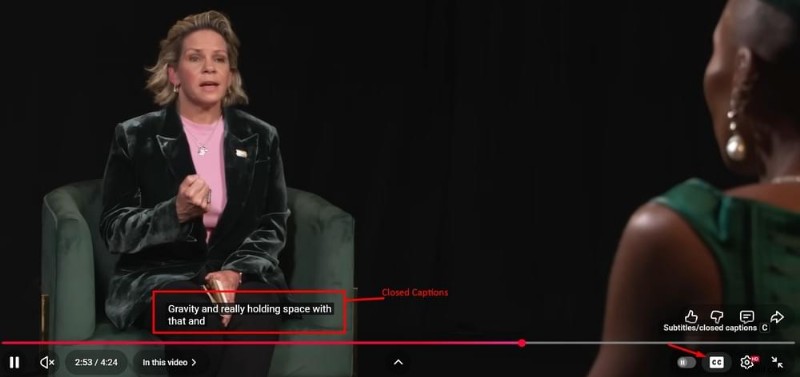
YouTube
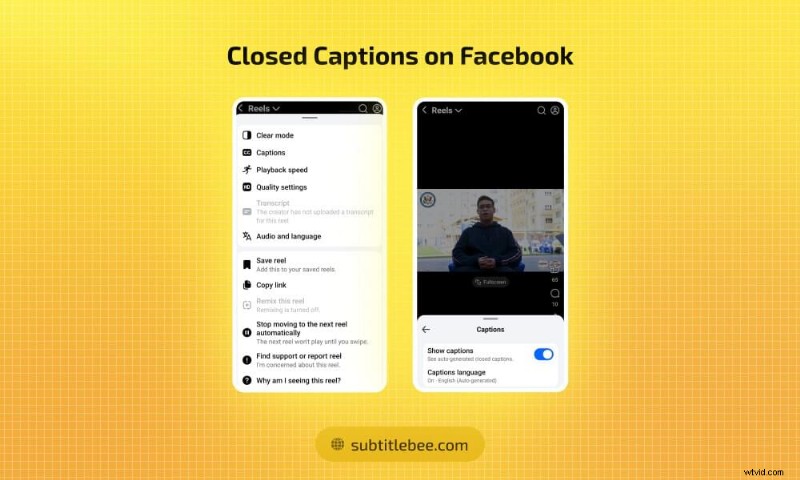
Click the CC button at the bottom of the player. You can adjust language or enable auto‑translate via Settings > Subtitles/CC.
Disney+
Tap the audio/subtitles icon, then select a caption track labeled [CC].
Amazon Prime Video
Choose a caption track from the speech bubble menu; closed‑caption options are clearly marked.
Apple TV+
Go to Settings > Accessibility > Subtitles & Captioning on your Apple device. During playback, you can toggle captions from the player controls.
Closed Captions in Movie Theaters
When a showtime lists CC, it means the theater can provide captioning devices on request. Under the ADA, major chains must supply these devices free of charge.
Devices Available
- Mirror captions – a reflective mirror placed in the cup holder reflects captions projected on the screen’s back wall.
- Smart glasses – tinted glasses that display text directly on the lenses, connected to a small receiver.
- Caption stand (CaptiView) – a flexible LED pole mounted in the cup holder; it’s the most comfortable option for most viewers.
To request a device, simply ask at the front desk before your movie. Many theaters also allow you to reserve one via their mobile app during ticket purchase.
Some theaters now offer open caption screenings, where captions appear on the screen for everyone. Check your local theater’s schedule for availability.
Who Uses Closed Captions?
While designed for deaf and hard‑of‑hearing viewers, closed captions are widely used by:
- Non‑native speakers – reading the language while listening improves comprehension.
- People in noisy or sound‑restricted settings – gyms, trains, offices.
- Parents with sleeping children – watching without turning up the volume.
- Students and educators – simultaneous reading and listening enhances focus and retention.
- Those with poor audio quality – accents, loud music, or background noise can be overcome.
Closed captions have evolved into a mainstream tool used by millions worldwide.
Adding Closed Captions to Your Videos
Adding captions boosts accessibility, improves SEO, and makes your content viewable in any environment. Here are three effective methods:
1. Manual Captioning
Write captions yourself, add timecodes, and export to SRT or VTT. It gives you full control but can be labor‑intensive—about 5–10 minutes per minute of footage.
2. Platform Auto‑Captions
Platforms like YouTube, TikTok, and Instagram offer free auto‑generated captions. Review and edit them carefully, as they often misinterpret names or technical terms.
3. AI Captioning Tools
Tools such as SubtitleBee generate time‑synced captions in minutes with near‑perfect accuracy (up to 99%) and support translation into 120+ languages.
Closed Captions vs. Transcripts
Transcripts are plain‑text documents that present the entire audio content without timing. Closed captions, by contrast, are synchronized with the video, appearing and disappearing at the exact moments they correspond to. For video, captions provide a better viewing experience; transcripts are useful for SEO and accessibility of audio‑only content.
Conclusion
Closed captions are a powerful accessibility feature that also benefits a broad audience. Whether you’re a content creator, a filmmaker, or a casual viewer, understanding CC and how to use it can enhance engagement and inclusivity.
Frequently Asked Questions
Does closed caption mean subtitles?
No. Closed captions provide full audio description for viewers who cannot hear, while subtitles translate spoken language for viewers who can hear but need translation. In many regions, the terms are used interchangeably, but the functions differ.
What does the CC button do?
It toggles the closed‑caption layer on or off. When enabled, the player overlays dialogue, sound effects, and other audio cues as text.
What does CC mean on Netflix?
On Netflix, CC indicates a closed‑caption track that includes dialogue, sound effects, music cues, and speaker labels.
Can you get closed captions at AMC?
Yes. AMC provides captioning devices (smart glasses, mirror, or CaptiView stand) free of charge. Request one at the front desk before the show.
What is the difference between closed and open captions?
Closed captions are optional and can be turned on or off; open captions are permanently embedded in the video and cannot be disabled.
Are closed captions always in English?
No. Closed captions are available in many languages, depending on the content and platform.
How do I add closed captions to my videos?
Use an AI‑powered tool like SubtitleBee to generate accurate, time‑synced captions quickly. Export the file in SRT, VTT, ASS, or TXT format for seamless integration.