
Every content creator seeks a global reach, and the most effective way is to provide clear, translated subtitles. By offering subtitles in multiple languages, you boost both viewership and engagement. This guide focuses on translating English video subtitles into Arabic, one of the world’s most widely spoken languages.
Arabic is the fourth most spoken language globally, with roughly 422 million native speakers. Adding Arabic subtitles opens doors to audiences in the UAE, Bahrain, Saudi Arabia, Egypt, and the broader MENA region.
Why Translate English Subtitles into Arabic?
Arabic subtitles not only expand your market reach but also align with cultural relevance. Here are the key benefits:
- Business Growth: The Middle East is a major hub for commerce and tourism. By breaking language barriers, you attract consumers and investors alike.
- Digital Opportunity: While internet penetration in Arabic‑speaking countries is high, less than 5% of global web content is available in Arabic. Filling this gap can significantly increase your audience.
How to Translate English to Arabic Video Subtitles
SubtitleBee’s AI‑powered platform streamlines the process. Follow these simple steps to achieve fast, accurate Arabic subtitles.
1. Create an Account
Visit SubtitleBee and sign up with your email. The tool runs entirely in the browser—no downloads required. Try the free trial to explore its features.
2. Log In and Upload Your Video
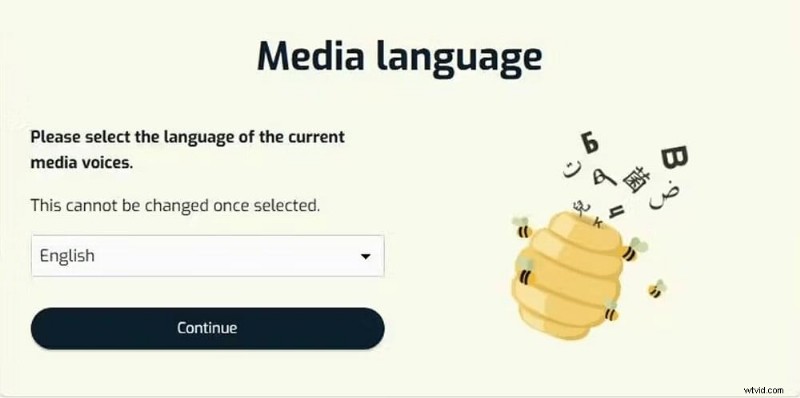
Once logged in, click “Upload new file” and set the original media language to English. Then drag your file or paste a YouTube or Vimeo link. Supported formats include MP4, MOV, AVI, WMV, and WebM.
3. Generate the English Transcription
SubtitleBee’s AI will automatically transcribe the audio. After the transcription completes, you’ll see a synced English subtitle track in the dashboard.

Review the transcription for any inaccuracies—accurate English subtitles are the foundation for reliable Arabic translations.
4. Translate to Arabic
Click “Translate Subtitles” and choose Arabic from the dropdown. Within seconds, the platform generates Arabic subtitles that sync perfectly with the video.
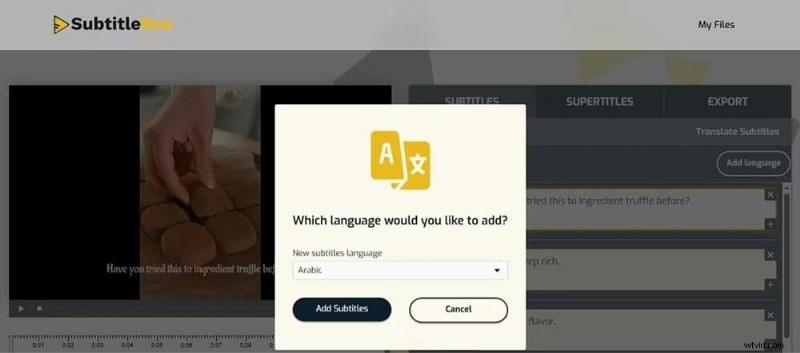
Review the Arabic subtitles for misspellings or cultural nuances. You can also adjust subtitle styles—font, color, size—via the “Edit Subtitle Styles” option.
5. Export the Video with Arabic Subtitles
Navigate to the Export tab, give your video a name, and select Arabic as the subtitle language. Click “Export” to download the finished video with burned‑in Arabic subtitles.
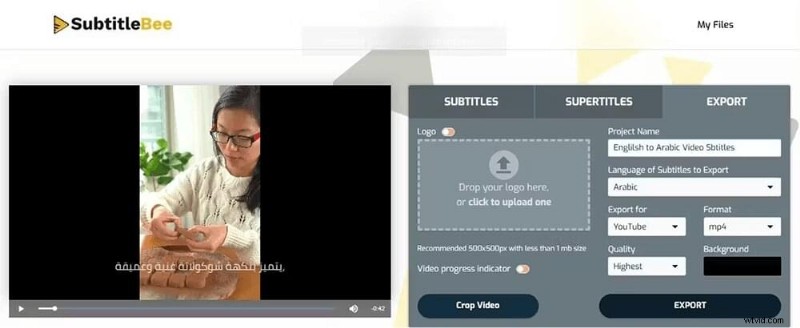
You can also download the subtitle file in SRT, VTT, ASS, or TXT format for use as closed captions on any platform.
Why a Post‑Translation Review Matters
Arabic is a highly contextual language with gendered grammar and over 30 dialects. A literal AI translation can miss subtle nuances—misgendering a speaker or misplacing punctuation marks can break viewer trust.
For instance, the English phrase “Are you ready?” is gender‑neutral. In Arabic, it changes based on the addressee:
- Male: !هل أنت مستعد؟ (Hal anta musta’id?)
- Female: !هل أنتِ مستعدة؟ (Hal anti musta’ida?)
Right‑to‑Left formatting can also cause punctuation errors. A quick review in SubtitleBee’s editor lets you correct these issues and ensure a polished final product.
Which Content Types Benefit Most?
On YouTube—the leading platform in Saudi Arabia and the UAE—viewers consume content on both mobile and large‑screen TVs. Translating key categories can amplify your reach:
- Gaming: The MENA region has a vibrant gaming community. Arabic subtitles help you tap into this high‑energy audience.
- Tech & Gadgets: Arab audiences love luxury tech. Adding Arabic subtitles positions your brand in front of tech‑savvy viewers.
- Dramas & News: Popular Turkish and Syrian dramas, as well as news segments, thrive in Arabic. Subtitles keep viewers engaged.
Conclusion
Translating English videos into Arabic subtitles is straightforward with SubtitleBee’s AI technology. Accurate, culturally aware subtitles broaden your audience and enhance viewer satisfaction.
Related Reads:
How to translate video to English subtitles
How to translate Hindi to English subtitles
FAQs
How do I create Arabic subtitles?
Upload your video to SubtitleBee, set the original language, and use the “Translate subtitles” feature to generate Arabic captions automatically.
What is the Arabic word for “subtitles”?
Subtitles are called ترجمة (tar‑ja‑ma) in Arabic. The plural form is ترجمات (tar‑ja‑mat).