
After you’ve created and edited your video, there are lots of little last-minute touches to add. You’ll probably want to include captions, you may want to add an eye-catching headline or a cool progress bar animation… but what’s one small element that sometimes gets overlooked at the end of the editing process? Whether or not you want to add a watermark to your video.
Adding a watermark to your video is a small thing that can have a major effect. A watermark is a simple way to raise brand awareness and ensure everyone recognizes your company’s content at a glance.
Even though it’s a small addition, it can be complicated to figure out exactly how you add a watermark to a video. That’s why we’re going to show you how it’s done — in just 3 easy steps!
How to Add a Watermark to a Video (in 3 Easy Steps)
Zubtitle’s simple online video editor makes it extremely easy to brand your videos by adding a custom watermark. Just follow these 3 easy steps:
1. Upload A Video
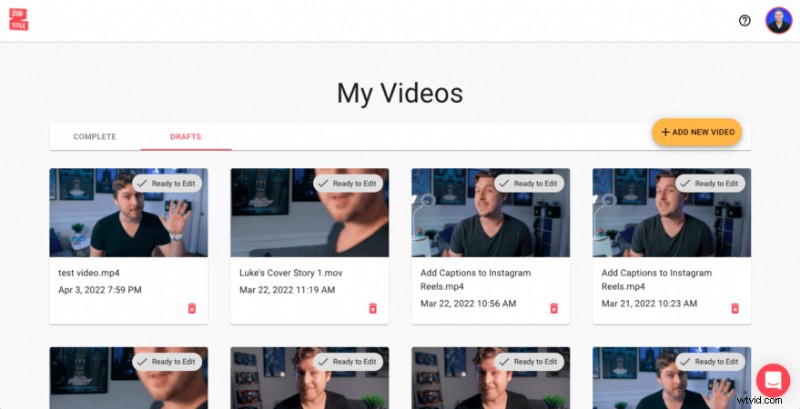
Once you’ve logged into your Zubtitle account (or created a new one), you can upload the video you want to edit by clicking the yellow “Add New Video” button on the right-hand side of the screen.
2. Add A Watermark with 1 Click
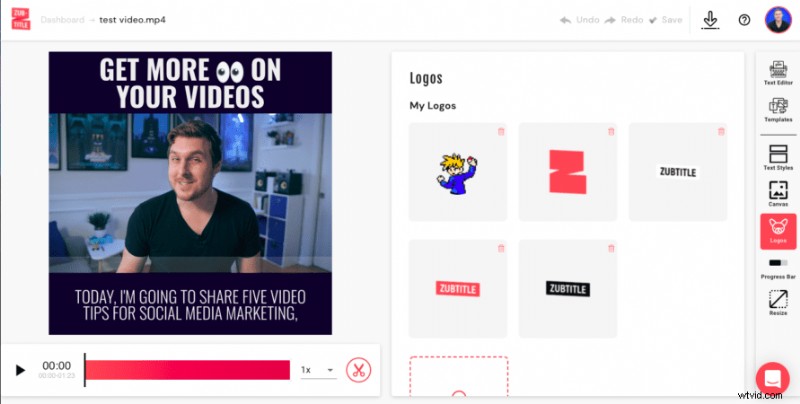
Under the Logos menu, you can easily add your watermark by either dragging and dropping your file into the appropriate section or clicking to select your file to upload (it must be a .png image).
3. Fine-Tune Positioning
Once you’ve uploaded your watermark with 1 click, it will automatically appear on your video. You can then simply click and drag to resize and position your watermark just the way you want.
Pro tip: If you’re using subtitles in your video (and you definitely should), try adding your watermark in one of the upper corners. Having your watermark in the upper corner throughout the video can remind viewers of your brand’s identity without being obstructed by subtitles.
Are you ready to add a watermark to a video?
Sign up for a free Zubtitle account today to get started! With our free plan, you can create two videos per month. To create up to 10 videos per month (and remove the Zubtitle watermark), check out our standard plan.