
Facebook ads are a great way to generate new leads, grow your business, and gain loyal customers. And, because video is the king of content, Facebook ad videos are incredibly effective at drawing people in. Spending your ad dollars on video just makes sense. In contrast to text ads, video ads are visually compelling and allow you to speak directly to your target audience.
And if you’re spending time and money creating Facebook ad videos, there’s one important step you don’t want to miss: captions. Studies have shown that about 80% of social videos are watched on mute. If you don’t add captions to your Facebook ad videos, then you’re potentially missing out on a huge chunk of your audience.
But how do you add captions to your Facebook ad videos in a way that’s not time-consuming, labor-intensive, or expensive? It’s not hard… as long as you’re using the right tool! We’re here to show you how to add captions in 3 easy steps with Zubtitle.
Add Captions to Facebook Ad Videos (3 Easy Steps)
Zubtitle’s state-of-the-art software makes it quick and easy to add captions to Facebook ad videos. Just follow these 3 easy steps:
1. Upload Your Video
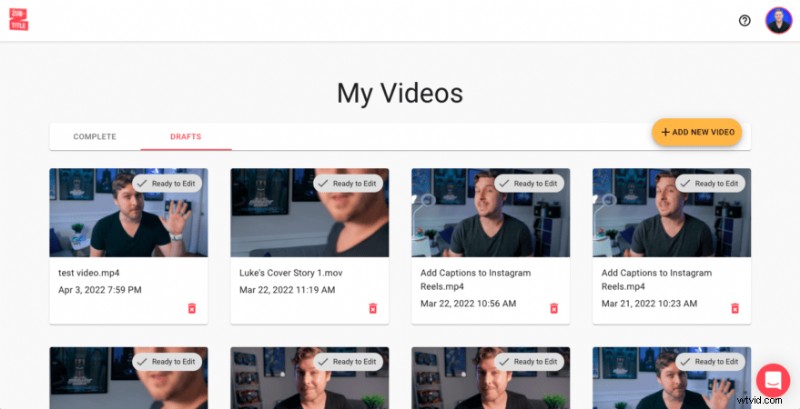
After you’ve created a Zubtitle account (or logged into an existing one), you’ll begin by uploading your video. Just click the yellow “Add New Video” button on the right-hand side of the screen.
2. Edit Your Captions
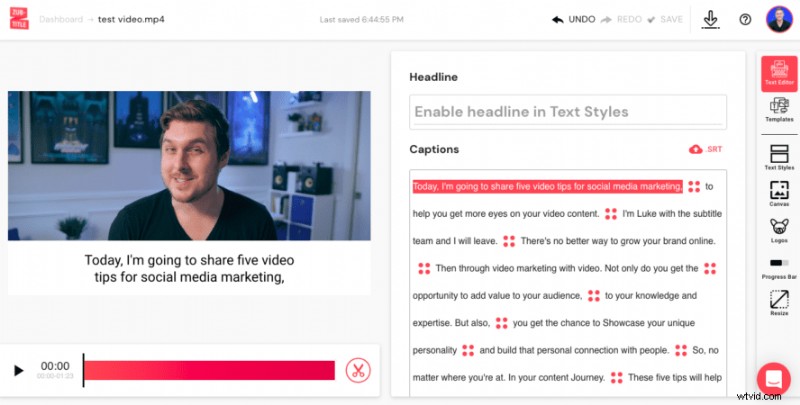
Once your video has been uploaded, Zubtitle will handle all the heavy lifting. In just minutes, our software will automatically transcribe the speech in your video and convert it to timed captions. Now, your job is easy. Just scan through the new captions and make sure everything looks perfect. If you want to change any spelling/grammar or adjust the timing, you can make any of those edits by simply pointing and clicking.
3. Style Your Captions
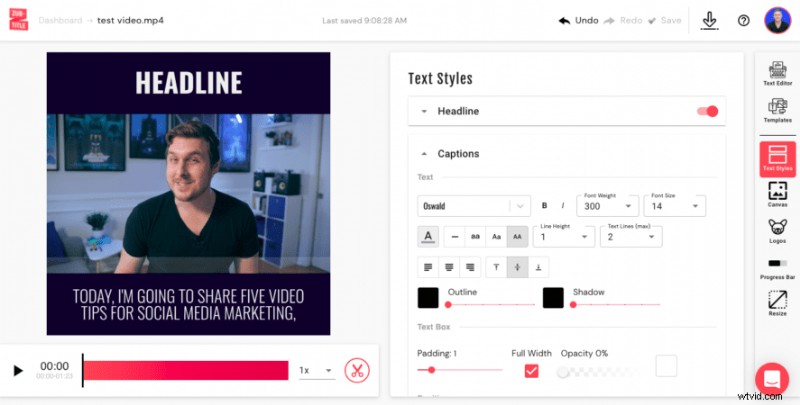
Almost there! All that’s left is for you to decide how you want your captions to look. When you select the Text Styles menu, you’ll be able to choose a font (or upload a custom font), change the font size/color, adjust the text box, and more. You can also fine-tune the positioning of your captions. Once you’re done, you’re ready to download your new Facebook video ad!
Do you want to add captions to Facebook ad videos?
Sign up for a free Zubtitle account and start creating today!