
With subtitle converters, you can convert ASS to SRT or other subtitle formats in minutes. This post picks out the 4 best free subtitle converters and shows you how to use them to convert ASS to SRT. Want to add text to video? Try MiniTool MovieMaker.
Fail to upload the ASS file to your video on YouTube? Why? Because YouTube doesn’t support ASS subtitle format. In this case, you should convert ASS to other subtitle formats that YouTube supports, such as SRT (SubRip), SUB, VTT, etc. Following are the 4 subtitle converters to convert ASS to SRT.
Top 4 Subtitle Converters to Convert ASS to SRT
- Subtitle Edit
- Subtitle Tools
- Go Transcript Subtitle Converter
- ToolSlick
Convert ASS to SRT with Subtitle Edit
Subtitle Edit is a subtitle converter software supporting over 280 subtitle formats including ASS, SRT, TXT, XML, SUB, and UTX. It also gives you the option to create and edit subtitles, and rip subtitles from DVD. Another great feature is that Subtitle Edit can auto-translate subtitles via Google Translate.
Take the following steps to convert ASS to SRT.
Step 1. Download and install Subtitle Edit.
Step 2. After installing it on the computer, open it and import the ASS subtitle file by clicking File > Open.
Step 3. Next, you can edit the subtitle file as needed.
Step 4. Then go to File > Save as and choose the SubRip option from the Save as type box.
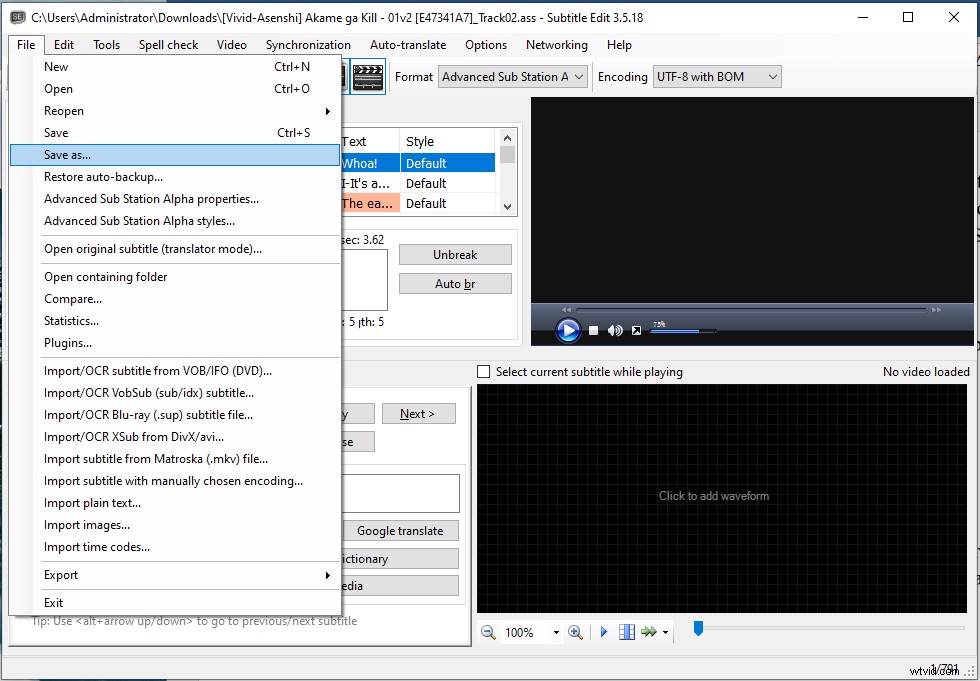
Step 5. Click on Save to confirm the operation. Then the ASS file will be saved in SRT format.
You may like: 7 Best Free Websites to Download Anime Subtitles
Convert ASS to SRT with Subtitle Tools
Subtitle Tools is an online subtitle converter. It not only allows you to convert ASS to SRT but also lets you adjust subtitle timing and combine two subtitles into a single file.
Other supported subtitle formats are SSA, SMI, SUB, VTT, and MPL2.
Here’s how to convert ASS to SRT.
Step 1. Open the Subtitle Tools website and click on Convert to Srt.
Step 2. Click Choose Files to upload the ASS subtitle file.
Step 3. Press the Convert to Srt button to convert ASS to SRT.
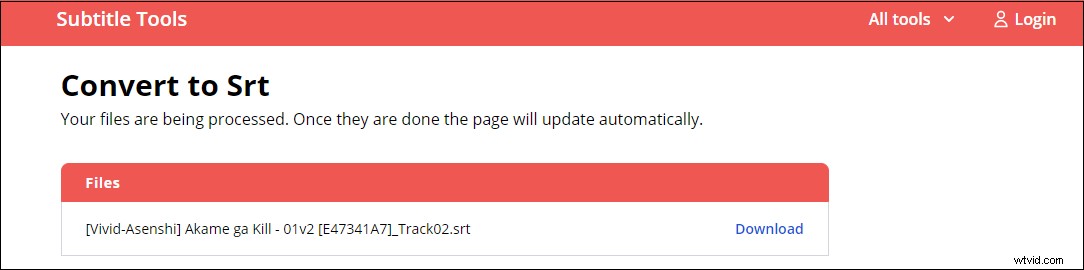
Step 4. Once done, click the Download button to save the SRT file.
Convert ASS to SRT with Go Transcript Subtitle Converter
With Go Transcript Subtitle Converter, you can convert ASS to SRT, STL, XML, VTT, and SMI online for free.
Here’s how:
Step 1. Open the Go Transcript Subtitle Converter website.
Step 2. Click UPLOAD to import the target ASS file and select the SubRip (.srt) as the output subtitle format.
Step 3. Tap on CONVERT to start the ASS to SRT conversion.
Step 4. Download the converted subtitle file after finishing the conversion.
Convert ASS to SRT with ToolSlick
This free online subtitle converter lets you convert subtitles or lyrics from one format to another. With it, you can convert subtitles between SRT, ASS, SSA, LRC, SUB, VTT, and more.
Here’s a quick guide.
Step 1. Go to ToolSlick, type “subtitle converter” in the search bar at the upper right corner, and open the subtitle converter tool.
Step 2. Click on UPLOAD and choose the desired ASS file from the local.
Step 3. Go to Settings and select SubRip (SRT) as the target format. Tap on CONVERT to go on.
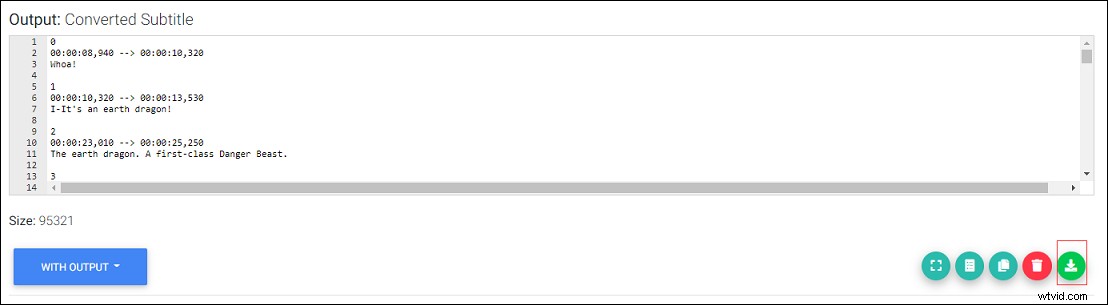
Step 4. Once the process is done, click the green download icon to download the SRT file.
Conclusion
To convert ASS to SRT, an excellent subtitle converter is important. This post shows you how to handle ASS to SRT conversion with the 4 best subtitle converters. Try them now!