
This post will give you a brief introduction to the BMP file and tell you how to open it as well as how to convert BMP files. And if you’d like to make a video from BMP files for free, you can try MiniTool MovieMaker.
What Is a BMP File?
A file with the .bmp file extension is a BMP file. Developed by Microsoft Corporation, it is a raster graphics image file format that’s used to contain bitmap digital images. According to Wikipedia, the BMP file format is also called as the bitmap image file, device-independent bitmap (DIB) file format or just bitmap. And BMP files are usually uncompressed, and so they have a large file size.
The BMP file format can store image data with monochrome and color and in various color depths. BMP files are usually uncompressed, and so they have a large file size. And this file format is often used to store 2D digital images.
Compared with JPG images, the BMP file has a larger size, but it has a higher resolution and higher quality. But it is not easy to download BMP files and the BMP file is less web-friendly.
How to Open BMP Files?
How to open BMP files? BMP is a common image file format. It is compatible with Windows Mac operating systems. It means you can open BMP files using the programs that come with Windows and macOS, Microsoft Photos or Paint, Apple Photos or Apple Preview.
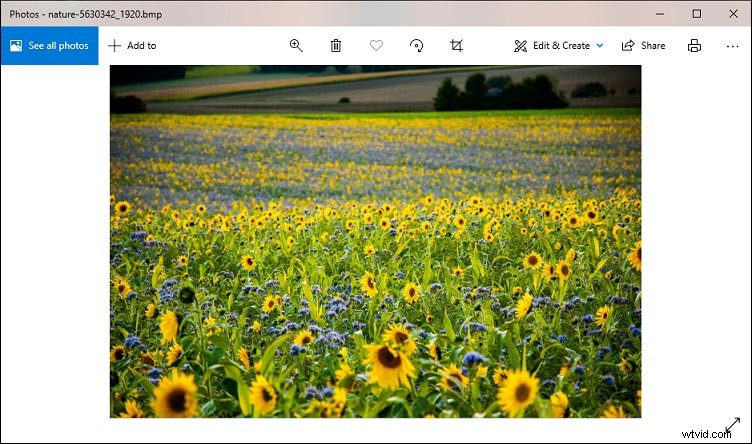
Besides, many third-party graphics programs can open BMP files, such as Adobe Photoshop, GIMP, MicroCorel PaintShop Pro, IrfanView, XnView, Adobe Illustrator.
GIMP is highly recommended here. It is a free and open-source raster graphics editor that is available on Windows, macOS, and Linux. It not only lets you view BMP files but also offers many tools to edit them. For example, it can rotate, flip, scale, crop images, add text to the image, and more. And it offers selection tools and pen tools. Also, it can save the BMP file as JPEG, PNG images.
Best BMP file converter
BMP files have a large file size, and thus it’s often converted to PNG or JPG format for other uses. How to convert BMP files? If you’ve already installed Photoshop, GIMP, IrfanView on your computer, you can open these programs to edit and convert BMP files. If not, you can try the following online BMP file converters.
Online-Convert
Online-Convert is a powerful online conversion tool that allows you to convert images, videos, audio files, documents, etc. It allows you to convert BMP to PNG, JPEG, ICO, SVG, GIF, EPS, etc.
Convertio
Convertio is also one of the best online BMP file converters, and it can convert BMP to multiple formats, including JPG, PNG, DXF, PDF, DOC, JPEG, ICO, PGM, EPS, AI, PLT, TIFF, and DDS. Also, it can turn multiple file types to BMP, such as XLSX, WEBP, SVG, GIF, JPEG, HTML.
CloudConvert
CloudConvert is another BMP file converter you should try to convert from or to BMP. This online file converter supports BMP to 12 file types like PDF, PNG, JPG, ODD and can convert 40+ formats to BMP.
How to Convert BMP to MP4 for Free?
If you want to convert BMP to MP4, you can try MiniTool MovieMaker. It’s a free photo video maker and can make a video from multiple images and music.
Conclusion
After reading this post, you’ve learned the definition of BMP file and about how to open BMP files on your PC and Mac. Now, you can try the above programs and converters to open BMP file or convert it to JPG or PNG.