
Make any video grayscale
The black and white effect operates with two above-mentioned colours only, while the grayscale one can be called “50 shades of grey” and has a rich palette of this hue.
This filter makes a pic or a video more “noble”, hides its imperfections and adds a hint of a “summertime sadness”. There are millions of other reasons to use it, though. Our aim is to give you the right tool.
Clideo service lets you to edit your shooting in a dozen of ways: not only can you grayscale a video, but also you may avail of a video cutter, add an audio or mute your shooting, loop it, change a format, compress, add subtitles, etc.
All our tools work online in a browser; hence, they are compatible with all the operating systems and device types. We also distribute our services on a free basis: you can process files up to 500 MB with no charge and you may start as many projects as you need, with no limits.
Getting back to the subject of filters, just follow three steps:
Upload a visual
Open Clideo’s set of filters and upload a video from your personal device by hitting the “Choose file” button.
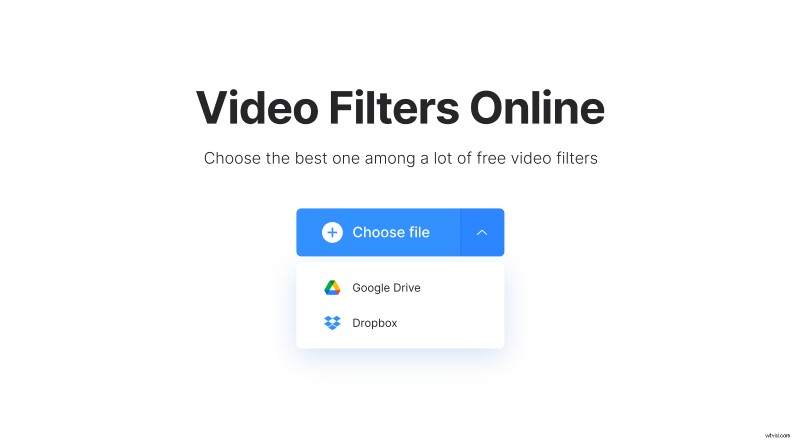
You may also call the drop-down menu on its right side and pick up a file from Google Drive or Dropbox.
Grayscale your video
Scroll down and the last filter will be the one you need — Grayscale. But you can also try out other 16 options and see if you like another one most!
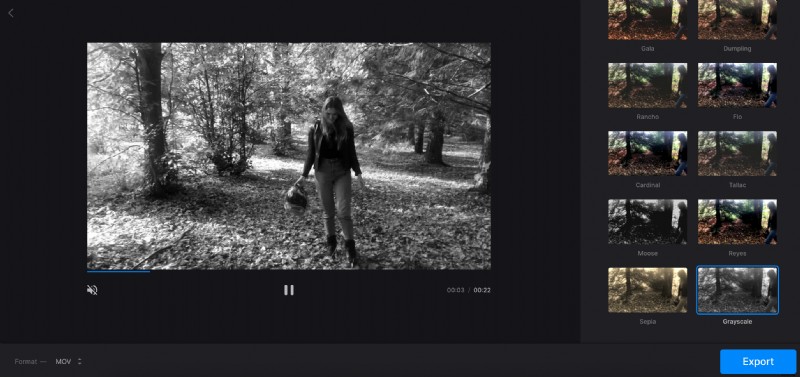
Then decide on the output format. If you are going to share your altered shooting on social media, stick to MOV and MP4, as they are the most widely acceptable extensions. Apart from them, you may select ASF, 3G2 and about a dozen of less popular formats.
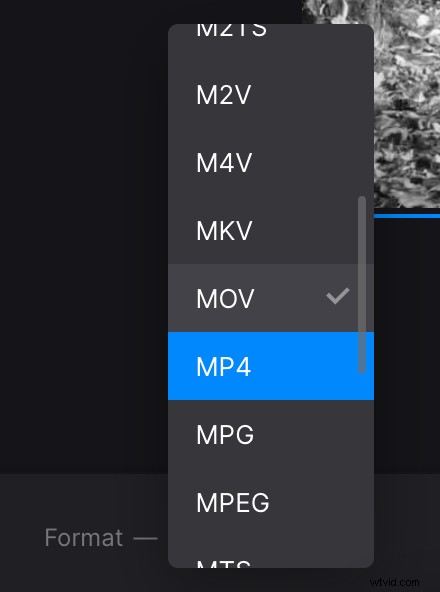
When you are ready, click on the “Export” button and let the tool do the rest.
Save your project
Give your video a final run to check if you are happy with the result, and, if so, save it to your personal device or cloud storage account.
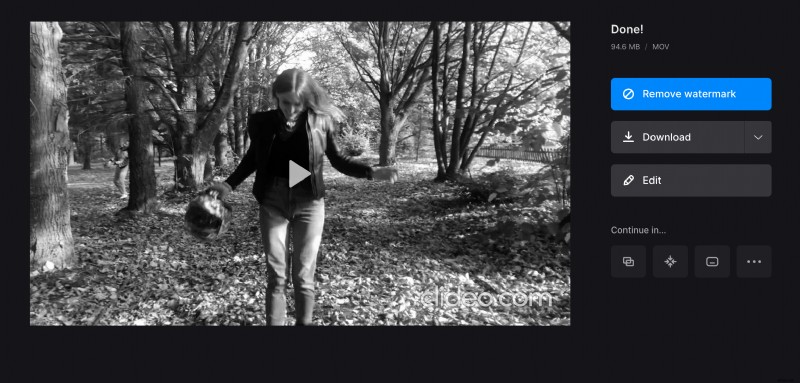
If you want to get rid of a tiny watermark or edit your project in other tools right away, consider upgrading your account.