
For some reason, you may need to convert your voice recording or some audio files to text. Wonder how to transcribe MP3 to text? This post will offer you 3 methods to convert MP3 to text. Check out this post and have a try!
Have some voice memos and MP3 files that need to convert to text? Then you must have a look at this post. Here provide 4 methods to help you out!
If the file that you want to transcribe is in MP4 or other video formats, you should try MiniTool MovieMaker to convert video to MP3 format and then use MP3 to text software to transcribe it to text.
1. Convert MP3 to Text in Speech to Text Demo
Speech to Text Demo is a free speech recognition service that has the ability to convert English, Spanish, Arabic, German, French, Korean, Japanese and Mandarin speech into text. It offers two options to transcribe audio: record voice using microphone and upload the audio file. The uploaded audio file can be MP3, WAV, FLAC, MPEG and OPUS.
If your audio file is not supported by Watson, see this post to convert the file to MP3: 9 Best Audio Converters to Convert Audio Files for Free.
Take the following steps to transcribe MP3 to text.
Step 1. Go to the Speech to Text Demo website.
Step 2. Here you can change the voice model or check the Detect multiple speakers option if needed.
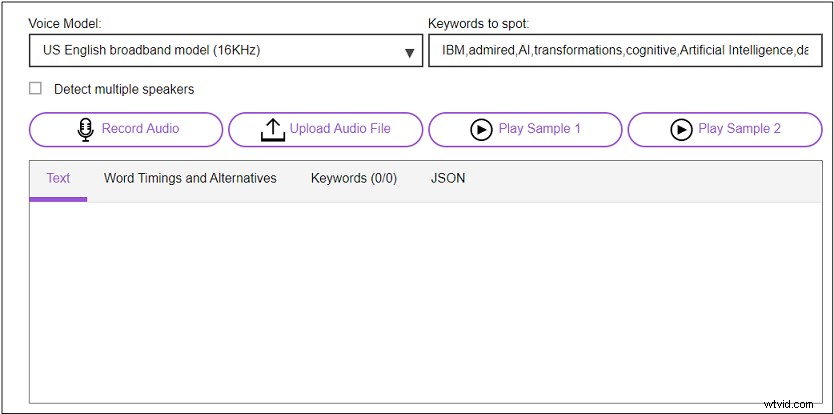
Step 3. Click Upload Audio File to upload the MP3 file from your computer.
Step 4. Wait for a few minutes and then the text will show in the box.
Step 5. When the conversion is done, you can copy the text and save it to your computer.
2. Convert MP3 to Text in 360 Converter
360 Converter is a web-based converter that can convert audio to text, video to text, image to text and YouTube video to text for free. This great MP3 to text converter allows you to upload an audio file from multiple sources including Local Disk, URL and Cloud Storage.
Here’s how to convert MP3 to text.
Step 1. Open the 360 converter website.
Step 2. Click Choose Files to upload the MP3 file.
Step 3. Select the language used in the MP3 file and set the start time and end time of the audio you want to transcribe.
Step 4. Check the I agree to Terms & Conditions box and press the Start Conversion button to start converting voice to text.
Step 5. After the converting process is complete, you can download the text file from the website.
You may like: 4 Best Voice Recorders to Record Voice in 2020.
3. Convert MP3 to Text in Sonix
Sonix is an easy to use online speech to text converter. It supports uploading MP3 file from the computer and cloud services. This tool can also convert MP3 to other file formats like DOCX, SRT and VTT.
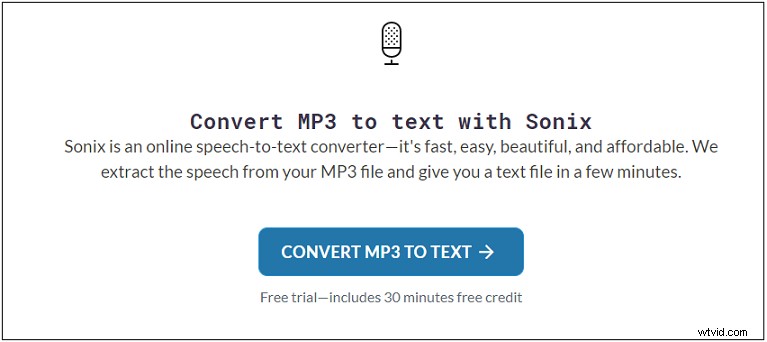
Here’s how:
Step 1. Go to Sonix and sign up for Sonix’s account.
Step 2. Upload the MP3 file you want to transcribe from the computer.
Step 3. Choose the language used in the MP3 file and tap on Start Transcribing Now.
Step 4. Then it will take a few minutes to transcribe MP3 to text.
Step 5. Afterward, proofread the transcript and export the text file.
Conclusion
Want to transcribe MP3 to text? Try the 3 methods that I mentioned above! Hope this post is helpful to you!
If you have better suggestions about MP3 to text, please leave a comment below.