
Can you ever guess that WhatsApp supports which audio format? If it is AAC, then you are wrong, as that was in the case of the older WhatsApp version. And if it is OPUS, then you are a little closer but still a wrong answer. Yes, OPUS was the supported audio format that once WhatsApp used to store audio files, but you couldn’t play the WhatsApp audio on any other media player or other apps on the device. When it comes to the latest scenario, it is found and spread that WhatsApp supports all audio formats.
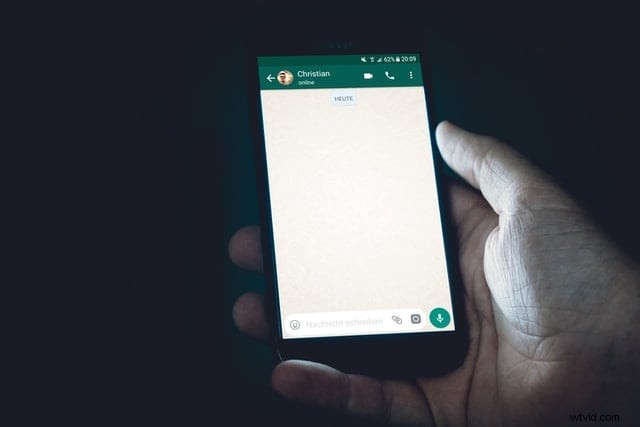
But what if you’re audio doesn’t play smoothly? If you never want to take a second chance, you can convert WhatsApp audio to MP3 that will keep a full-stop to your question. With no delay, let’s get directly to our today’s article.
- Part 1: Where are WhatsApp audio files stored?
- Part 2: Convert WhatsApp Audio to Mp3 with Free Audio Converter
- Part 3: How to Convert WhatsApp Audio to MP3 with Filmora?
Where are WhatsApp audio files stored?
Once you have downloaded the WhatsApp audio, voice note, or media file, have you ever wondered what the files' location is?
If it is your Android device, you can find the audio files by executing "WhatsApp>Media> WhatsApp Audio." If your device has internal storage, you can find the WhatsApp folder directly in the internal storage, but you can find it in the SD card or external SD storage if it is no.
Convert WhatsApp Audio to Mp3 with Free Audio Converter
Converting WhatsApp audio to MP3 is fine, but can we do it at free-of-cost? Yes, if it is a one-time need or a short video, you can try converting it online where the below three tools can be more helpful.
Online Audio Converter
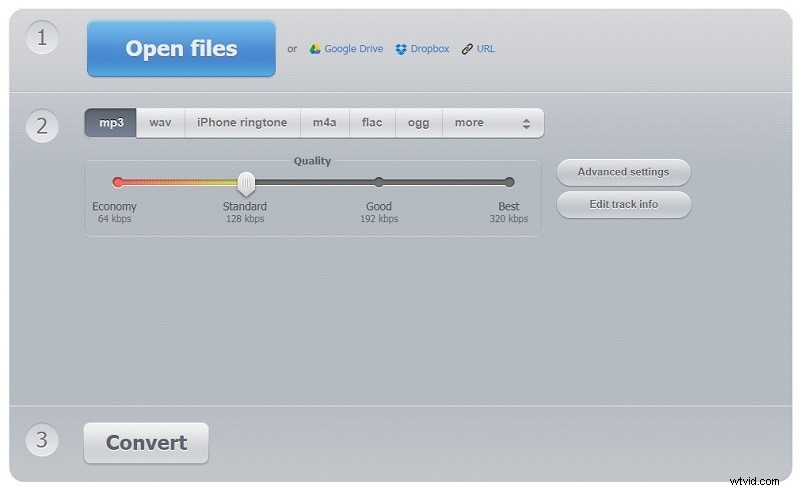
As the first guest on the list, we have "Online Audio Converter," a simple converter tool for WhatsApp audio to MP3 conversion. With support to upload from the device, URL, Google Drive, and Dropbox, popular formats like FLAC, M4A, and OGG, this online converter supports many more formats.
Official link: https://online-audio-converter.com/
Features
- With advanced settings, you can configure the quality, channels, bitrate, frequency, etc.
- Supports batch conversion and saves them in a ZIP folder automatically.
- The online audio converter is safe, secure, free, and fast.
How to convert WhatsApp audio to MP3 with the Online audio Converter?
Step 1: Click on the “Open Files” or other options (Google Drive, Dropbox, or URL) to upload the file.
Step 2: Specify the format as “MP3”, and swipe the quality level.
Step 3: Hit the “Convert” button and get the final MP3 audio file.
Convertio
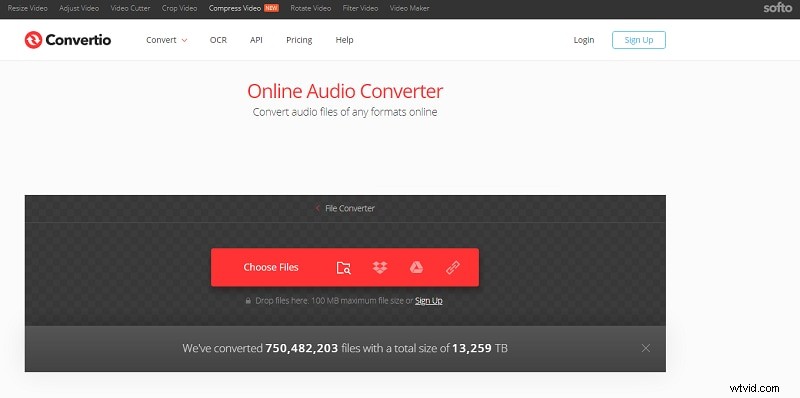
Convertio is our next tool to convert WhatsApp audio to MP3, supporting a maximum file size of 100MB. Convertio supports all popular formats like AAC, AU, APE, CVS, FAP, NIST, and a lot more with over 3416 audio conversions.
Official link: https://convertio.co/audio-converter/
Features
- Compatible with Mac, Windows, Linux, Android, and iPhone.
- Privacy is guaranteed as the files get deleted after 24 hours.
- Simple & easy-to-use intuitive user interface.
How to convert WhatsApp audio to MP3 with Convertio?
Step 1: Enter the official link (https://convertio.co/audio-converter/) on the browser and upload files by clicking the “Choose Files” option.
Step 2: Choose the output format to “MP3” and hit the “Convert” option.
Step 3: Download the final MP4 file, and save it to any file directory.
Zamzar Audio Converter
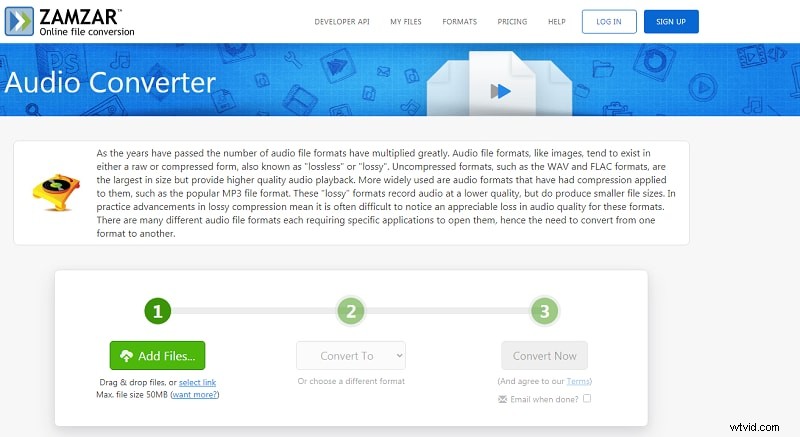
Is the larger FLAC audio WhatsApp file taking up space on your device? Want to make it smaller but with lossless compression? Zamzar on-line file converter lets you convert WhatsApp audio to MP3 in just three steps. With simple drag & drop or URL upload, you’re in good company with Zamzar.
Official link: https://www.zamzar.com/audio-converter/
Features
- Secure with the world-class, high safe data center, state-of-art electronic surveillance.
- Zamzar follows a serious privacy policy.
- Ease-of-use real-time quick conversion.
How to convert WhatsApp audio to MP3 with Zamzar?
Step 1: Visit the website, https://www.zamzar.com/audio-converter/, and tap the “Add Files” button
Step 2: Once the audio gets added, select “MP3” from the “Convert To” drop-down.
Step 3: Tap the “Convert Now” button, and get your converted file.
How to Convert WhatsApp Audio to MP3 with Filmora?
Online tools like Convertio and Zamzar are of more significant help in an emergency but with limitations. If you have a larger high-quality file and require a simple yet effective way to convert WhatsApp audio to MP3, then you should prefer a smarter choice like Wondershare Filmora.
Wondershare Filmora is the best modern way to convert WhatsApp audio to MP3 that is easy-to-use. Before taking it for the long-run, you can try it out for free. Apart from audio conversion, Filmora can perform magic on your audio like background noise removal, audio denoise functionality, audio ducking, broad support over different formats, audio detach from video, voiceover addition, and still a lot more. With no compromise in the quality, high-quality deliverance is a promise by the professional development team behind Filmora that can play a hit to your imagination!
How to convert WhatsApp audio to MP3 with Filmora?
Not just explaining about Filmora is easy, but working with the Wondershare Filmora is easy as well, and this guide on how to convert WhatsApp audio to MP3 will prove it.
Note: Get a free version of Filmora by clicking on the “Try it Free” button on the link, https://filmora.wondershare.com/, and make sure your WhatsApp audio is kept ready on your PC.
Step 1: Start New Project
Launch the application, open it, and click on the “New Project” to start with at first.
Step 2: Import Files
Tap the inverted icon next to the “Import” option and choose “Import Media Files” from the drop-down or a drag-and-drop.
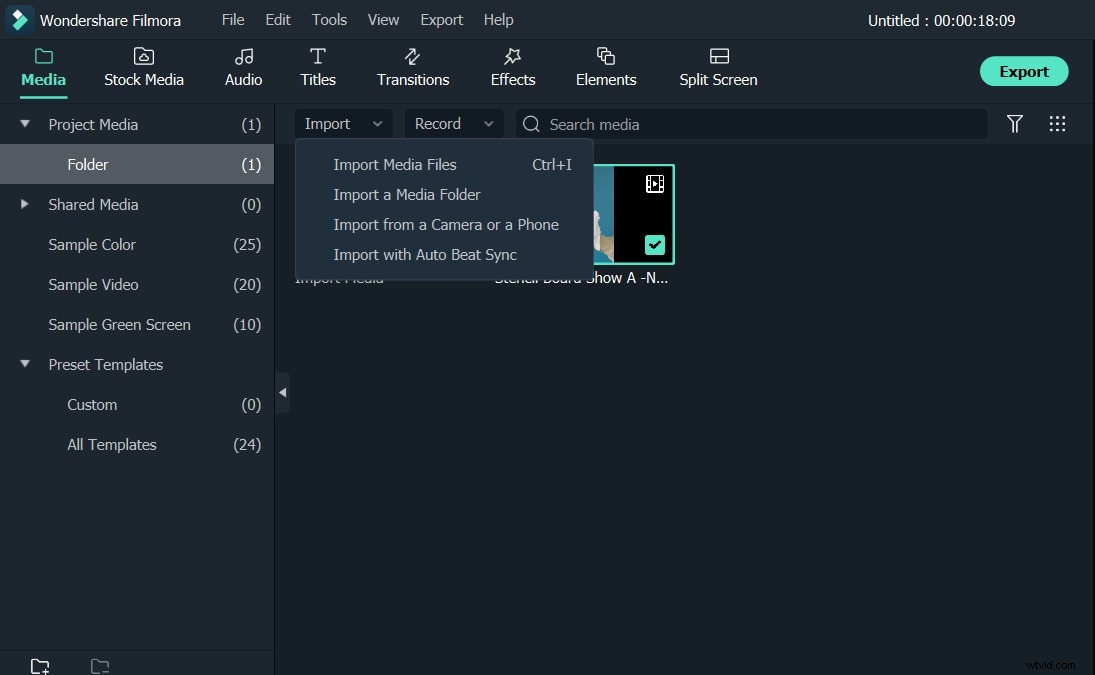
Step 3: Convert and Save
Once the audio is on the media panel, tap the “Export” button on the top right corner, and from the format tab, choose the “MP3” option.
Change the file save location if required or click the “Export” option to get the converted audio file.
Like the online audio converter tools, you can convert WhatsApp audio to MP3 with Filmora hassle-free.
Conclusion
Thus, instead of just waiting, start converting your WhatsApp audio to MP3 with the tools discussed above, and shred the space occupied by the large files. If you require a video/audio editor tool for long-lasting projects and unique creations, Filmora is the best recommendation that you must try!