
What is ACG Player? It is a universal media player to open video and audio files. And this post will give you a brief introduction to ACG Player and a guide on how to use ACG Player. How to edit a video for free? Try MiniTool MovieMaker.
About ACG Player
ACG Player is a universal media player only for Windows 10 (UWP, PC/Tablet/Phone...) to play video and audio files. This software is just a lite player, not a decoder. And it uses the free FFmpeg project to decode data automatically. From the developer, ACG Player should support most of the common formats, but it does not support all formats.
ACG Player is free to use, but it contains ads. Usually, the ads won’t show up while the video is playing. And if you want to remove the ads forever, it costs $3.9.
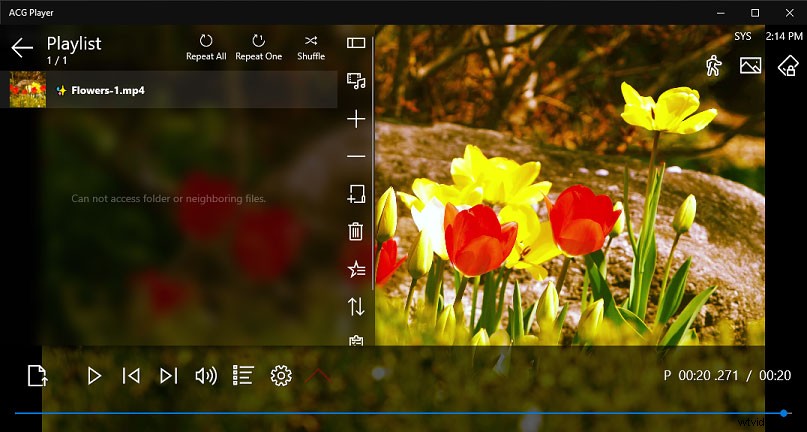
ACG Player has many functions. For example, when you play a video, it allows you to adjust the video speed, adjust the video aspect ratio, flip the video, adjust the video brightness, contrast, saturation, and hue, take a screenshot from the video, and more. Here’re the main features of ACG Player.
Features of ACG Player
- A user-friendly interface, and custom panel buttons
- Customizable art font subtitle with HARDWARE rendering technology
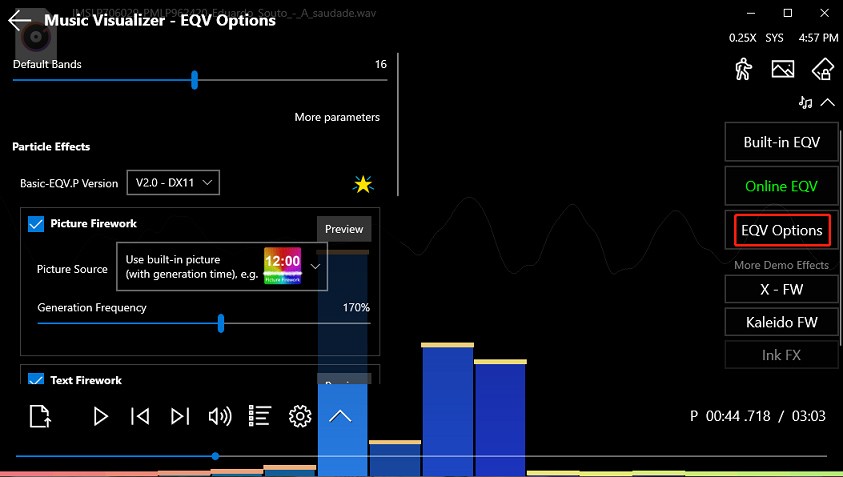
- Art EQ visualizer, music fireworks, interactive music animation
- Touch screen swipe control, quick 9 buttons (long press), side gesture
- Two finger scale & move
- DLNA/UPnP (Media Server in Media Library)
- Snapshot
- Background music player
- Video preview (slider, swipe)
- Audio effect
- Video effect
- Speed control
- 360° playback
Where to download ACG Player? How to Download ACG Player for free? You can go to the Microsoft Store to get ACG Player.
Note: If you want to change some settings of ACG Player, just click the Settings button, click General to custom panel buttons, click Control to adjust the Side Guesture, etc.
How to Use ACG Player
This part will show you how to open videos and audio files in ACG Player and make some adjustments.
Step 1. Download ACG Player from the Microsoft Store, then install and launch this program.
Step 2. Tap the Open menu button at the bottom left corner, click the Pick Files or Pick Folder to add the files you want to play. Then the files will play automatically.
Step 3. When the video is playing, you may want to make some adjustments for a better experience, and here’re some options.
Speed: Click the Speed button (a person-like icon) to increase or decrease the video speed as you like.
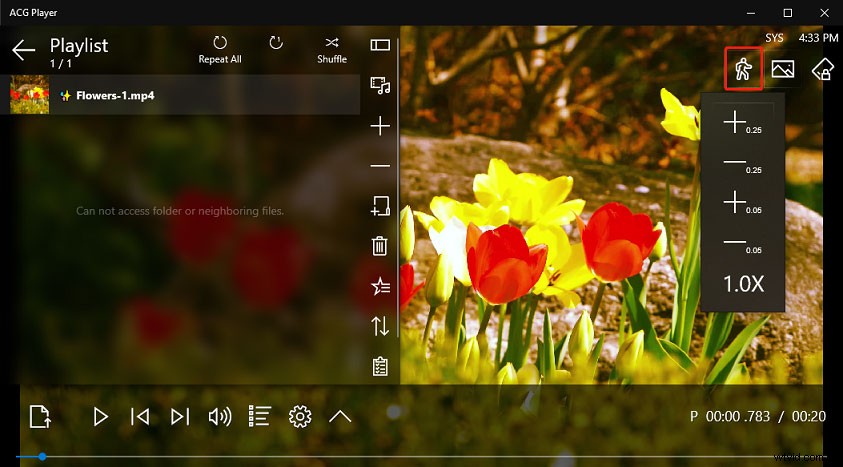
Video Options: The button is next to the Speed button. Under this section, you can stretch the video, change the video aspect ratio, flip the video, scale and move the video, etc.
Rotation Lock: This icon is next to the Video Options button. After clicking it, choose one from Unlock Rotation, Lock to Current, Landscape, Landscape-flipped, Portrait, Portrait-flipped.
After that, you can click the Secondary Button Bar icon, then you’ll see many options like Snapshot, Video Effect, Audio Effect, Subtitle Track, etc. Then you can click the Snapshot button to take a picture from the video, click the Toggle Full Screen to play the video in full screen, and more.
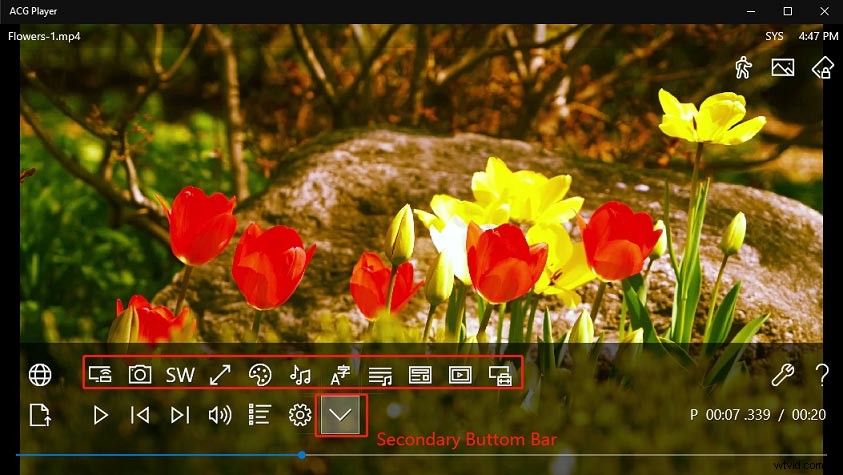
When you play audio files, you can also click the Speed icon to change the audio speed. Also, you can click the EVQ Options to adjust the particle effects.
How to play VOB video files? Check this post - The 12 Best VOB Players for Windows/Mac/Android/iPhone.
Conclusion
That’s all about the ACG Player in this post. If you’d like to share other suggestions about using ACG Player with us, you can leave them in the below comments area.