
What is Vidyard? How to download a Vidyard video? Is it legal to download videos from Vidyard? In fact, there’re several useful ways that enable you to download videos from Vidyard. Choose the one that suits your needs best. To make a cool Vidyard video, try MiniTool MovieMaker.
What Is Vidyard?
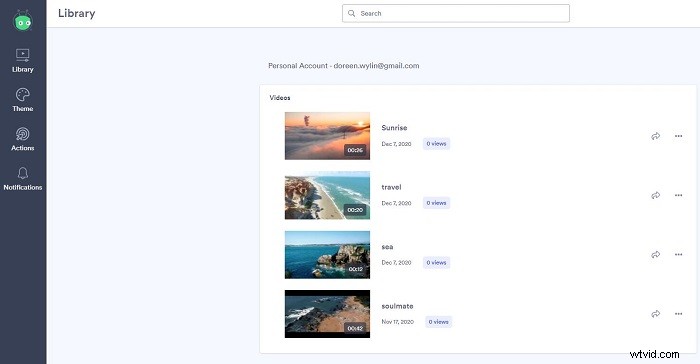
Vidyard is an online business platform that is the easiest way to create, host, and share videos so users can keep connecting with customers and colleagues. Apart from its online website, it also offers a Vidyard Chrome extension fand a Vidyard iOS app.
How to Download a Vidyard Video Without Third-Party Software?
There is a simple and direct way to download Vidyard videos – subscribe to vidyard.com. After the subscription, you’ll obtain the rights to save videos for offline playback. Therefore, if you want to download videos from vidyard.com, the subscription is also a good choice.
In general, Vidyard creates multiple versions at different resolutions (1080p, 720p, etc.). You can download a copy of the video at any of the standard resolutions, including the original source file. And all the videos will be downloaded in MP4 format.
Let’s check how to download a video from Vidyard after the subscription.
Step 1. Log in to your Vidyard account and click the title of a video in your library to open the edit page.
Note: The edit page also automatically opens whenever you finish recording a new video.
Step 2. Tap on the Download button beneath the video thumbnail. The download option may also be in the 3-dot menu.
Step 3. Hit the Download icon next to the version of the video that you want to download. Alternatively, you can copy a download link to share the video file with someone else.
How to Download a Vidyard Video with Video Recorders?
If you cannot download Vidyard videos directly, you can use video recording software to record the video clips you need. There are various video recorders on the market, and they can help you capture video from Vidyard easily. Several fully functional and free ones will be introduced in detail below.
1. OBS
OBS (Open Broadcaster Software) is a free and open-source software for video recording and live streaming. Download it and start capturing your desired Vidyard video quickly and easily on Windows, Mac or Linux.
Related article: How to Download Twitch Videos for Free in 2020
2. Free Screen Video Recorder
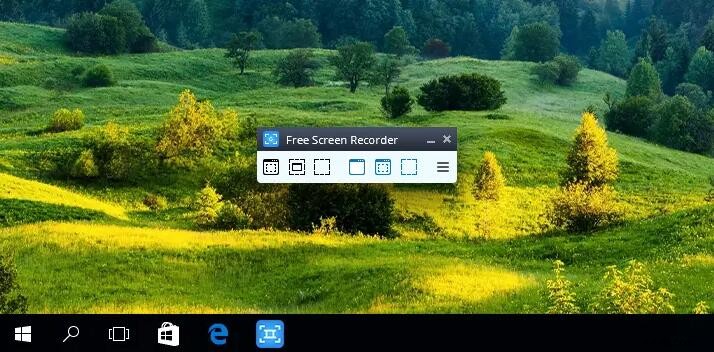
Free Screen Video Recorder is a full-featured video recording program for Windows users, which can also be used as a Vidyard video recorder. The program gives you an easy-to-use interface and practical recording features.
3. CamStudio
CamStudio is also a powerful video recording program for the Windows system that can help you to capture videos from Vidyard with no worries. Besides, it contains various powerful features such as high definition screen recording, video compression, and so on.
4. Screencastify
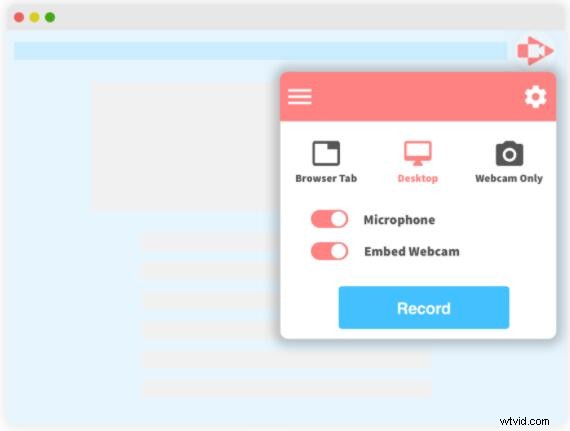
Unlike the above 3 video recording programs, Screencastify is a Chrome extension. Just install this extension, you can record, edit, and share Vidyard videos as you like. However, it has a recording time limit.
Is It Legal to Download Videos from Vidyard?
It depends on the terms and conditions of Vidyard. For the copyright-free videos, you can download them for fair use easily; for the copyright-protected videos, you have to ask for permissions from the video owner.
You might be interested in: How to Download Wistia Videos
Bottom Line
Have you mastered how to download a Vidyard video after reviewing this post? Hope these methods can help you to get your desired videos without any trouble. If you have any questions or suggestions about it, please let us know via admin@wtvid.com or share them in the comments section below.