
The Fisher Model 10 dolly is an industry standard for good reason, but you can’t buy one — you can only rent it. So what can it do, and how do you work it?
At first glance, the Fisher dolly can be intimidating, coming in at 420 pounds, almost six feet long, and over three feet tall during operation — with a massive load capacity of 1200 pounds. But we’re here to help you tame this incredible filmmaking tool.
We headed to MPS Studios in Dallas, Texas to meet up with certified Fisher Dolly technician John Beasley, who showed us everything you need to know to operate the Model 10. Here’s what we found out.
Unlock, Shift, and Roll
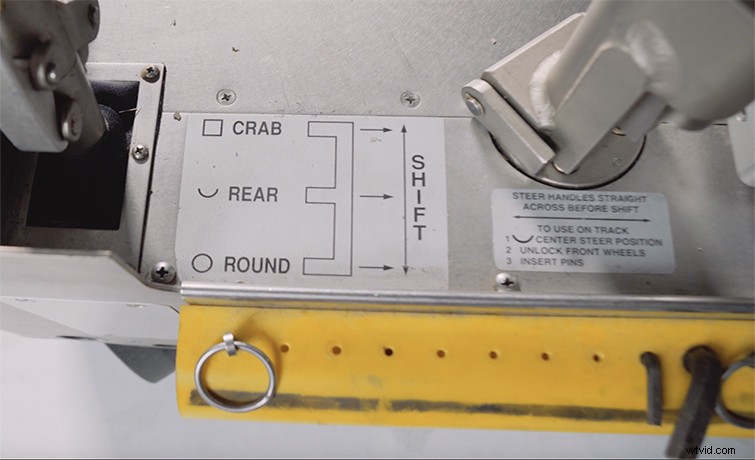
This dolly glides across smooth surfaces or tracks with precise grace. To move the Fisher dolly, you must first make sure the brake is off and then shift between one of three different wheel movements. With the shifter all the way toward the head, you’ll be in crab mode, which allows the dolly to move left or right. The middle position of the shifter is rear steer, which allows the rear wheels to move freely as the grip pushes the dolly around using the steering handle. When the shifter is moved all the way down, or toward the grip, the dolly will be in round mode or “roundy round,” as you’ll commonly hear on set. This allows every single wheel to rotate 360 degrees so the dolly can spin in a complete circle.
Here Comes The Boom
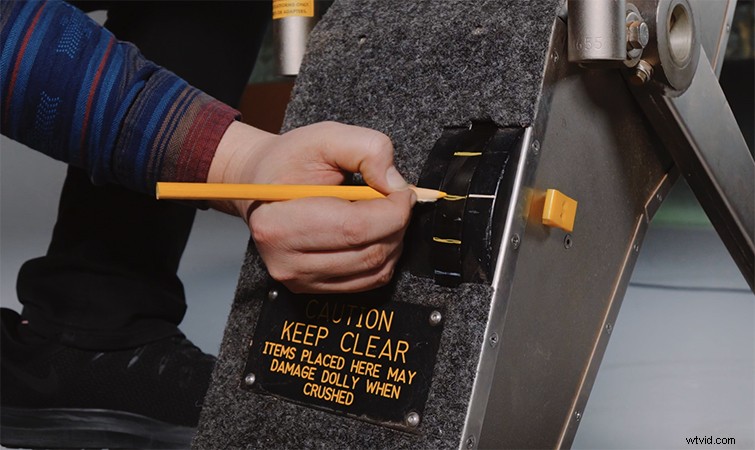
In addition to its fluid movement on the ground, the Fisher dolly can also quietly boom the head up and down smoothly. There is a handy wheel on which the operator can leave marks using a grease pencil to note start and end marks for the boom movements, allowing you to nail the move every time.
One of the most impressive parts of this dolly is that it can easily handle full-size cameras, box lenses, or really any buildout. It’s not uncommon to see a camera on a Fisher head throughout an entire day of production. The dolly is easy to steer and boom up or down, and it is less time-consuming than using a tripod. It’s also less physically exhausting on the operator, and it can provide up to two camera technicians stools with convenient access to the camera itself.
Charging the Fisher 10
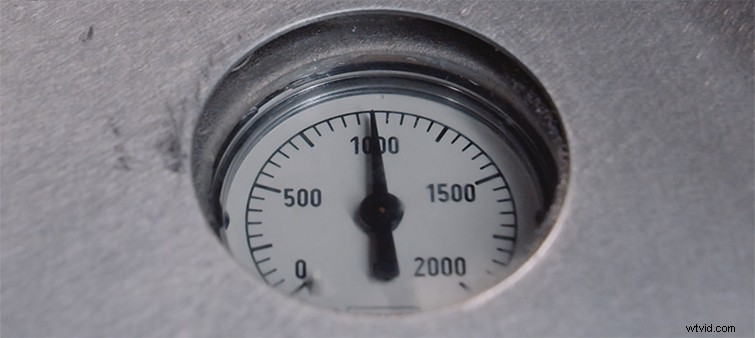
After extended use, the Fisher dolly may need a recharge. You can tell by the psi gauge located near the back of the dolly. You can run a normal stinger to the charging port and then flip the switch to “on,” which will then charge the dolly. (It will turn itself off once it has reached a maximum charge.) Or, if you find yourself without accessible power, you can use one of the handles as a crank and manually restore power.
Wheels and Track
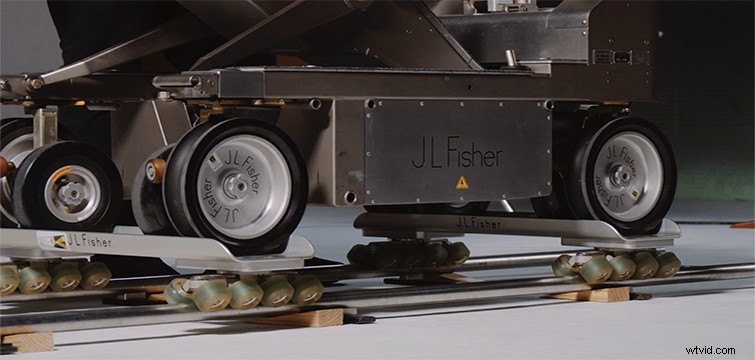
Often, in the interest of convenience and speed, the Fisher dolly will remain on its four normal wheels — which are extremely well built and steady — but if the production calls for setting up rails, then you need to outfit the dolly with the track wheels. These fit perfectly on the track and will seamlessly glide along any path you lay out.
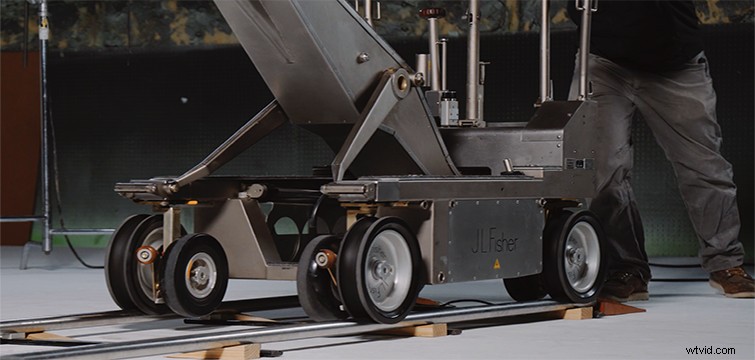
When you’ve outfitted the dolly with the track wheels, you can still use the brake system, but you may want to use the Fisher skate wheels, which allow extremely precise movements. When the Fisher is on the skate wheels, you won’t be able to use the brake, so make sure the track is completely level to prevent unwanted drifting. (You can use some grip clips on the tracks to prevent the dolly from moving too far.)
And that’s it. The Fisher dolly is a versatile piece of equipment that can improve your workflow — and your production values. But if it doesn’t work for your production or budget, you can always seek out more affordable options — like building a dolly yourself. Check out Logan’s attempt below.
Interested in the tracks we used to make this video?
- “In the Hills” by Marc Walloch
- “Dumpster Dive” by Marc Walloch
- “Rumble” by Nicolas Major
- “Baiker” by Sweetara Music