
DJI’s Spark caused quite a stir when it was announced earlier this year. A drone aimed at people who have never flown a drone before, the Spark aims to bring unmanned aircraft into the mainstream.
One of the signature features of the DJI Spark is its Hand Gesture mode, which allows users to control the aircraft via simple hand and arm movements, as well as take selfies.
In this tutorial I’ll explain how to set up the DJI Spark Hand Gesture mode and unlock the drone’s full potential. Or you can watch this quick video of me showing you how it’s done.
- How to attach a GoPro Hero5 to the Karma Grip
Setting the DJI Spark Hand Gesture mode
Turning on the DJI Spark’s Hand Gesture mode takes just a matter of seconds and requires neither the remote control handset, nor the app. Here’s how it’s done:
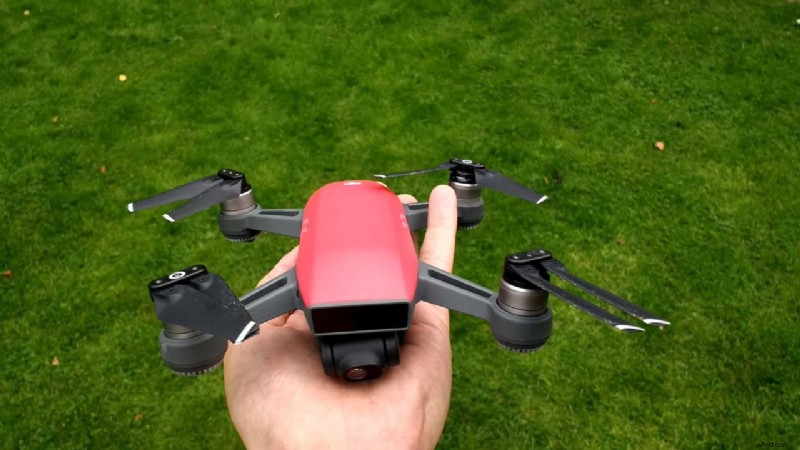
- Place the Spark flat on your palm with your arm outstretch. Ensure the drone’s camera is pointing towards you.
- Power on the drone by pressing the battery pack button once, and then once again in quick succession, this time holding the button down for a few seconds until all four of its lights illuminate. NOTE: you do not need the remote control handset to use the Spark in Hand Gesture mode, so ensure it is turned off.
- Wait for the Spark to locate its satellites. You’ll know this when the LEDs underneath the propellers turn green.
- Again, press the battery pack button twice – this time you do not need to hold the button down on the second tap.
- After a few seconds the Spark will chime and its propellers will start to spin.
- You will now feel the weight of the Spark pull away from your hand slightly. The drone is now hovering. Pull your hand away from underneath the Spark.
- Extend one of your arms with your palm facing up at the camera, fingers close together. Ensure your hand is about a foot or two away from the Spark. The drone will remain hovering in place, and you’ll see its LEDs flash as it recognises your palm. The Spark is now in Hand Gesture mode.
Now you can move the Spark left and right, up and down, even take self-portraits or have it follow you. Here’s how it’s done.
How to fly the DJI Spark in Hand Gesture mode
Flying the DJI Spark while it’s in Hand Gesture mode requires only the palm of your hand… and still conditions.
- Swipe your extended arm left or right to move the Spark sideways.
- Raise your extended palm up and down to adjust the Spark’s altitude.
For best results when flying the Spark in Hand Gesture mode, ensure that your palm remains at a consistent distance from the drone. Likewise, make sure that your arm is a consistent distance from your body.
How to make the DJI Spark follow you
When the Spark is in its Hand Gesture mode you can signal it to follow you as you walk. Here’s how you do it:
- Stand in front of the drone as it hovers and raise one of your arms. Wave it quickly at the camera, then place your palm just about a meter away from the Spark’s camera for a few seconds.
- Once you see the front LEDs blink green you’ll know that the Spark has understood what you want it to do. The Spark will now ascend and hover a few meters away from you.
- When its two front LEDs are a solid green, the Spark will begin tracking you.
It’s worth noting that there is another way to do this, as well. DJI says that if your wave fails to activate the tracking mode, you can also place your arms above your head in a V shape and hold this pose for two seconds to activate the mode.
How to take a selfie with the Spark in Hand Gesture mode
When the Spark is following you, DJI has programmed it to recognise a simple gesture with both hands that will trigger the camera to take your photograph.
To do this place your thumb and index fingers into an L shape and bring them together to form a rectangle – eg a frame of film. I show you how to do this in the video above.
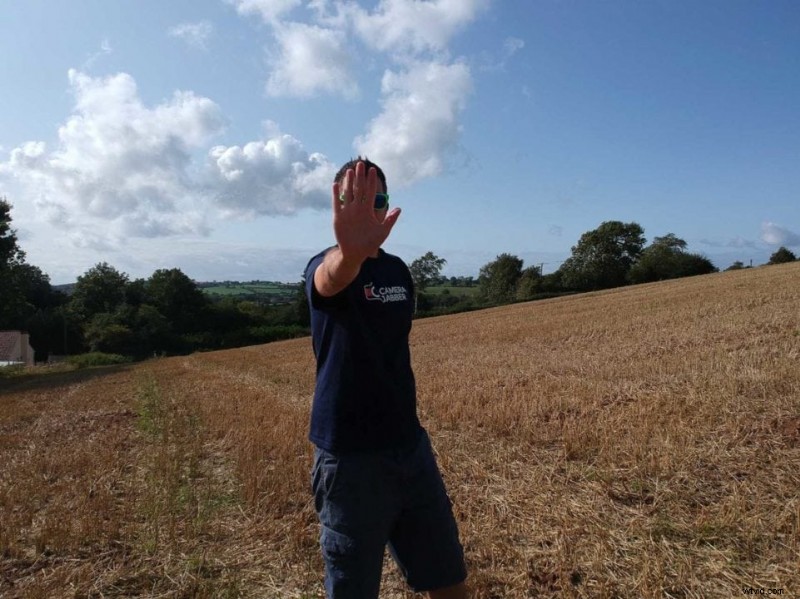
The Spark will recognise this gesture and the front LEDs will flash red. The camera is now counting down, and you’ll know when it’s going to take your picture when the LEDs start blinking faster. As you can see in my photo above, the timing takes a little trial and error before you get it right!
How do I land the DJI Spark from Hand Gesture mode?
Landing the Spark while it’s in its Hand Gesture mode is very easy.
- Simply walk towards the drone while your palm is still facing the camera.
- Lower your arm.
- Extend your arm and place your palm about six inches to a foot beneath the hovering Spark. The drone will then recognise your palm and slowly lower itself onto your hand.
- After a couple seconds the Spark’s propellers will stop and the drone will be in standby mode. You can now tap once then tap and hold the battery button again and the Spark will power down.
Save