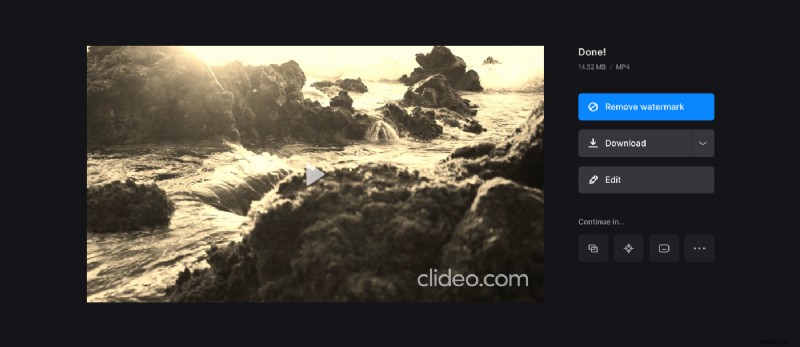
Add a vintage video filter
If only there was a way to make modern videos look vintage! Oh, wait… There is one!
Clideo service has 17 filters to choose from, so you can try different ones and choose the best in real time. This tool works online from a browser, and you can use it on almost any operating system and device type. It is free for files up to 500 MB, and each project is stored for 24 hours if you are a registered user.
Follow three simple steps and learn how to make a video look old.
Upload a recording
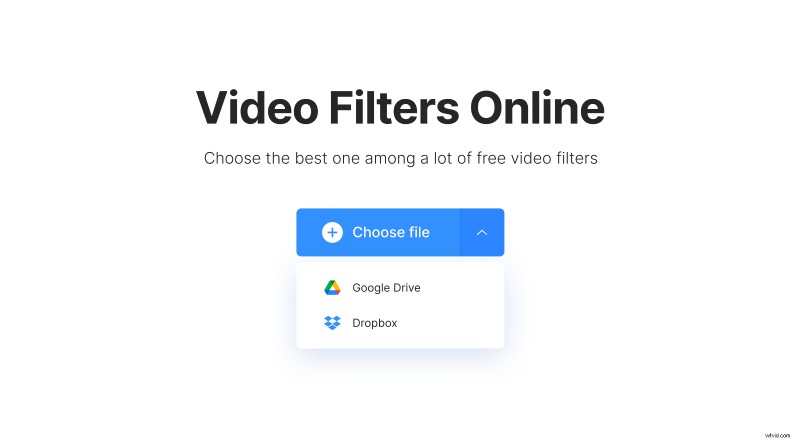
Open the Video Filters Online tool in a browser. If you want to pick up a video from your personal device, click on the big blue button “Choose file” in the middle of the screen. If your initial file is stored in the cloud, hover the cursor over the arrow on this pane to call the drop-down menu and choose the storage you need.
Apply the retro video effect
Choose the filter from the list on the right side from the player. To make a clip look like an old black and white TV film, pick up Sepia, Moose or Grayscale filters, but maybe you’ll want to try others as well.
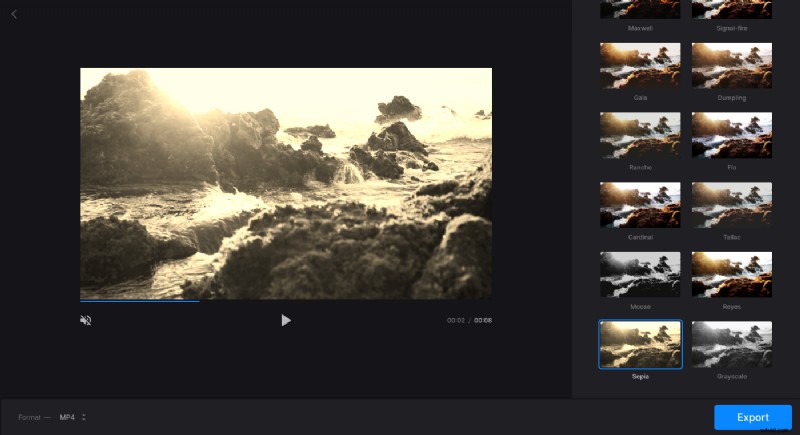
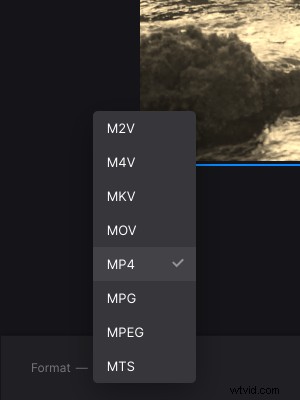
Select the output format below the player. Our tool supports more than 20 different extensions, including exotic ones like VOB, OGV, and so on.
When you are done, hit “Export” and wait several moments while your project is processed.
Save the result
Have a final look and make sure that you like what you see. If no amendments are needed, click on the “Download” button and save the video to your device, Google Drive or Dropbox. If you want to try another filter, hit “Edit” and go creative!