
Lend movement and excitement to your product shots with these FREE video footage overlay packs, featuring fog effects, light leaks, and more!
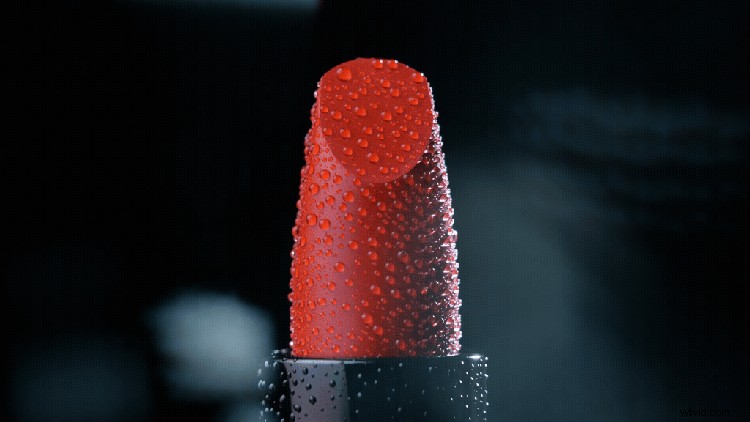
A lot of detailed work goes into making product shots look good—lighting, lens filters, backdrops, etc. However, even with all of those things, most products are still going to be relatively stationary. An easy way to enhance a product shot is by using video overlays in post-production. Not only do they help accent the product, they provide some nice secondary movement to the shot.
What Is a Video Overlay?
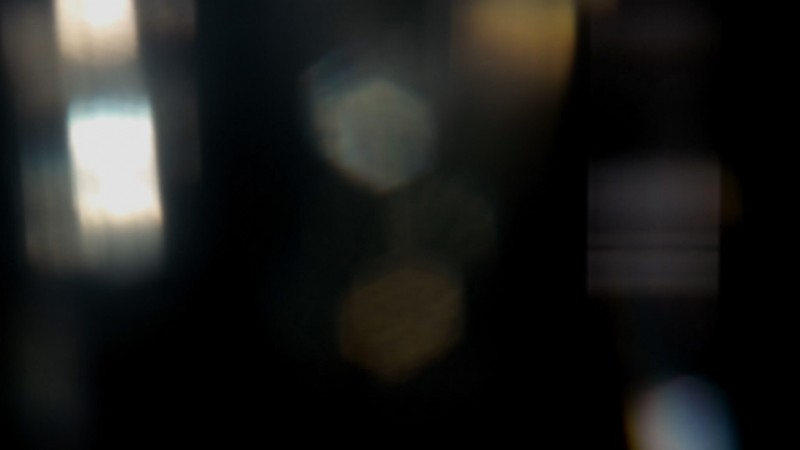
Video overlays are essentially elements filmed so that they can easily be “overlayed” on top of your existing shot. This is typically done by using blending modes, such as setting the video overlay to a Screen or Additive blending mode, once it’s been placed above your footage. Common overlay elements are things like bokeh orbs, dust, smoke, and light rays.
Where to Download FREE Video Overlays?
If you’re looking for some amazing FREE video overlays, RocketStock has a large assortment of freebies that are perfect for product shots. Start with their FREE Prism Bokeh Overlays Pack that includes thirty-five different bokeh overlays. All of the bokeh overlays are in 4K and are ideal for luxury product shots.
Next, check out the Free Volumetric Light and Dust Overlays. This pack includes sixteen overlays that work nicely for dramatic or rustic products, all filmed in 4K. You can also experiment with overlaying multiple copies of these elements together to create even more looks.
Light leaks are another popular overlay element. RocketStock has 13 Free 4K Light Leaks for Video and Motion Design you can download by simply subscribing to their newsletter. These light leaks are perfect for adding indie or summer vibes to your product shots.

How to Add an Overlay to Video Footage
As mentioned earlier, adding an overlay to your product shot is quite simple. I’ll quickly walk you though how to do it in Premiere Pro and After Effects, but the process will be similar in any other video editing program you’re using.
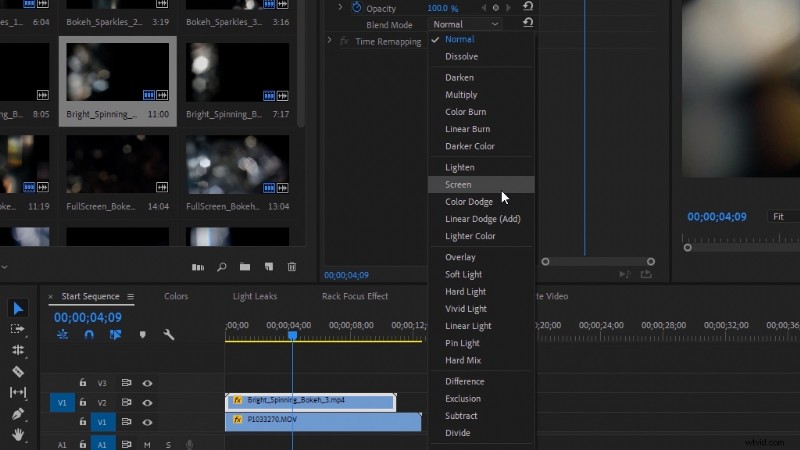
In Premiere Pro, add the overlay clip on top of your product footage in the timeline. Then, select the overlay clip and select a Blending Mode in the Effect Controls panel. I recommend trying Lighten, Screen, or Add at first.
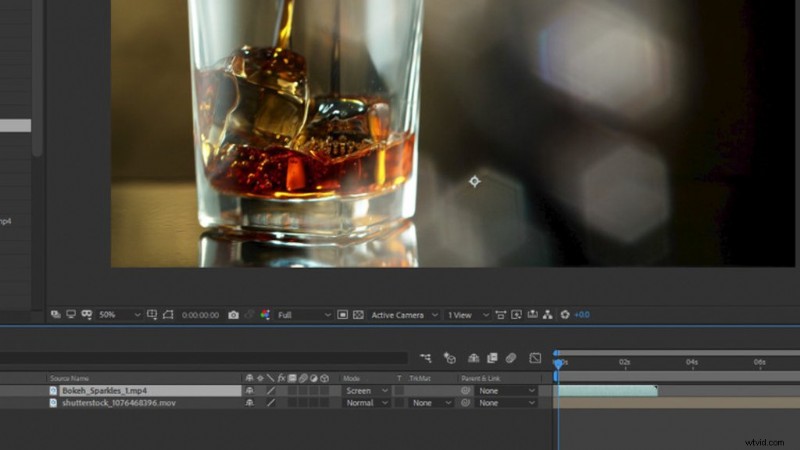
In After Effects, add your overlay clip above your product footage in your composition. Then, for the overlay clip, set the Blending Mode. Again, I recommend trying Lighten, Screen, or Add at first.
If you’d like some more advanced tips for adding overlays to your footage, check out the video tutorial on PremiumBeat for Creative Uses for Bokeh Overlays.
More FREE Video Overlays!
If you’re looking for even more FREE overlays, we’ve got you covered with plenty of options from Shutterstock and PremiumBeat! All of these overlays can also be used for creative product shots.
First, check out our recently released Free Firework Bokeh Backgrounds and Overlays Pack. This pack includes twenty-five different 4K firework elements such as: bokeh, smoke, fuses, and sparks.
Next, if you want to add a cinematic edge to your product footage, check out our FREE Film Grain Overlays. It includes five different film grains filmed organically using real film stock and film cameras.
Also be sure to check out the FREE 4K Fog Overlays Pack on PremiumBeat, which includes twenty-one different fog overlays. These are handy for adding some mood and subtle atmosphere to your product shots.
Tips for Filming Product Shots
Finally, if you’re looking for some tips for how to film your product shots, Todd‘s video tutorial covers Three Cheap and Easy Setups for How to Shoot Product Shots. He walks you through filming for three different product types—iced tea, perfume, and a utility flashlight. All three have a uniquely different look and feel.
Need a few more freebies? Who doesn’t! Take a look at these:
- 15 Free Ambient Background Noise Tracks
- FREE American Sign Language Clip Art Pack – Download Now!
- 10 FREE Motion Graphics Templates for Premiere Pro (Animated Titles)
- Download Today: FREE Tropical Botanical Clip Art
- FREE Downloadable Invitations for Summer Parties and Celebrations
Cover image via Billion Photos.