
When if comes to working on massive projects of any type, organization is key. For video editors, you will become your own best friend when you properly set up folder structures before you start editing. This includes where you store your media files (footage, audio, music, SFX, stock images, graphics, and elements) as well as where you save your renders and backups.
You can certainly do this on your own by creating a master folder that is set up for various types of projects. Cutting a documentary film? Build a documentary master folder that includes subfolders like footage, audio, music, SFX, and graphics. Working on a commercial? Create a commercial master folder with subfolders like footage, audio, music, SFX, logos, graphics, animations, and overlays.
With a variety of folders prepped, you merely have to duplicate the folder and rename it with the title of your project. There is a great piece on the Avid blog from professional editor Chris Bové on how he structures his projects.
If you don’t want to create the folders yourself from scratch, you’re in luck! There are some great free programs that automatically generate project folders based on the type of project.
Post Haste
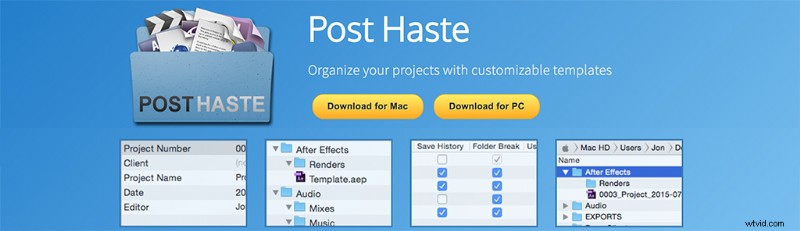
Post Haste is certainly one of the most popular options. Countless post production houses and video editors use it. These post houses enjoy the file structure — as it’s the same for every project, no matter who is editing. That’s great when many different video editors are working on multiple projects — or even several video editors working on one project.
Post Haste is compatible with both Mac and PC workflows. The added benefit is the ability to create an unlimited number of different templates. That allows you to really narrow down the type of project, from feature films and commercials all the way to web-based micro-documentaries.
You can download Post Haste for free from Digital Rebellion.
Editing Folders
Editor Adam Schoales personally found Post Haste a little much for his projects.
Thus, Schoales put together Editing Folders, a Mac-based folder structure that uses OS X’s Automator. By using Automator, you are taking advantage of the Mac’s built-in task automation. So when you open Editing Folders, you just need to name your project and select where you want to create the folders. Automator takes care of the rest. If you find that the folders don’t fit your workflow, you can then open Automator and adjust them to your liking.
You can download Editing Folders for free from Adam Schoales here.
How do you organize your projects? Let us know in the comments below.