
Android smartphones have evolved far beyond basic communication devices, offering sophisticated audio processing capabilities that bring studio‑grade sound to your pocket. By leveraging dedicated audio‑enhancement apps, you can effortlessly improve clarity, balance, and overall listening pleasure. Below we outline five of the most effective tools, share expert usage tips, and introduce a powerful desktop alternative for users who need deeper control.
Table of Contents
- Top 5 Android Audio Enhancers
- Wondershare Filmora: Desktop Alternative
- Expert Tips for Using Audio Enhancers
- Final Thoughts
Top 5 Android Audio Enhancers
Each of these applications offers a unique set of features tailored to different listening preferences, whether you’re a casual music fan or an audio enthusiast.
Equalizer FX: Sound Enhancer for Android
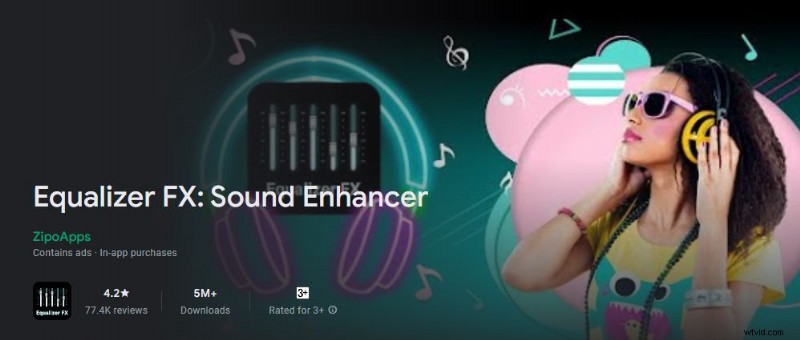
Equalizer FX simplifies frequency balancing with intuitive sliders and a built‑in equalizer. It also doubles as a lightweight audio player, making it a convenient all‑in‑one solution.
- Quick frequency equalization via touch controls
- Built‑in audio effects for on‑the‑fly tweaks
- Full‑featured media player with playlist support
- Home‑screen widget for instant access
- Custom music profiles for different listening contexts
Boom
Boom offers a 16‑band equalizer and surround‑sound emulation, ideal for immersive music playback. Its extensive preset library lets users jump straight into a polished soundscape.
- Customizable 16‑band equalizer for precise tone shaping
- Supports local library, radio, Tidal, and more
- Intuitive interface for effortless navigation
- Enhancement options such as Bass Boost, Pitch, Tempo, and Intensity
Flat Equalizer
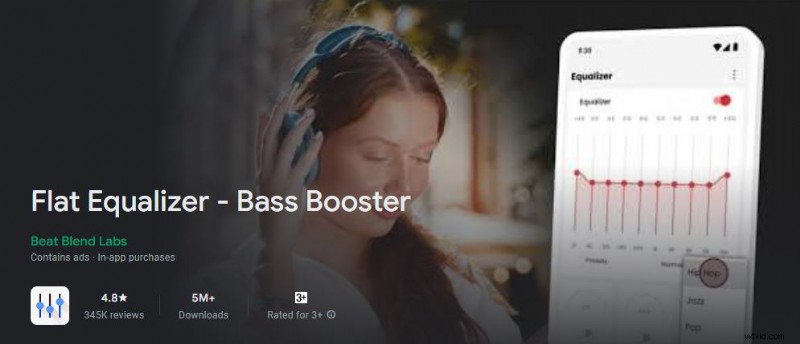
Flat Equalizer focuses on headphone listening, delivering clean, balanced audio without distortion. Its 10‑band equalizer and virtualizer make it a favorite among audiophiles.
- Easy‑to‑use interface with 10‑band equalizer
- Quick bass boost and loudness adjustment
- Virtualizer for spatial audio effects
- Preset storage for rapid switching between settings
Poweramp Equalizer
For advanced users, Poweramp Equalizer provides a comprehensive suite of controls, including Attack, Release, Ratio, and more. It integrates seamlessly with the Poweramp music player for a premium listening experience.
- Full‑featured equalizer with advanced parameters
- Device‑specific presets for consistent sound
- Visual spectrum analyzer for real‑time feedback
- Customizable frequency, threshold, and gain settings
Sound Amplifier

Designed for clarity, Sound Amplifier enhances speech and low‑frequency sounds while suppressing background noise. Its Conversation mode sharpens dialogue for phone calls and video chats.
- Noise‑reduction engine for cleaner audio
- Low‑frequency boost for audible details
- Home‑screen shortcut for instant activation
- Conversation mode for focused speech clarity
Wondershare Filmora: Desktop Alternative
While Android apps are convenient, advanced audio editing sometimes requires more robust tools. Wondershare Filmora delivers high‑quality video editing alongside an AI Voice Enhancer that sharpens spoken content.
Key Features
- AI Voice Enhancer improves speech clarity in any audio clip
- Comprehensive video editing suite with professional effects
- Wide range of ready‑made video templates
- Extensive creative asset library (photos, footage, audio, effects)
- Supports multiple export formats: MP4, WMV, AVI, MOV, MKV, MP3, and more
Step‑by‑Step Guide
- Download Filmora from the official website and install it on your PC.
- Open Filmora and select “New Project” to start a fresh edit.
- Import media via the Elements panel and drag assets onto the timeline.
- Select an audio or video track, then click the “Audio” tab on the right panel.
- Toggle the “AI Voice Enhancer” option to activate instant speech improvement.
- Adjust “Voice Clarity” and “Voice Beautification” sliders until the desired quality is achieved.
- Preview the result, then click “Export” to render the final file.
Expert Tips for Using Audio Enhancers
Maximize the benefits of your chosen enhancer by following these best practices:
- Understand each slider’s impact before making adjustments.
- Maintain balanced volume levels; use the equalizer for loudness changes.
- Familiarize yourself with the app’s interface to access advanced features quickly.
Final Thoughts
Android’s built‑in audio processing, coupled with these powerful enhancer apps, turns any phone into a portable studio. Whether you opt for a lightweight app like Equalizer FX or a full‑featured tool like Filmora, you can elevate your listening experience to professional standards. Choose the solution that best fits your workflow and enjoy richer, clearer sound wherever you go.