
TikTok is the leading destination for short-form mobile video, with a mission to inspire creativity and bring joy. Now, more than 1 billion people around the world come to TikTok every month to be entertained as they learn, laugh, or discover something new. It’s an app that can launch careers, connect communities, and, thanks to a man skateboarding with cranberry juice, send Fleetwood Mac’s Dreams to the top of the iTunes charts 40 years after its release.
TikTok is revolutionizing video content and shaping a whole new world for us too. We don’t just hear sounds, we create sounds that can trend worldwide. Instead of bookstores, we head to #booktok. And duets? They’re not just performed in karaoke bars anymore.
It’s clear TikTok is an essential platform for video creators and anyone interested in TikTok marketing, so we’ve decided to integrate! From today, you can create videos in Clipchamp and send them to TikTok in a few quick clicks.
In this blog, we’ll show you how to create and share TikTok videos with Clipchamp and, by the end, we’re sure you’ll understand the assignment.
How to create and share TikTok videos with Clipchamp

Step 1. Create a video in Clipchamp using a TikTok template
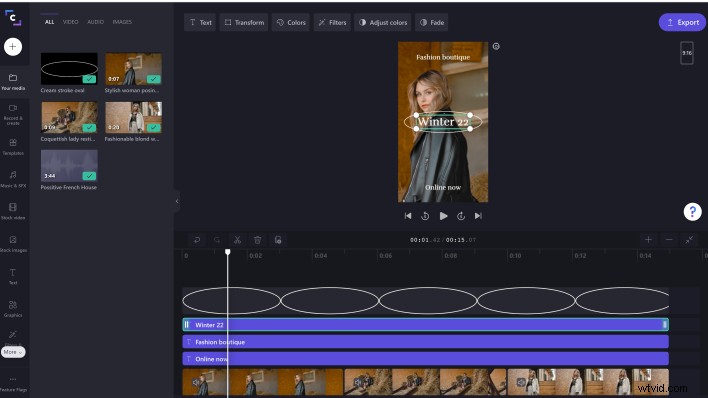
If you’d rather not start from scratch, start with one of our TikTok video templates. We’ve designed these templates to perfectly fit TikTok specs — portrait aka 9:16 aka the perfect size to watch on your phone. However, you can also export in square aka 1:1 if that’s more your thing.
In the editor, you can find the collection in the sidebar’s templates tab or you can type TikTok into the search bar. When you’ve found a template you like, click the plus icon to add it to your timeline.
From here, you can edit your video by adding text, transitions and even gifs until you’re happy with the result.
Step 2. Select an export format that works for TikTok
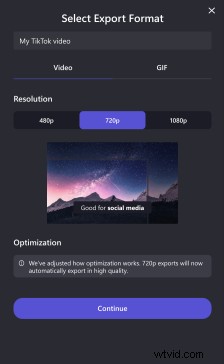
Click the export button when you’re finished editing. Then you can choose a resolution (we recommend 720p for TikTok) and click continue.
Step 3. Send your video to TikTok
On the export page you’ll see all of the platforms you can share your video to. Look for that iconic logo, and click send to TikTok.
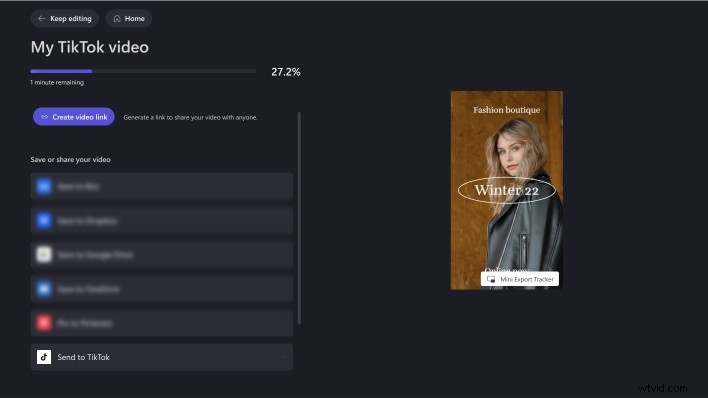
The first time you send to TikTok, you’ll need to connect your account by clicking the connect to TikTok button.
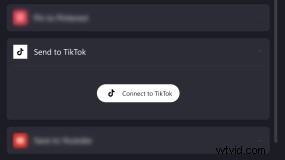
When you connect your account, you’ll also need to authorize Clipchamp to access your account and publish videos.
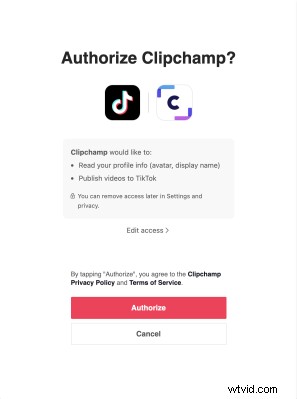
Once you’ve successfully connected your account and your video has finished exporting, you’ll be able to send your video to TikTok by clicking the send button.
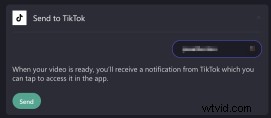
When the video has been sent you’ll receive a success message and directions for how to continue from your TikTok account.

Step 4. Post your Clipchamp video on TikTok
Open your TikTok account and check your notifications to access the video sent from Clipchamp. Then, follow TikTok’s prompts to edit your video further with features unique to TikTok, like adding trending sounds or songs.
Once you’re happy with your video, you can write a caption, add some hashtags and post away!
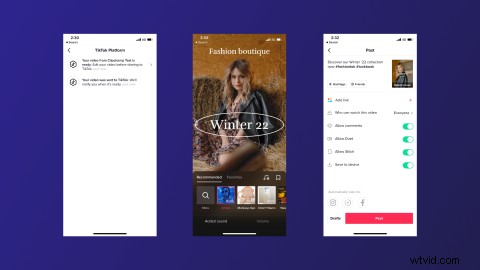
It’s time to start creating TikTok videos with Clipchamp
TikTok moves fast, so we suggest you don’t pause for too long before exploring our newest integration. Whether you’re trying the latest trend or setting one of your own, we can’t wait to see what everyone creates with Clipchamp and TikTok! If you need any video ideas, don’t forget to check out our ultimate guide to TikTok.