
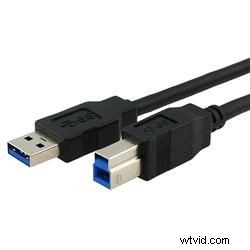
When HD was first introduced to the video world back in the 1990s, IT departments at production houses around the world gave a collective groan. Back then the best video transfer speeds were 50 MB/s with a Firewire cable, making HD video transfers a huge vortex of wasted time. With the advent of Firewire 800 (which was capable of speeds up to 100 MB/s) and eSATA (with speeds up to 380 MB/s), video transfer speeds took a huge leap forward. Even so, video editors were still losing precious years of their life waiting for HD projects to transfer from one hard disk to another.
Now USB 3.0 is looking to solve that problem. With the support of manufacturers such as Sony, Intel, Microsoft, Compaq, and IBM, USB has quickly become the connection of choice for computer equipment ranging from keyboards and mice, to coffee warmers and iPods. As a result, USB cables and connections have become by far the most common in the computer world. So when USB 3.0 was announced in 2007 with speeds up to 400 MB/s, the video world quickly realized that there was huge potential behind the new technology due to its many features and advantages.
One of the greatest features of USB 3.0 is that a 25 GB file can be transferred in just 70 seconds essentially eliminating the frustration of wasted time when transferring large HD assets from one hard drive to another. Additionally, with such high read/write speeds, USB 3.0 has become a viable connection for editing on external hard drives without the speed delays of current connections. This gives studios and editors a reasonable workflow option in a world where solid state media recording has become the new norm. With rapidly falling prices on external storage, studios now have the option to buy hard drives such as Buffalos newly released SuperSpeed USB 3.0 external DriveStation HD, edit on them, and then store them much like tapes were stored in the past. The advantages of this set-up is when a client asks for a re-edit on an old project, instead of having to reconnect footage from tape, studios can simply connect their external hard drive using USB 3.0 to their computer and start editing right away saving huge amounts of transfer time. Lastly, another potential advantage of USB 3.0 is its increase in the market. It is quite possible that if you are at a friends house with a USB 3.0 hard drive and no cable, that your friend will probably have a USB 3.0 cable for you to hook your hard drive to your computer.
As great as USB 3.0 could be for video editors, there are also some other interesting products that could be a great boon to the video-editing world. Just this last May, the Serial ATA Organization announced the specs for SATA revision 3.0, allowing for transfer speeds of up to 700 MB/s. Also, Intel also announced a curious new technology called Light Peak. Light Peak is an optical cable standard that can deliver bandwidth from 1.25 GB/s to 12.5 GB/s. Whichever technology becomes the standard, one thing is for sure: the future for HD video production has never looked so good.