
REC

Recommended: Video Production, Editing & Gear Maintenance Guide

 WTVID >> WTVID >  >> video >> Video clip

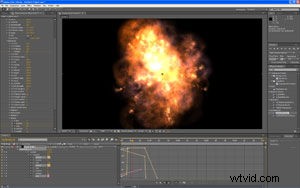
GenArts Wondertouch Releases ParticleIllusion for After Effects: Stunning Sprite-Based Particle Effects

GenArts Wondertouch Releases ParticleIllusion for After Effects: Stunning Sprite-Based Particle Effects

The particles solution artists have been waiting for.

Sprite-Based 2D Particles Plug-In Delivers Stunning Natural Effects With Unprecedented Simplicity

Wondertouch by GenArts announced today the immediate availability of particleIllusion for After Effects (pIAE) for users of Adobe After Effects on Windows. Available as a plug-in for the first time, particleIllusion for After Effects enables artists to create gorgeous particle effects directly within After Effects, producing a more efficient workflow and significantly enhanced productivity. Like its stand-alone sibling particleIllusion 3.0, pIAE is built on the industrys most robust 2D particle generation engine. As a result, it features the same highly acclaimed speed and ease of use that have made wondertouch products so popular with more than 10,000 compositing artists around the world. In addition, pIAE provides access to the thousands of existing wondertouch emitters — downloadable presets designed to allow users to effortlessly create natural, high-quality effects such as smoke, fire, explosions, sparkles, fireworks and countless abstract effects — without ever leaving the After Effects environment.


  1. Adobe After Effects CS6 for Mac: Professional Visual Effects & Motion Graphics Software

  2. Top 15 Free Stylish After Effects Slideshow Templates for Stunning Presentations

  3. Top 8 After Effects Lyric Video Templates for Viral YouTube Hits

  4. 50 Essential After Effects Tricks for Beginners: Boost Your Skills Fast

  5. 4 Plugin-Free Tricks for Mastering Special Effects Compositing in After Effects

Video clip
  1. Top 35 After Effects Plugins for 2022: Essential Tools for Filmmakers & Pros

  2. Master 3D Raytracing in After Effects: Beyond 2.5D Animations

  3. Adobe After Effects 2019: Introducing Content-Aware Fill for Seamless Video Editing

  4. Adobe Capture: Instantly Convert Drawings to Vectors for After Effects Using Your Phone

  5. Expert Tips for Animating UI in After Effects: Elevate Your Designs

  6. 10 Best Free Lower Thirds Templates for After Effects & Premiere Pro

  7. Master Color Grading in After Effects: Easy Step-by-Step Tutorial

  8. 15 Best Free After Effects Plugins to Elevate Your Video Editing in 2022