
Non-Linear Editing software is rather simple. Footage clips are dragged into a timeline, and the editor can cut clips to shorten them and arrange them in an order that makes up the visual part of the video.
Sounds can be added to enhance the experience, but overall, whether you started with iMovie or Premiere Pro, they’re all similar. What makes each one unique, is the way of importing media, what you can do with that media with regards to effects, and then the process of exporting your deliverables.
Final Cut has a strange way of naming items in the Libraries Sidebar. Let’s break it down to get some clarity.
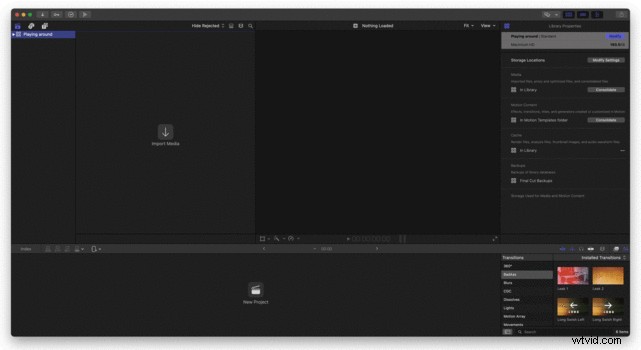 Is a Library a Project?
Well, yes and no. If you’ve ever used the old iPhoto or Apple Photos App on your Mac, you might know that it saves all the images to a library. All the photos and videos with all their metatags, location data, and recognized faces are all stored in the same library.
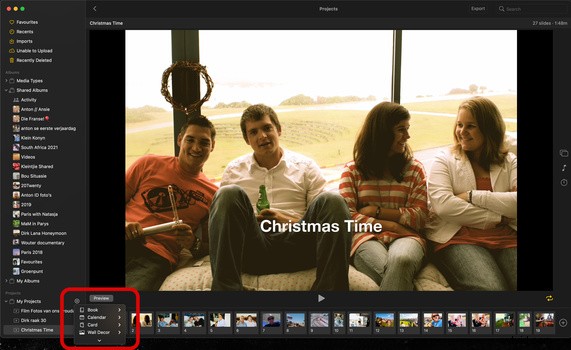
It then uses these files to group them together and give you slideshows and groups of images based on where you were or with whom you had a photo moment. You can also create books and your own slideshows, videos, calendars, and many other media formats.
So, if I can compare this to Final Cut Pro, it would be to say that the Library contains everything you use to make your video. So what makes it different to the Photos app is that you can have several Libraries, one for each project, where with Photos, you have one, that contains your life’s images.
What Is a Project Then?
If you decide you want to make a photo calendar in the Photos app, it would be considered a project, just like a video sequence in Final Cut would also be considered a project. So you can have several Projects in your Library, where each created timeline is a Project. You can therefore have separate projects for Instagram, YouTube, and Facebook if you want.
And Events?
Where things can get tricky is with Final Cut’s use of Events. And honestly, I don’t use more than one event per project, but it does need some explanation.
Final Cut creates the first Event automatically, and it usually gives it the date of import as the title. Because it’s used by people shooting documentaries and movies, it can become useful for the editors to have several Events, create dailies, and organize the shots before the editing starts. But, for someone who uses FCP for shorter videos, it’s not really needed.
For someone editing shorter videos, tags and smart collections will do just fine.
Conclusion
Once you see it in this way, it will be much easier to get going with Final Cut. It’s one of the first things I would consider to be a barrier to entry, and when you consider how easy the other editors are, it shouldn’t be so intimidating.
Would you like to learn more about Final Cut Pro? Let me know in the comments.