
REC

Recommended: Video Production, Editing & Gear Maintenance Guide

 WTVID >> WTVID >  >> video >> Video clip

Apple Extends Final Cut Pro X Free Trial to 90 Days – Download Now

Apple Extends Final Cut Pro X Free Trial to 90 Days – Download Now

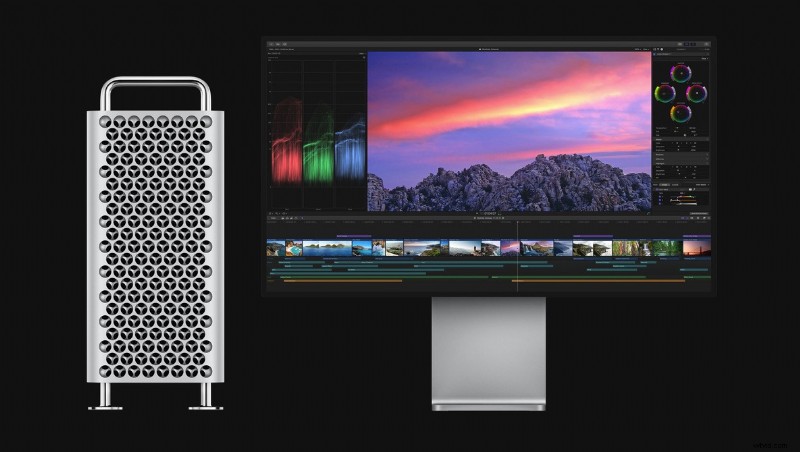
Apple has announced that you can now test out Final Cut Pro X for 90 days, increasing the trial period from 30 days. In addition, Apple will soon be applying the same deal to its digital audio workstation and MIDI sequencer, Logic Pro X.

In a move that is being reflected across many parts of the creative industry, Apple has extended the trial period of its software from one month to three months, giving prospective customers more time to use its software, and giving those subject to lockdown the opportunity to learn new skills. Those who had already started a 30-day trial can re-download the software and get an additional 90 days.

Those wishing to test Final Cut Pro X will need a Mac running macOS 10.14.6 or later (i.e., the July 2019 version of Mojave), with at least 4GB of ram, or 8GB if you plan on editing 4K footage. You’ll also need a “metal-compatible” graphics card.

Those wishing to buy Final Cut Pro X can then purchase the software for $299.99. The deal isn’t yet applied to Logic Pro X but it’s thought that the free download will be available soon.

Did you ditch Final Cut Pro when version X made such dramatic changes over 7? Will you be tempted to give it another go? Leave your thoughts in the comments.


  1. 13 Free Final Cut Pro X Plugins to Elevate Your Video Editing Workflow

  2. Top 10 Best Final Cut Pro X Plugins for Stunning Video Effects

  3. Final Cut Pro X: Complete Beginner's Tutorial - Master Video Editing on Mac

  4. Top Final Cut Pro X Plugins: Elevate Your Video Editing Game

  5. 7 Essential Free Final Cut Pro Plugins Every Video Editor Needs

Video clip
  1. Top 10 Essential Final Cut Pro X Plugins for Pro Editors

  2. Top 10 Essential Free Plugins for Final Cut Pro X: Supercharge Your Edits

  3. Master Final Cut Pro X: Top 40 Essential Keyboard Shortcuts for Faster Editing

  4. Top 20 Free Final Cut Pro Templates for Stunning Intros & Transitions in 2022

  5. iMovie vs. Final Cut Pro: Ultimate Comparison & Best Mac Alternative

  6. Best 6 Final Cut Pro Alternatives for Windows in 2024

  7. Loupedeck+ Expands Workflow Power: Now Supports Final Cut Pro & Adobe Audition

  8. Best Final Cut Pro Alternatives for Windows PC: Top Professional Picks