
REC

Recommended: Video Production, Editing & Gear Maintenance Guide

 WTVID >> WTVID >  >> video >> Video clip

Loupedeck+ Expands Workflow Power: Now Supports Final Cut Pro & Adobe Audition

Loupedeck+ Expands Workflow Power: Now Supports Final Cut Pro & Adobe Audition

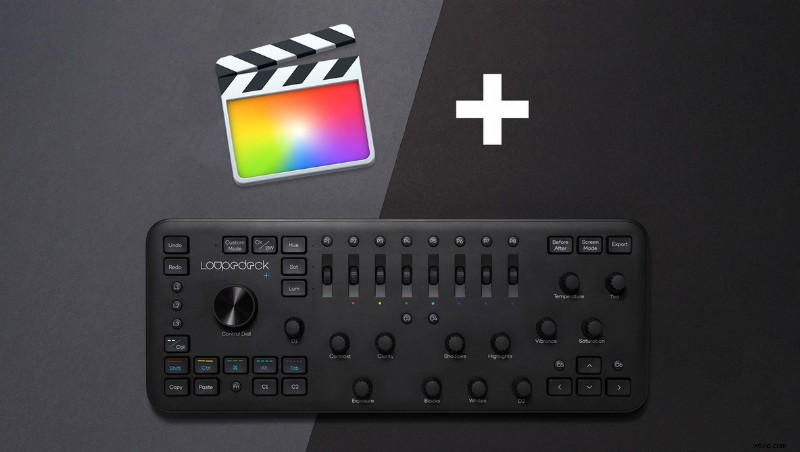
Loupedeck+ is a photo and video editing console built to speed up workflows by placing all the controls right at your fingertips. As its next step in productivity, Apple Final Cut Pro and Adobe Audition are now being integrated.

Today, Loupedeck announced that Final Cut Pro and Adobe Audition would be receiving support on Loupedeck+. Final Cut Pro editors will be able to use all basic color grading tools as labeled on the console, as well as leverage controls for timeline navigation, content trimming, and clip adjustments. Custom configurations can be created for the Loupedeck+ and personal setups can be exported and imported to transfer between computers and users. The console's custom button can be configured to Final Cut Pro shortcuts of your choice, or use the preinstalled functions.

Adobe Audition users will be able to use the Loupedeck+ as a physical console counterpart to the digital audio workflow. Available tools include volume adjustments for all channels, trim and nudge editing, adding fades and effects, managing single and multi track projects, and more accurate navigation.

Loupedeck+ also supports Adobe Lightroom, Adobe Premiere Pro CC, Adobe After Effects, Adobe Audition, and Skylum Aurora HDR. If you're interested to learn more about the Loupedeck+, check out our full review. You can pick up the console for $249 from B&H now.


  1. Apple's Final Cut Pro 10.4 and iMac Pro: New VR Tools, Powerful Color Controls Revive Pro Editing

  2. Master J-Cuts and L-Cuts in Final Cut Pro X: Pro Video Editing Tutorial

  3. Final Cut Pro Pricing: Official $299.99 Cost for Mac + Student Discounts Guide

  4. Eliminate Audio Noise Like a Pro: Adobe Audition & Premiere Pro Tutorial

  5. Adobe's Latest Updates: Premiere Pro, Audition, After Effects & Character Animator Enhanced

Video clip
  1. XML Files Explained: How to Export XML from Final Cut Pro X Effortlessly

  2. Master Freeze Frames and Slow Motion in Final Cut Pro X: Step-by-Step Guide

  3. Master Keyframe Animations in Final Cut Pro X: Step-by-Step Guide

  4. Master Motion Tracking in Final Cut Pro: Step-by-Step Guide

  5. Master Color Grading and Correction in Adobe Premiere Pro: Expert Tutorial

  6. Defending Apple's Final Cut Pro X: The 2011 Revolution in Video Editing

  7. Free Final Cut Pro X Editor Kits: Tutorials, Stock Videos & Music from Shutterstock & PremiumBeat

  8. Fix It in Post: Pro Tips for Stabilizing Footage, Color Correction & Audio Fixes in Final Cut Pro