
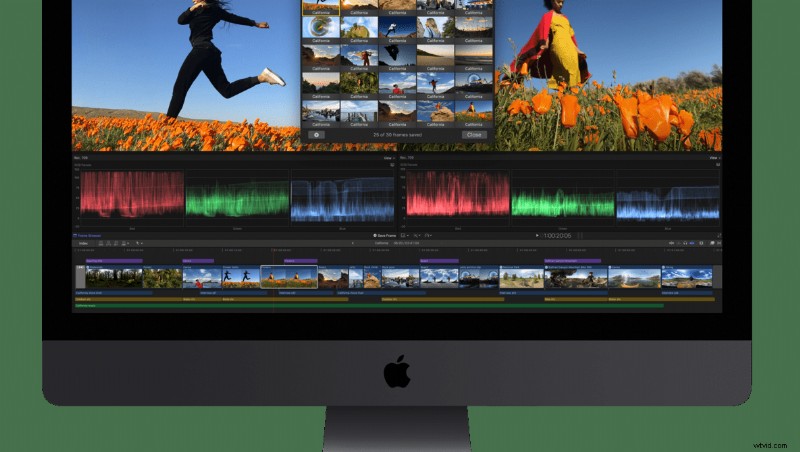
Today, Apple has released the latest version of their video editing software, Final Cut Pro X, with some intriguing new features and improvements.
Today's updates brings several new features for video editing professionals.
Workflow Extensions
Workflow extensions allow users to use third-party apps and services all within the FCP X interface. In addition to extending the capabilities of the application, extensions will match the look of the native application and offer strong integration, including features like playback synchronization and more. Extensions will be available to download for free from the Mac App Store starting today, with more added in the future.

One such extension is Frame.io, which enables enhanced collaborative features directly in FCP X, including drag and drop sharing of media, timestamped comments that sync with the app's timeline, "Presence" (which allows one to see when and where someone is watching video), and more. Shutterstock has also introduced their own workflow extension, which provides a full stock media experience inside the program. As part of a release promotion, new users of the extension will get hundreds of free assets for their usage.
Additional Features
- Batch sharing: Users can now export multiple clips and/or projects in a single step.
- Comparison Viewer: This allows users to references images or clips while color grading to help ensure consistent style.
- Floating timecode window: This customizable, resizable display can shows color-coded clip names, roles, project and source timecodes, and more, making it easier for those watching to follow along.
- Video noise reduction: FCP X now includes adjustable drag and drop video noise reduction.
- SRT Captioning: Users can create closed captioning in SRT format or burn them onto the video if needed.
Motion 5.4.2
Apple has also updated Motion, the accompanying motion graphics app. The update adds a set of color grading functions, including color wheels, color curves, hue/saturation curves, and custom LUTs, matching the color correction features in FCP X. The app also gains new filters, including a Comic effect for turning images and videos into comic book-esque illustrations and a tiny planet filter that can transform 360-degree video into the popular stereographic projections. This feature will allow keyframing as well.
Compressor 4.4.2
The big news for Compressor, the accompanying encoding app, is that it's now using a 64-bit engine, enabling it to use all the memory in a user's Mac for better performance. Nonetheless, it retains 32-bit codec capabilities for legacy formats. It also gains SRT closed captioning support.
Availability
The new versions of Final Cut Pro X, Motion, and Compressor are available on the Mac App Store as free updates for existing users. New users can purchase Final Cut Pro X for $299.99 and Motion and Compressor for $49.99 each. Education users can purchase the Pro Apps Bundle for $199.99, which includes all three apps as well as Logic Pro X and MainStage.