Final Cut Pro X gets a significant update with the release of version 10.0.6. In this post, we share what improvements were made and why Apple might be once again focused on the professional market.
 When Apple released Final Cut Pro X in April of 2011, it caught a lot of flack…and that backlash from the pro community hasn’t let up much since. Weekly we see case studies of pro video operations jumping ship from their beloved legacy versions of Final Cut Pro to Adobe Premiere Pro or Avid Media Composer. The cries of “why did Apple abandon the pro market” can still be seen frequently around the ‘net and in pro video circles. But with each new FCPX update since the original release, Apple is adding new features that address the needs and concerns of post production professionals. The new feature additions in FCPX version 10.0.6 are a testament to that.
Final Cut Pro X 10.0.6
Lost in the hubbub around the announcement of skinnier iMacs and pint-sized iPads, Apple announced some major improvements to Final Cut Pro X. Being touted as the most significant update since the initial FCPX release, here are a few of the improvements in Final Cut Pro 10.0.6:
- RED Camera support with native REDCODE Raw editing or background transcoding to ProRes
- Resolution support updated from 4K to 5K
- MXF plug-in support to work natively with MXF files using third party plug-ins
- A dual viewer Event Viewer and Timeline Viewer, similar to what you were used to seeing in earlier versions of Final Cut Pro
- Improved Sharing, including the ability to add custom Share output and output to multiple destinations
- ‘Copy and paste attributes’ window
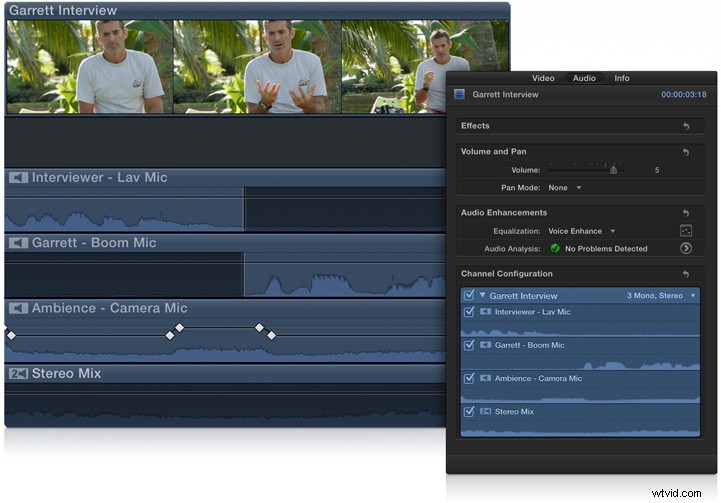
- Multichannel audio editing
- Unified Import, single-window interface to import from all sources
- Create freeze frames with a single shortcut
- Compound clips are saved to the Event Browser
- Expanded Multicam functions
- Drop shadow effect with custom controls
- Flexible Clip Connections
- Chapter markers for export to Quicktime, DVD and Blu-Ray