
Apple announces a Final Cut Pro X update that features a new interface and workflow designed for the new MacBook Pro.
All images via Apple/Final Cut Pro
Apple recently announced a new MacBook Pro that features an innovative new Touch Bar to help creatives speed up their workflow. They showed off the new machine by running the latest version of Final Cut Pro — 10.3. With all these updates, I’m surprised they didn’t release this as Final Cut Pro 11. This is the version Apple should have released after FCP7; it takes a lot of cues from the old timeline and really brings it into the future.
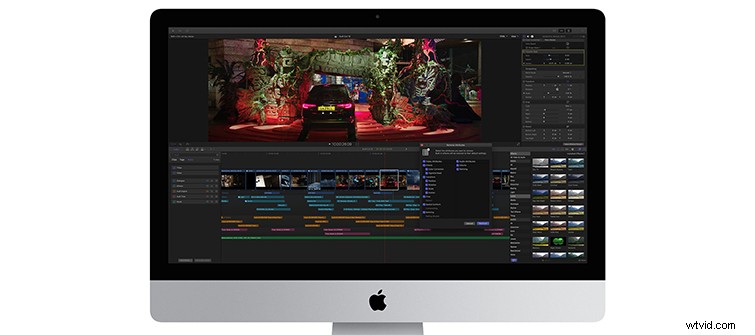
With a totally new interface, Final Cut Pro is now “focused on your video” and features easily customizable windows to match your editing workflow. Running on the new MacBook Pro, Apple claims a 76% increase in editing speed and up to 57% faster 4K 3D title rendering.
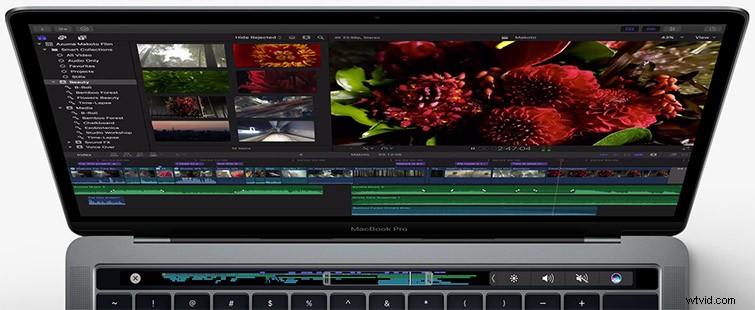
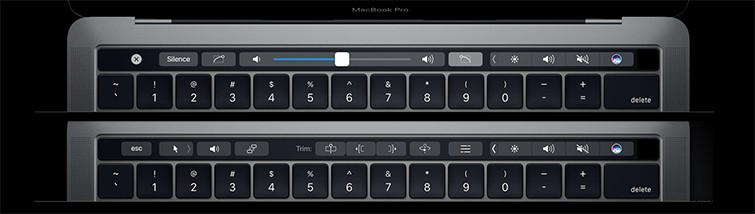
The new Touch Bar is an interactive touchscreen that will display your entire timeline at once. You can even scrub through the timeline with the touch interface, make adjustments to audio levels, and trim clips.
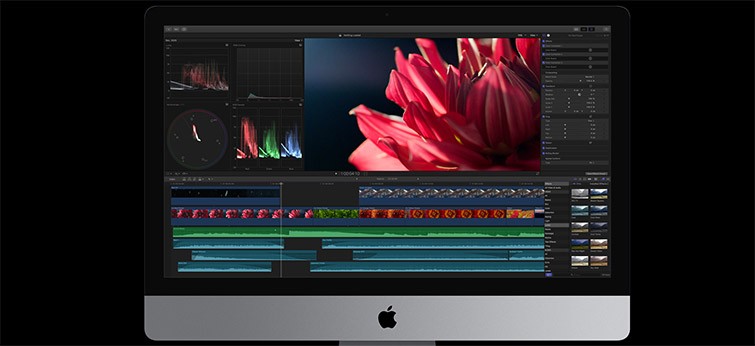
The new color grading layout displays video scopes, the Effects browser, and the Inspector all on the same screen. This allows users to navigate through the program in a faster, more efficient manner.
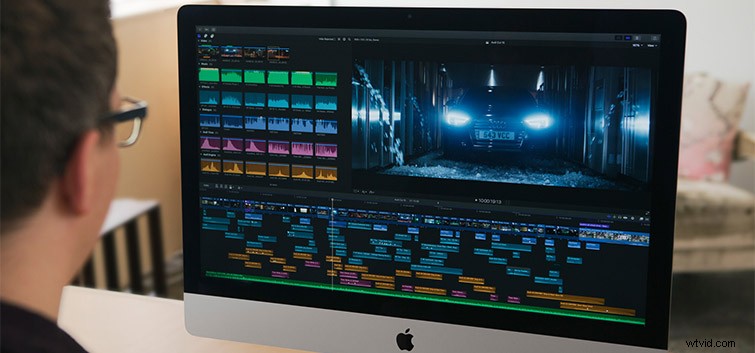
The Magnetic Timeline 2 is one of the biggest features to take note of. It’s very reminiscent to the much beloved Final Cut Pro 7.
Here’s a look at it in action with Apple’s new Timeline Index.
Imported clips can be automatically categorized and color coded by their role. Dialogue, sound effects, video effects and music will all have individual Roles. Then you’ll be able to drag Roles into the Timeline Index.
Here is a look at the new Roles from Apple. These really look to be incredibly helpful for speeding up the workflow, and the ability to collapse or expand based on the type of media is a solid feature.
Audio clips have been moved into Audio Lanes, as seen in this Apple video. Once again, they various types of audio are separated by type — SFX, music, and dialogue. This allows you to easily find the exact track you are looking for.
Other new features include:
- Flow Transitions for smooth cuts
- Removing effects and attributes in one click, allowing easier manipulation of effects across clips
- Using Thunderbolt 3 direct-to-video output produces multi-monitor high-quality display with single cable
- Timecode Generator and overlay effect allows users to edit with large view of source timecode
- Roll Trim on adjacent connected clips
- Deeper search capabilities
- Continuous Playback
- Full-height Inspector Browser
- Copy timecode from a document or spreadsheet and paste into Final Cut Pro for navigating projects
Updates to Motion and Compressor
Motion 5.3 will also have Touch Bar support in the new MacBook Pro. Other updates include wide color support, 3D text enhancements, and the Align To feature that lets users connect separate objects to create advanced animations.
Compressor 4.3 will now have a new darker look mirroring that of Final Cut Pro X and Motion. With the Touch Bar, users can add markers and set up batches.
Final Cut Pro 10.3 is available today. The update is free for existing users and available to purchase new for $299. Apple is also offering a 30-day free trial.
What are your thoughts on this new Final Cut Pro update? Share them in the comments below!