
Video is a global communication tool, used all over the world. But until now, our text to speech feature hasn’t been — it only worked in English. We want to be the video editor anyone can use, no matter the language they speak. We also want to deliver top quality voices and more options to customize their sound. So our team is saying sayonara to the old, and hola to a new and improved version of text to speech with 170 voices spread across 70 languages, helping you find a voice that speaks to you and your audience.
170 new, lifelike voices

In the hit film Her, Joaquin Phoenix's character falls for his AI assistant and her lifelike voice. While we don’t suggest you get so attached, we’re sure you’ll love the 170 new, high-quality voices we’re introducing, powered by Microsoft Azure.
These fluid AI voices match the patterns and intonation of human voices for a natural sound. We’ve also given you the option to choose from feminine or masculine sounding tones.
From one to 70 languages
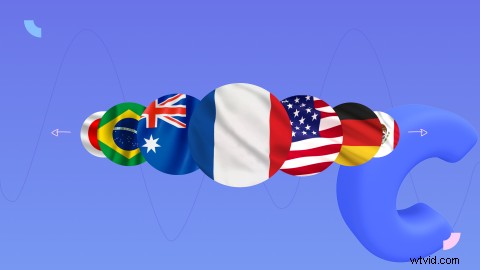
Like we said, video is a global tool — YouTube has 2.3 billion users worldwide. So, we’ve made a big improvement by upping our language offering from one to 70. Now, no matter where you’re editing from, you can transform text into speech in the language of your choice. Check out the full list of languages, from Portuguese to Polish, below:
Arabic (Egypt), Arabic (Saudi Arabia), Bulgarian, Catalan, Chinese (China), Chinese (Hong Kong), Chinese (Taiwan), Croatian, Czech, Danish, Dutch (Belgium), Dutch (Netherlands), English (Australia), English (Canada), English (Hong Kong), English (India), English (Ireland), English (New Zealand), English (Philippines), English (Singapore), English (South Africa), English (United Kingdom), English (United States), Estonian, Finnish, French (Belgium), French (Canada), French (France), French (Switzerland), German (Austria), German (Germany), German (Switzerland), Greek, Gujarati, Hebrew, Hindi, Hungarian, Indonesian, Irish, Italian, Japanese, Korean, Latvian, Lithuanian, Malay, Maltese, Marathi, Norwegian Bokmal, Polish, Portuguese (Brazil), Portuguese (Portugal), Romanian, Russian, Slovak, Slovenian, Spanish (Argentina), Spanish (Colombia), Spanish (Mexico), Spanish (Spain), Spanish (United States), Swahili, Swedish, Tamil, Turkish, Ukrainian, Urdu, Vietnamese, Welsh.
Brand new speed controls

Set the pace of your text to speech creations with our new speed controls. Whether you want to stay under a time limit or take things slow, you can find the right speed for your video. All you need to do is choose a voice and experiment with the speaking speed slider.
Sound good? Then it’s time to try text to speech
We hope you’re happy to hear all about our updates to text to speech. We know everyone will enjoy the better voices and control over speed, and we can’t wait to see a whole new group of users from around the world explore text to speech in new languages.