
It’s time to deck the halls (and your Zoom account) to celebrate the silly season. Yes, like the rest of 2020, the holidays come with Zoom backgrounds to match. This simple addition to your Zoom setup will add the perfect festive flair to any upcoming #wfh Holiday parties or remote family get-togethers.
In this blog post, we'll take you through how to create a Holiday video background using our time-saving templates. Plus, we'll cover all of the steps you'll need to follow to set it as your Zoom background.
How to make Holiday Zoom backgrounds
Step 1. Create an account
If you haven't already, sign up to Clipchamp for free, or log in.

Step 2. Start with a Zoom Background template
To get started, explore our Zoom Background template collection. You’ll find this at the top of your project page. Once you’ve had a good look, select your favourite background and select the Use this template option. This template will then load in the editor.

Step 3. Rename your video
Once you're in the editor, select Click to rename! in the top left corner. Add a memorable title to your Holiday Zoom video background.
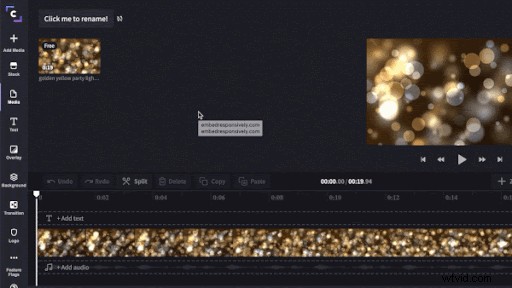
Step 4. Customise your Zoom video background
Thanks to our handy templates, you’ll already have a video in the timeline to get started. You can choose to use the original template, or customise it using what our free online video editor has to offer. You can apply filters, add motion text and more!
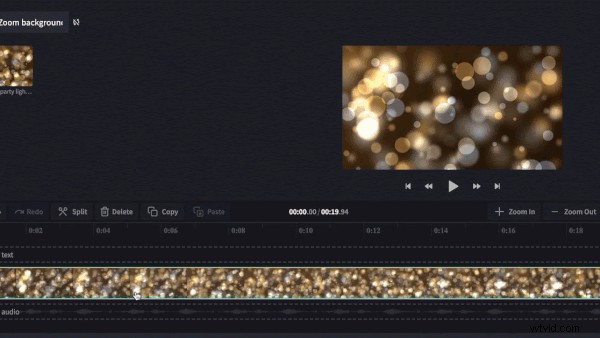
Step 5. Export the finished Zoom video background
Once you're happy with your Holiday Zoom video background, click Export in the top right corner then choose your export video quality. We recommend using 1080p for the best quality. Click Continue when you have selected the export settings. Click Save to save your Zoom video background to your computer.
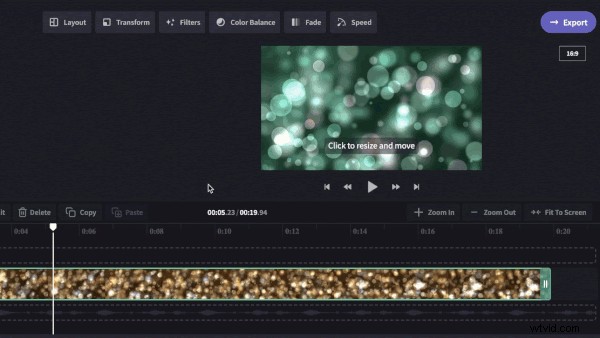
Step 6. Log in to your Zoom account
Open the Zoom app on your computer and enter your details to log in.

Step 7. Customise your Zoom video preferences and add your background
Once logged in, click the Settings icon in the top right corner of your home screen to open settings. Once the tab opens, click Virtual Background in the left toolbar.
Click the + symbol above Zoom’s virtual background options, then select Add Video. Search your computer for the Holiday Zoom video background you saved earlier and once you’ve selected it, click Open. Your background will automatically change to your Holiday Zoom video background.
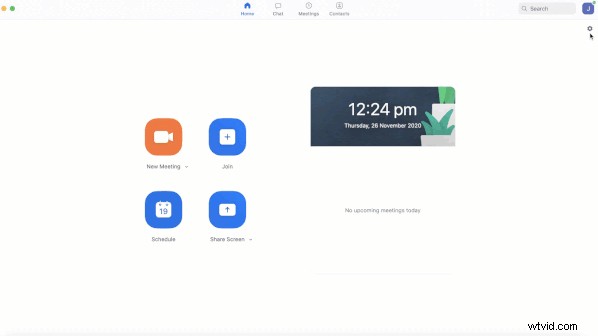
Happy Holidays!
So, that’s a wrap on how to make Halloween Zoom backgrounds. Enjoy creating festive video backgrounds to spread the holiday spirit this silly season!