While Adobe Creative Cloud 2019 won’t be available until later this year, let’s take a sneak peek at what Premiere Pro will have to offer.
It’s that time of year again—Adobe has announced all of the latest features for the upcoming version of their Creative Cloud suite of programs. Premiere Pro updates include an enhanced Essential Graphics panel, new options for cleaning up audio, selective color grading tools, and an all-new workflow for VR180. Let’s take a closer look.
Motion Graphics Upgrade
Premiere’s Essential Graphics panel has been revamped with several new features. After Effects users will finally be able to create .mogrt* files with customizable fonts. You will not only be able to change the font but also modify the style and size of your text within Premiere. In addition to font modifications, you will also be able to group parameters and apply responsive design to animations.
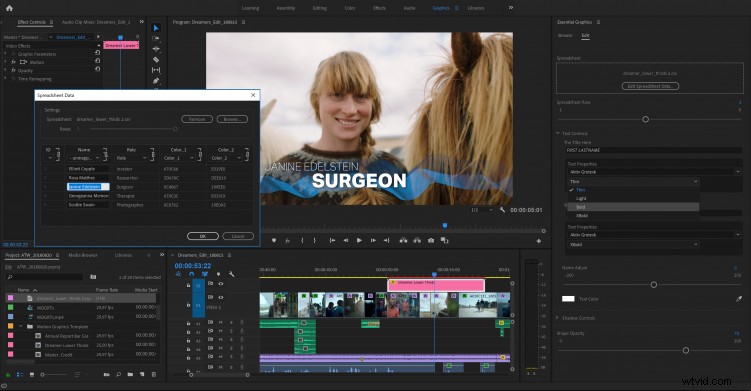
Another interesting feature is the all-new data-driven infographic workflow. Easily work with spreadsheet data in motion graphics templates via a simple drag-and-drop. You will be able to edit the data directly in the Essential Graphics panel. Any updates you make to the source spreadsheet file will immediately update in Premiere Pro. This is especially useful when working with a large number of graphic elements for something like weather graphics, or statistics for a sporting event, etc.
*The .mogrt must be set up in After Effects to enable this feature in Premiere Pro
Audio Cleanup Tools
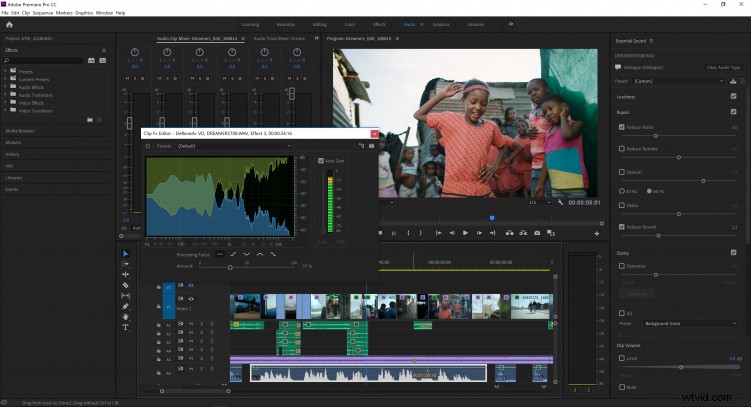
The Essential Sound panel is still a relatively new addition to Premiere Pro, and in this upcoming release, Adobe has added a few extra touches. An updated Reduce Noise slider bar gives users more control over getting rid of unwanted sound. There’s also an entirely new Reduce Reverb slider that, you know, reduces the reverb.
Selective Color Grading
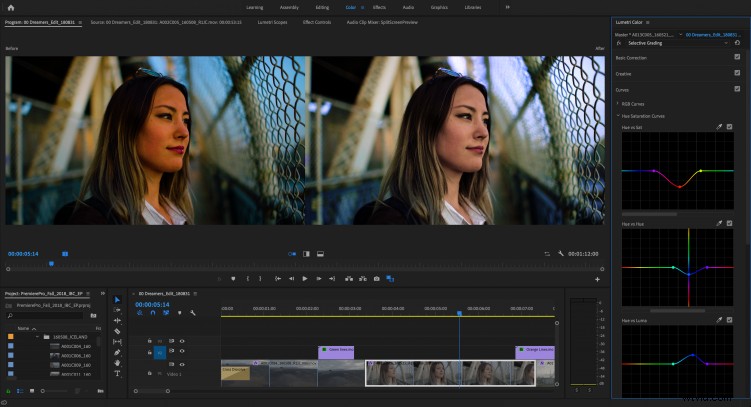
In addition to new audio tools, Premiere has updated the Lumetri Color panel. The new Lumetri curves definitely win the award for the most interesting new feature. Five new curves tools give you precise control over the hue, saturation, and luminance values of your image. Perform selective color grading with Hue vs. Saturation, Hue vs. Hue, Hue vs. Luma, Luma vs. Saturation, and Saturation vs. Saturation.
Virtual Reality 180
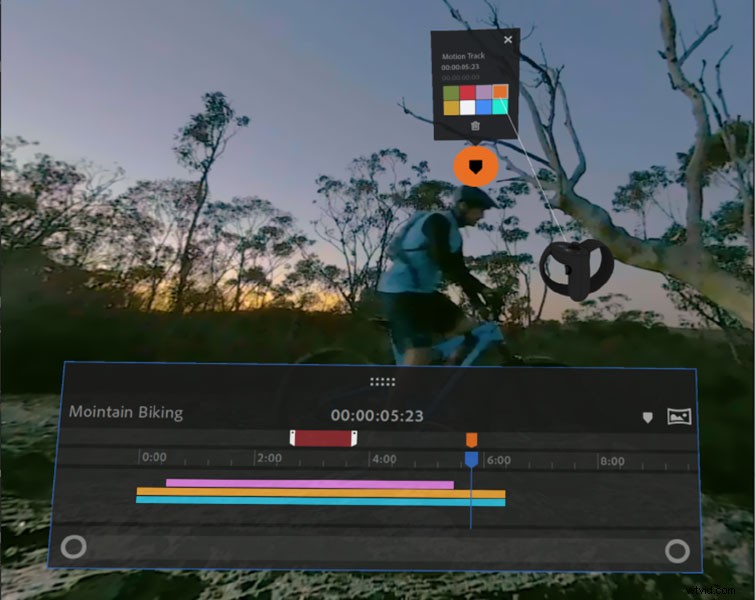
Last but not least, you will have new support for VR 180. This will include optimized ingest, editorial, and effects for monoscopic and stereoscopic content. You can output finished videos in the Google VR180 format for YouTube or other platforms.