
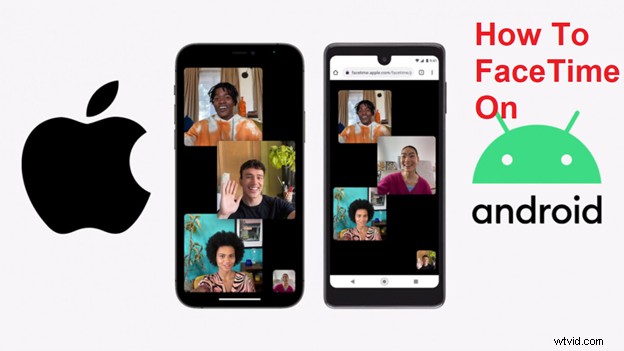
Apple's Facetime service allows users to make video calls. iPhone, Mac, iPad, and iPod touch devices all have this built-in application for video and audio calls over the internet. Additionally, it can be used to video chat with iOS users both remotely and on the go via cellular data.
FaceTime is compatible with up to 32 people (including your team), assuming they have an iOS device or a Mac. An internet connection is also required for users to make FaceTime calls.
To prevent users from switching to Android, Apple prefers to keep its apps exclusive to the iPhone and iPad. The reason Apple did not offer iMessage on Android, for example, is because of this.
FaceTime on iOS 15 offers end-to-end encryption and SharePlay so that users can share music, videos, links, or other media with all other participants during a call. Apple apps will not be available through FaceTime for Android users, but third-party apps should be accessible.
If you don't own an iPhone, you can't initiate a FaceTime call. Still, we'll walk you through how to share a FaceTime link from an iPhone or iPad if you need to walk someone else through the first steps. Then, we'll explain how to use that FaceTime link on Android or Windows.
You might be interested in:
- One Airpod Not Working, 6 Ways to Fix it
Creating An Invite Link For FaceTime
iOS 15 or iPadOS 15 must be installed on your device to share a FaceTime link. You can install iOS 15 on your iPhone or iPad if it does not already have it. At the moment, only developers can try the beta, but Apple is set to release a public beta later this month.
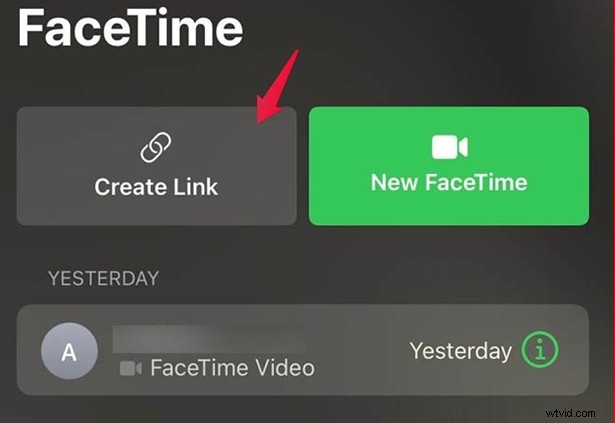
Open FaceTime once you're done. There should be a Create Link button at the top of the app. When you tap that, these options will appear:
Add name: Make sure you give the link a clear name, such as Chat with Mom, or 9 am meeting so that people can find it easily.

Share destinations: You'll find options such as Apple Messages, AirDrop, Mail, and other messaging apps such as WhatsApp when you click on the share button.
Copy link: Selecting this option will add the link to your phone clipboard so that you can share it manually with others.
Sharing a link is as easy as sending an email or a message to someone you choose, by chatting one-on-one or as a group. Quite simple, really! Now let's talk about Android.
How To Facetime on Android
Tap the FaceTime link you receive from your iPhone-owning friend, family member, or colleague. You'll be taken to your default browser when you click on the link, where your name will be required. Click on the Continue button and type your name.

Once you've done so, you will be added to the FaceTime call! In addition to muting the audio, hiding video, and switching between rear and selfie cameras. Although you won't see the same options as your host on their iPhone or iPad, you'll still be able to make the service work.
Limitations of FaceTime For Android Users
Although Android users can now join the FaceTime calls, as discussed earlier, they don't enjoy the same features as iPhone or iPad users. Although all basic features work for android users as well still there are some limitations like:
- It is still not possible to start a call from an android device. Android users can only join a call when an iPhone or iPad host sends them an invitation link.
- iPad and iPhone users can share their screens on FaceTime calls, but android users can't do that.
- I want to use FaceTime on Android then it is only possible through safari or chrome browser on your android phone.
- Even after clicking the link and following the steps above, you can only join a Facetime call when an iPhone or iPad user approves and let you in.
Final Verdict
In this article, we discussed how android users can now join FaceTime calls using a web browser. It is only possible after the recent update or iOS 15 from apple. Although there are some limitations for android users, it is still a great update from apple and should be appreciated. However, still, some people think that a dedicated FaceTime app for Android would have been a better option. But the reality is, there is no such app for Android, and Apple also doesn't plan to do that in the long run. So right now, the only option that you have for using facetime on your Android is through a web browser. Also, android users must receive an invitation link from an iOS user if he wants to join a facetime call; otherwise, he has no option.