
Reverb is often pivotal in crafting a professional and three-dimensional sounding mix. From the original spring, plate and chamber reverb techniques, through to hardware algorithms and captured impulse responses, there are many different techniques to add depth to your audio.
- READ MORE: The best rotary mixers to buy
As a general rule, most plugins either fall into the algorithmic or convolution categories. For the former, the quality of the programmed algorithms is an essential marker for how the effect sounds, and for the latter, it’s the variety of the captured impulse responses.
Whether you’re looking to place a drum kit in a realistic room or shoot your vocal to the Moon in a vast and unusual space, we’ve tested a range of reverbs — these are our top picks.
Best reverb plugins at a glance
- Valhalla – Supermassive
- sonible – smart:reverb 2
- Soundtoys – SuperPlate
- LiquidSonics – Seventh Heaven
- ModeAudio – Airspace
- Cableguys – ReverbShaper
I can’t believe this reverb is free: Valhalla – Supermassive
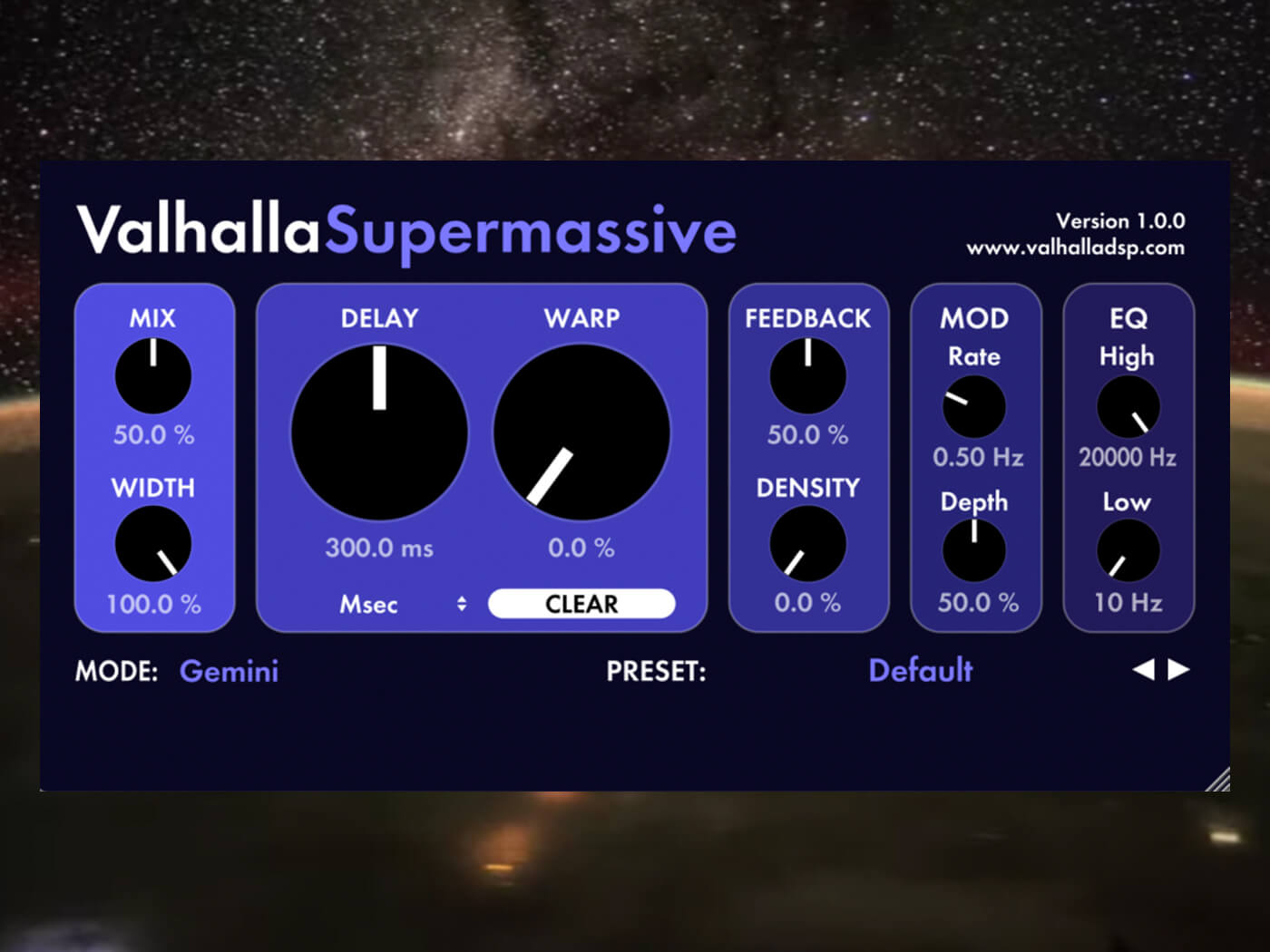 Image: Valhalla
It’s no surprise that Valhalla DSP’s Supermassive has made this list; despite being free, it’s on par with many paid-for plugins.
It’s been updated several times over the years, and version 4 includes a huge 21 different reverb modes to choose from, which all have varying settings for attack, decay, density and repeating delays. These can be tempo-synced or left free-running, with various controls for Delay time, Warp, Density, modulation, low and high cut EQ, Mix and Width.
Although Supermassive can do shorter and more traditional reverb sounds, it excels at gigantic spaces with long, swelling waves echoing out into infinity. It’s an absolute wonder for sound design and creating atmospheric beds from anything you throw at it.
Key Features:
- Price: FREE
- Type: Algorithmic (21 reverb/delay modes)
PROS
- Large number of algorithms make for a versatile sound design tool
- Broad selection of presets cover a lot of bases
- Rich, dense and evolving tails
- It’s free!
CONS
- Algorithms have somewhat meaningless names, so can be hard to learn
Get this plugin at Valhalla DSP.
Best mix glue reverb: sonible – smart:reverb 2
 Main GUI. Image: Press
Sonible updated its content-aware reverb plugin earlier this year and completely rewrote the rule book for dialling in space in a mix. It’s a source-adaptive effect that listens to your audio and generates a custom preset, guided by a choice of 22 instrument profiles. The tailored reverb tail enhances the sound without masking important details.
This new version distills several confusing controls down to a single Distance slider that lets you easily place your signal in a 3D space. New and improved Room, Hall, Plate and Spring algorithms can be blended using an X/Y pad. There are also Reverse, Infinite and Bounce modes, a built-in ducker, and a Manual Override section that lets you dig deeper into editing the tail.
Its most unique feature, though, is being able to add instances into Groups and have the plugins talk to each other. You can easily edit each instance from a single window, and use the source adaptation on multiple tracks at once, where frequencies in one tail might be carved out to make space for another, resulting in a cleaner overall sound. This makes it a great choice for transparently glueing your mix together.
We said: “…when it comes to creating depth, and adding polish and glue, it just works.”
Read our full review here.
Key Features:
- Price: £109 (or £339 for 6 plugin bundle)
- Type: Algorithmic (X/Y pad morphs between Room, Hall, Plate & Spring)
PROS
- Makes mixing for depth fast and intuitive
- Greatly improved, smoother sounding algorithms
- Inter-plugin control works flawlessly
- User interface invites you to explore the sound and use your ears
CONS
- Using multiple instances with longer reverb times can be CPU-heavy
- Some features (eg output EQ) removed from smart:reverb 1
- No dedicated pre-delay control
Find out more at sonible.com.
A stunning plate reverb: Soundtoys – SuperPlate
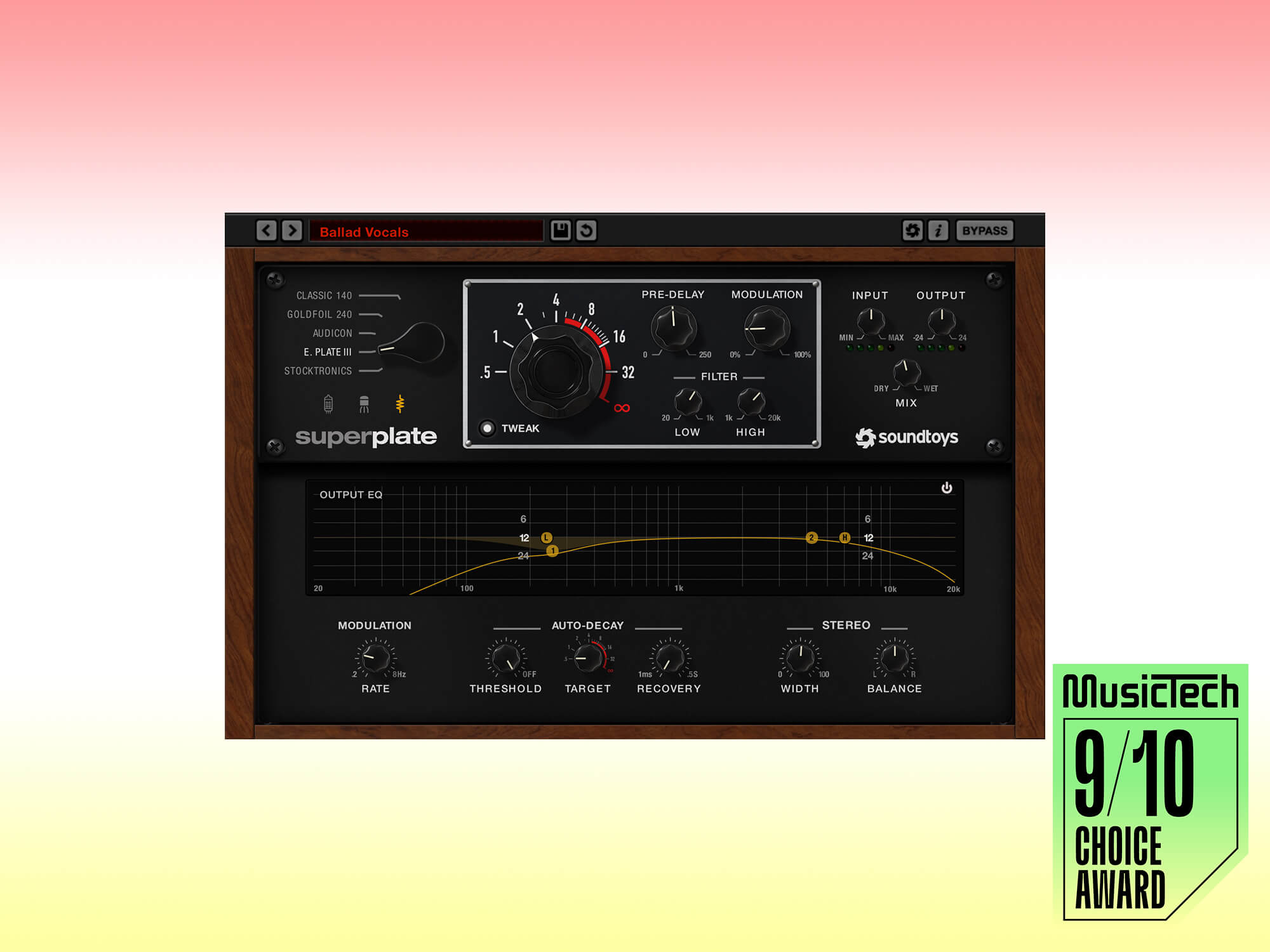 Soundtoys SuperPlate. Image: Soundtoys
It took five years from the release of Little Plate for Soundtoys to finally bring us its big brother, SuperPlate, but it was worth the wait. SuperPlate gives you the option of five different emulations, meticulously captured from vintage hardware units like the EMT140, Goldfoil EMT240, and Stocktronics RX 4000. Each brings a different plate flavour to the table, which can be further tweaked with three preamp options, modulation controls and a simple, built-in EQ.
The feature that really stands out, though, is the Auto-Decay function. Where other reverbs often have ducking effects that work by pulling down the volume, SuperPlate instead reduces the decay time. This works wonders on faster passages, as you still get a thick reverb sound, but the tails are much tighter, which results in a more prominent signal.
If you like the sound of plates, then this one is a no-brainer. Especially if you already own the Soundtoys bundle, as the upgrade cost is fairly cheap.
We said: “…for pure plate tones, it’s one of the best we’ve heard.”
Read our full SuperPlate review here.
Key Features:
- Price: $149
- Type: Algorithmic (EMT140, Goldfoil EMT240, Audicon, EcoPlate III & Stocktronics RX40000)
PROS
- Beautiful plate models with a tangible sound
- Sonically versatile (for a plate reverb)
- Auto decay feature is effective at adding clarity to the dry signal
- Quick to dial in sounds
CONS
- Volume matching preamp modes are fiddly
- Mix dial is a little confusing at first
Find out more at soundtoys.com.
Best high-end reverb: LiquidSonics – Seventh Heaven
LiquidSonics bring the coveted Bricasti M7 hardware reverb to life in this high-quality reverb plugin that captures the natural, lush, smooth and transparent sound of the original. It manages this through LiquidSonics proprietary Fusion-IR technology, which tracks the behaviour of a reverb through its early reflection through to the final tail stage. This results in a more evolving sound compared to a more traditional static IR snapshot. Although it’s based around convolution, you then get the ability to tweak a range of parameters as though you are editing an algorithmic reverb.
The full Professional version includes over 230 multi-sampled Fusion-IR presets, 32 selectable early reflection patterns, full surround support, an internal ducking effect, and a five-band oversampled master EQ. It has an exceptional sound that sits well in the mix, and the range of different captured algorithms makes it highly versatile.
We called it “…an effortlessly wonderful-sounding reverb” in our review.
Read our full Seventh Heaven Professional review here.
Key Features:
- Price: $69 Seventh Heaven, $299 Seventh Heaven Professional
- Type: Convolution (over 230 Fusion-IR presets)
PROS
- High-quality, detailed and evolving sound
- Manages to capture the sound of the coveted hardware
- Fusion IR provides more control than regular IR
- Large and versatile collection of algorithms
CONS
- Large Fusion IR files take up more space than normal impulse responses
- Full version is fairly expensive
Find out more about this plugin at LiquidSonics.
A reverb with tons of character: ModeAudio – Airspace
 ModeAudio Airspace. Image: Press
On the surface, ModeAudio’s Airspace looks like a fairly simple combination of convolution and delay, but it has a vast and creative impulse response collection that turns it into a sound design powerhouse.
You get two Convolution engines, with a stereo delay in the middle. Although the Convolution sections are labelled Colour and Space, you can load any of the 450+ IRs into each. These include a range of authentic recordings taken from a cathedral, a nuclear reactor, a submarine, and a chocolate factory, plus vintage digital, spring and plate reverb hardware, found percussion, analogue drum machines, an upright piano, experimental SFX, and textural loops.
You can stretch the IR size all the way up to 500%, which is awesome for crafting long, ethereal drones. There are useful controls for shaping the IR’s envelope, alongside an EQ section, and there’s also a stereo delay for added depth, with filters, time and pan modulation, and a recursive pitch-shifting effect.
We said: “If you’re writing ambient or soundtrack work and create a lot of drones or textures, then it’s a no brainer.”
Read our full review here.
Key Features:
- Price: £60
- Type: Convolution (450+ IRs) + Stereo Delay
PROS
- Easy to achieve epic-sounding results
- Varied and unique Impulse Library
- Excellent sound design capabilities
- Plenty of control to fine tune how impulse responses are used
- Very organised IR and preset browsing
CONS
- Can’t change routing of modules
- No width control
- Volumes can sometimes spike depending on input
Find out more at www.modeaudio.com.
Most creative reverb: Cableguys – ReverbShaper
Our next entry is the ReverbShaper, which loads into Cableguys’ excellent ShaperBox plugin and includes unique envelope-based editing features.
It’s a convolution-based plugin that comes with 127 varied IRs, plus the ability to load your own. You have more traditional controls for the decay time, width and pre-delay, and a Size slider that resamples the impulse to make it longer or short, whilst also affecting its pitch. The fun starts when you begin editing the volume of the reverb using the tempo-synced LFO tool, which has flexible drawing tools to create simple swells or complex, gated rhythms.
There’s also a graph to edit the Send signal, so you could just highlight a single snare in a loop to send through to the reverb, thus saving time with fiddly automation. On top of this, you have an envelope follower and audio or MIDI triggering, plus low, mid and high bands to split the IRs and controls. All these unique features help make this the most creative tool on offer here, and also one of the cheapest.
Key Features:
- Price: €39 / $39 (or €89 / $89 for full ShaperBox 3 with 10 effects)
- Type: Convolution (127 IRs)
PROS
- Drawing reverb shapes and resetting tails is a unique way to control reverb
- Broad and creative selection of Impulse Responses
- Multiband mode opens up extra sound design possibilities
- Audio-triggering, MIDI and envelopes give new ways to process audio
CONS
- No EQ to shape the reverb signal
Read more buyer’s guides via MusicTech.

Alex has been writing freelance for MusicTech since 2009. He got his first copy of Micro Logic and a Roland Sound Canvas 30 years ago and has never looked back. Since then, he has released music on some of the worlds biggest dance labels, done countless major label remixes, composed music for Sync library’s, and even performed in a pod on the London Eye.