
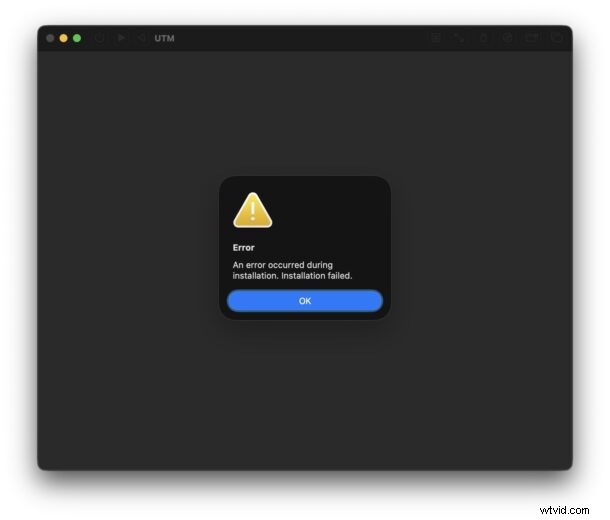
Testing macOS beta releases in a virtual machine (VM) is a practical way to experiment without risking your primary OS. However, the MacOS Golden Gate 27 beta has been reported to fail during installation in several popular VM platforms, including UTM, Parallels, VMware, VirtualBuddy, and Tart. Users often see a generic error such as “An error occurred during installation. Installation failed.”
Why the Installation Fails – A Known Compatibility Issue
Multiple reports across the internet and Apple’s own developer forums confirm that this problem is not isolated. An Apple engineer acknowledged a mismatch between the VZMacOSInstaller API on macOS 26.6 (Tahoe) and the Golden Gate 27 IPSW, which prevents the guest OS from installing correctly.
Apple’s acknowledgment is a strong signal that a resolution is in development, and they are actively seeking better workarounds for developers.
Effective Workarounds for Running Golden Gate 27 Beta in a VM on Tahoe
- Host‑to‑Host Migration: Create a Golden Gate 27 beta VM on a machine already running macOS 27. Once the VM is fully set up, export it and import it into your macOS 26.6 environment. The VM will boot normally after this migration.
- In‑VM Upgrade: Spin up a fresh macOS 26.6 VM, sign in with your Apple ID, enroll in the Golden Gate beta, and upgrade through the standard Software Update interface. This leverages Apple’s own update path and bypasses the initial installation hurdle.
- Manual Installer on Older MacOS: Deploy a VM running an earlier macOS (e.g., Sequoia or Tahoe) and use the Golden Gate installer to upgrade the system manually. While less streamlined, this approach has worked for some users.
What to Expect: A Fix is on the Horizon
Because this is a confirmed issue, Apple is likely to address it in an upcoming Golden Gate release or through updates to macOS Tahoe, Mobile Device Support, or Xcode. Historically, similar VM compatibility problems have been resolved within weeks of beta releases, so developers can anticipate a patch soon.
Until then, the workarounds above provide reliable paths to test Golden Gate 27 in a virtualized environment. If you discover a more consistent method or have additional insights, please share your experience in the comments.