
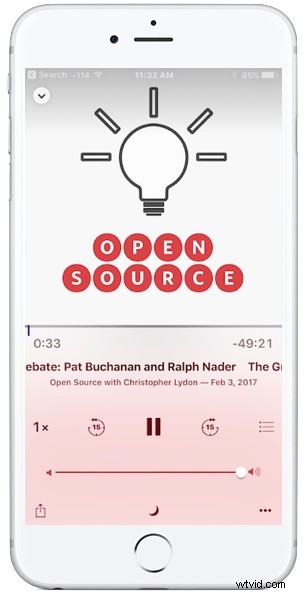
The Podcasts app on iPhone allows users to adjust playback speed, making the podcast play faster or slower. If you’re wondering why it’d be helpful to adjust the speed of podcasts, there are several reasons; increased comprehension or understanding, speeding through uninteresting parts of a podcast, or perhaps my favorite use which is to listen to more podcasts in less time by increasing the playback speed.
Think you don’t have time to listen to a podcast because it’s too long? Think again, just speed it up. Can’t understand what some rapid-fire speaker is saying? No propel, slow it down.
Adjusting the playback speed of podcasts on iPhone is easy and can be toggled directly within the Podcasts app at anytime, similar to how you can skip sections. Let’s review how this works.
How to Speed Up or Slow Down Podcasts on iPhone
- Open the “Podcasts” app on iPhone if you have not done so already
- Start playing any podcast as usual
- Look for the “1x” button near the standard playback buttons, tap that to start adjusting the playback speed. The following playback speed options are available:
- 1x – default playback speed
- 1.5x – the podcast plays 50% faster, this is perhaps the most reasonable adjustment for speeding things up
- 2x – the podcast plays twice as fast, this can sound too fast and changes the tone and pitch of voices by quite a bit which can make comprehension more challenging. Best for skipping through a boring part of a podcast where comprehension is less important (or if you like the sound of Alvin and The Chipmunks)
- 0.5x – cut playback speed in half and slow it down dramatically, this can improve comprehension if a speaker is talking too fast, or if you just want to really grok what someone is saying
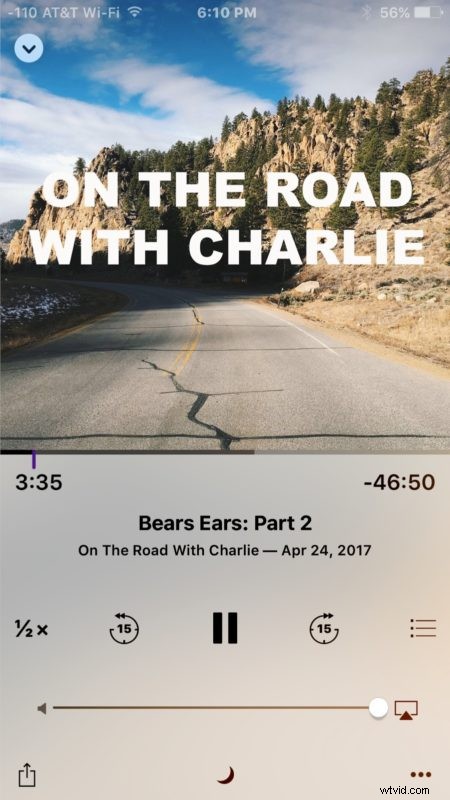
You can adjust the podcast playback speed at anytime in a podcast just by tapping the 1x button.
Speeding up a podcast will have an impact on the speakers voices, sounds, music, and all other noise within the podcast episode, so it’s a good idea to use the feature conservatively as a 2x speed increase can really make things sound funny.
Slowing down a podcast is mixed, while it can increase comprehension if someone is talking way too fast, it can also sound funny. I would not necessarily recommend slowing down a podcast with this method unless you really want to for some reason, because it often has the peculiar effect of slurring the speakers voices and making them sound heavily intoxicated.
It’s worth noting that changing YouTube playback speed does not have nearly as strong as an impact on the voices and sounds of the show, so it may just be an algorithmic adjustment that makes people sound like chipmunks when sped up or drunks when slowed down. This suggests that a future version of iOS Podcasts app could theoretically improve the playback adjustment to have less of an impact on the pitch of voices.
Another option to skip through parts of podcasts or to to scrub through them using Control Center slider or the slider in Podcasts app, but then you wouldn’t hear any of the discussion at all.