

Want to watch live coverage of the Olympics? You can easily watch any of the 2016 Rio Olympic games and competitions live right from your iPhone, iPad, or iPod touch (or Android too, but we’re obviously focusing in iOS), meaning you can watch any game and any country and any sport you want, you don’t have to wait for the evening highlights. You don’t even need a cable TV package, any iOS device will do.
All you need to do to watch live footage of any current Rio Olympic games is to download the NBC Sports app. Anyone can then watch live footage of the 2016 Olympics from within the app, it’s that easy.
- Get the NBC Sports app here from the iOS App Store
Just launch the NBC Sports app, go to the “Live and Upcoming” tab, and browse through the currently active games.
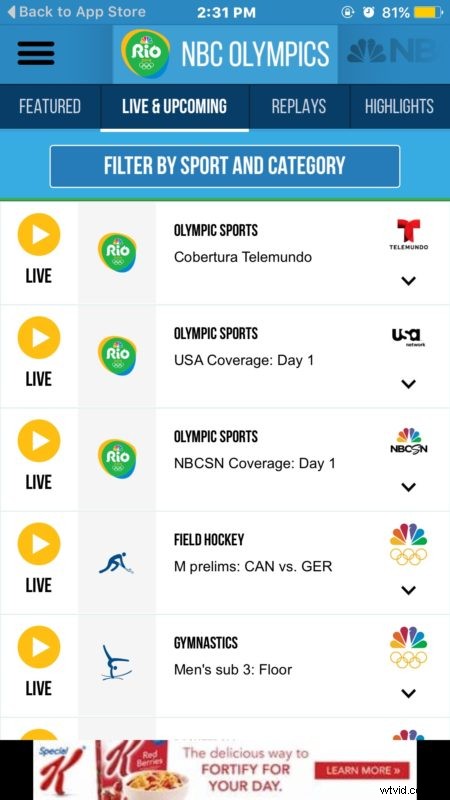
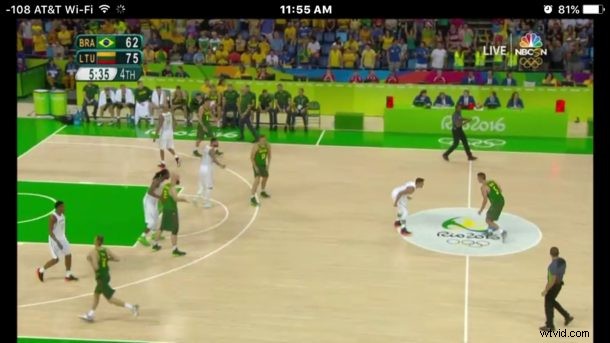
Tap on what you want to see live, and away it goes, the live stream of the event will start immediately. It’s that easy.

For best viewability results you’ll want to unlock screen orientation in iOS and rotate the device sideways (or use Picture in Picture on iPad).

You’ll also want to login to a local authorized TV or cable provider, which extends the length of time you can watch live coverage for beyond the 30 minutes. Just about every general TV provider in the USA is included, so whether you’re a member of a cable monopoly or a smaller provider it’s likely going to be in the provider list.
If you’d rather watch the Rio Olympic games on a desktop or computer, you can watch them from the NBC Olympics live streaming website here, though you’ll need to have the Flash plugin to do so, perhaps making the live streaming on the web experience best enjoyed from Google Chrome where Flash is sandboxed. The NBC live stream may work from the USA or with a US cable login, but by using the free VPN in Opera and setting the VPN region to the United States allows users anywhere in the world to stream the Rio 2016 games from the site.
Of course, most countries also have a TV network covering the Olympics as well, so you can always visit your local affiliate stations website and find live streams for Rio there too, or use the local affiliates app. For the UK, that would be BBC, and for Canada it would be CBC. Other countries vary, but again, by using a regional VPN you could watch any global stream that corresponds to the network location.
- BBC (UK)
- CBC (Canada)
Enjoy the Olympics!