
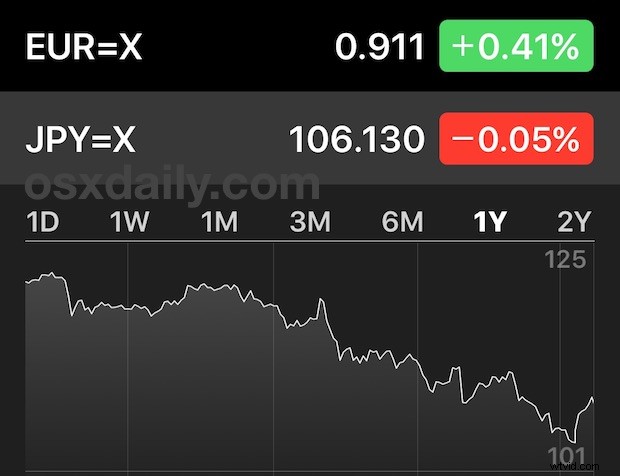
The iPhone Stocks app and Stocks Notification Center widget typically is used to follow markets, ETFs, mutual funds, or individual equities, but with the proper syntax you can add just about any globally traded currency to watch as well. Adding currency to the Stocks app should be particularly nice for users who travel often, or anyone who makes purchases with international currency. For some, it may even prove to be the sole reason to use the Stocks app!
Here is how you can add currency to see current exchange rates in Stocks app and the corresponding Notifications / lock screen widget for iPhone:
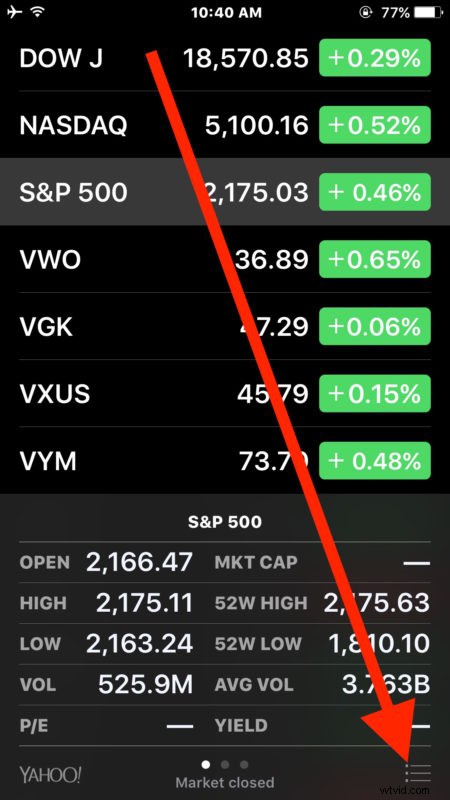
- Open the “Stocks” app on the iPhone as usual, then tap on the burger menu in the lower right corner (it looks like three lines stacked atop one another)
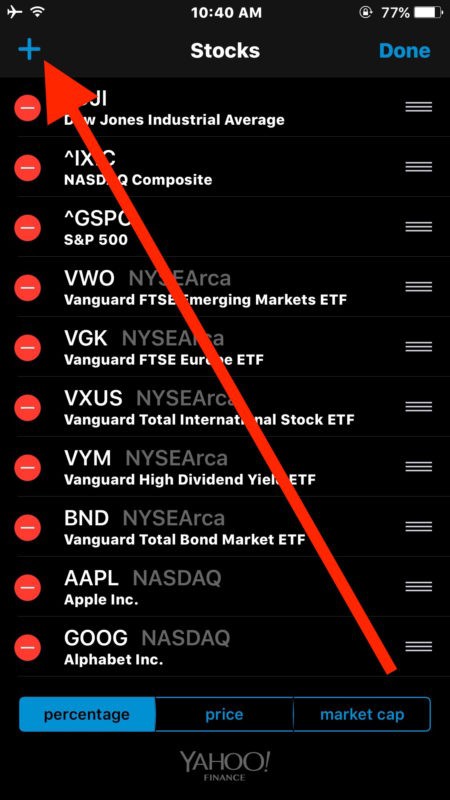
- Choose the Add [+] plus button in the upper left corner to add a new symbol to the watch list
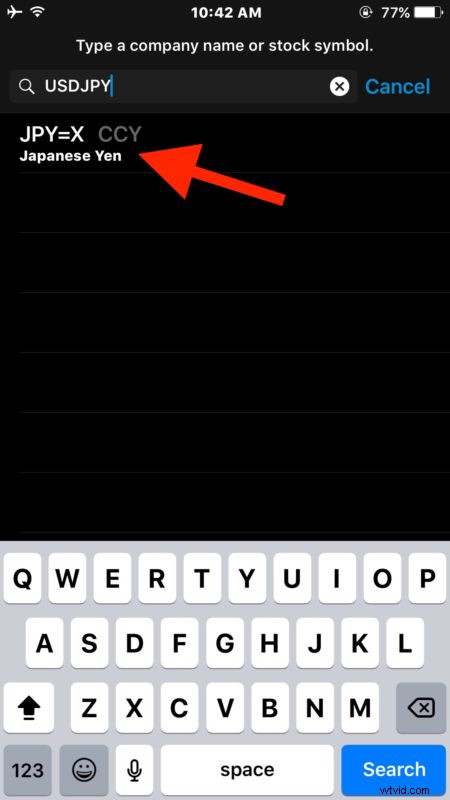
- For up to date currency exchange rates, use the following format when typing into the ticker search “1CURRENCY2CURRENCY=X”, for example…
- USDEUR=X will show US dollars to Euros
- EURGBP=X will show Euro in British Pound
- USDJPY=X will show how many Japanese Yen a US dollar buys
- RMBUSD=X will show Chinese Yuan in US dollars
- CADUSD=X shows how many US dollars a Canadian dollar buys
- AUDIDR=X shows how many Indonesian Rupiah a Australian dollar buys
- INRVND=X will show Indian Rupees in Vietnamese Dong
- Etc etc, use any two combinations of three character currency symbols with =X to show the appropriate live exchange rate
- Add additional currencies to see or watch the exchange rates for as needed
As you’ll see, the added currency is then viewable at any time just like any other equity or ticker in the Stocks watch list.
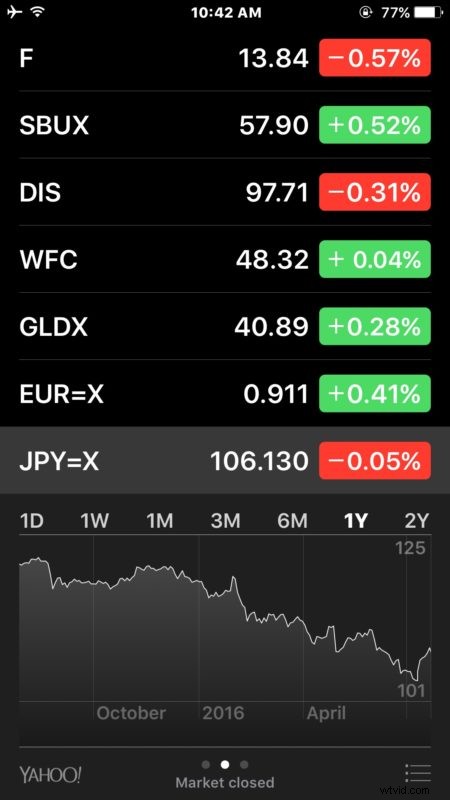
This will probably be most useful to frequent travelers, but anyone who has been relying on converting currency with Spotlight in iOS (or the same on the Mac) may also find it useful to have an ongoing watchlist of exchange rates to keep an eye on.
While the live conversion will be the current exchange rate, you can also select the currency once it has been added to the watch list, then rotate the Stocks app to see long term performance details and reveal a 10 year and 5 year chart.
Thanks to JA for the tip idea left in our comments on a prior related tutorial!