
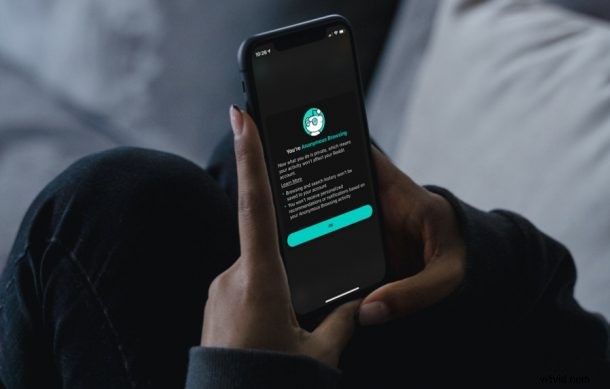
Are you a Reddit user? Do you use the Reddit app to browse news, memes, and other interesting content on your iPhone? Even if you’ve been using it for a while, it’s likely that you may not be aware of the hidden anonymous mode that the app offers.
Anyone can use the Reddit app without an account, or by using private browsing mode in Safari and accessing it from the web, but many reddit users have an account that they’re logged in while browsing the content through the Reddit app. Although you can log out and browse anonymously, Reddit gives you an easy way to do it with a hidden anonymous account. Instead of logging out, you can switch to this account and browse Reddit content without associating your activity, like searches and communities you visit.
How to Browse Reddit Anonymously on the iPhone App
Although we’ll be focusing on the iPhone here, you can make use of these exact steps on an iPad as well. Assuming you’re logged into the Reddit app with your account, just follow these steps:
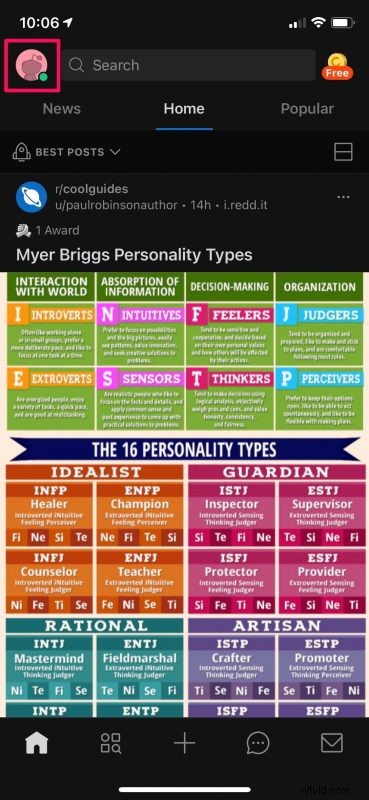
- Launch the Reddit app and tap on your profile icon located at the top-left corner of the screen.
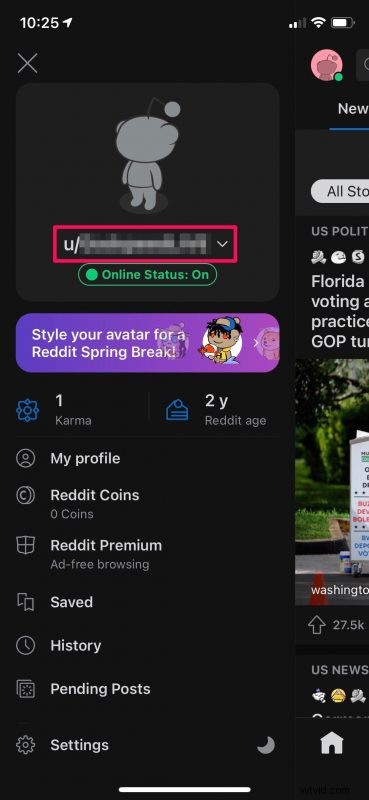
- This will bring up the app menu. Here, tap on your Reddit username to access more options.
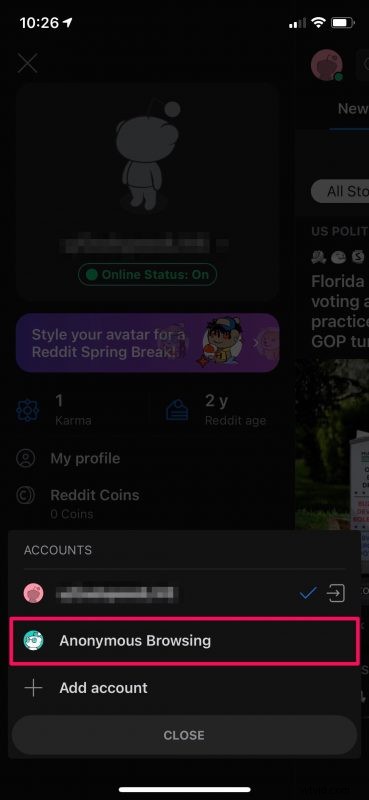
- Now, you’ll see the option to switch between accounts with the Anonymous Browsing account located right below the main user. Tap on it.
- You’ll get a confirmation messaging stating that you’ve entered anonymous browsing. To exit, simply tap on your profile icon again and choose “Leave Anonymous Browsing”.
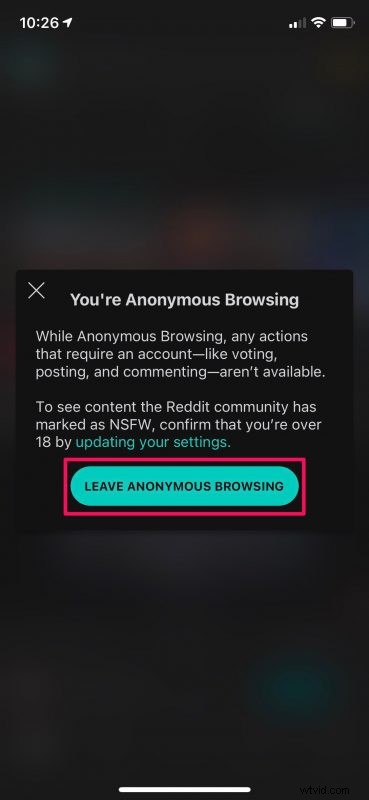
That’s all there is to it. Reddit will immediately switch you back to your main user account.
It goes without saying that when you’re using Anonymous Browsing, you will not be able to create posts, upvote comments, or join communities since you’re basically just using Reddit as if you’re logged out.
Having said that, using this feature has its own perks when it comes to your privacy. As long as you’re in anonymous mode, Reddit will not use your activity to personalize your recommendations or send you tailored notifications. Of course, all your searches remain private too.
If you’re someone who likes to keep track of the posts you’ve been viewing, you may also be interested in learning how to see your browsing history in the Reddit app.
Hopefully, you were able to make good use of Reddit’s hidden Anonymous Browsing mode? Do you think Reddit should move this option somewhere else where everyone could easily see it? Let us know what you think and voice out your opinions in the comments section down below.