
Audio Setup for Recording Audio in Audacity
To record a podcast in Audacity using two microphones setup, you’ll need both of your microphones to have an XLR connection. Although there’s a way to record a podcast with two USB microphones, it’s more complicated. XLR microphones will require an audio interface with at least two input lines, one for each microphone.
Once you have your audio interface and two XLR microphones plugged in and ready, open up Audacity.
Recording a Podcast in Audacity
Follow these steps to record a podcast in Audacity:
- Go to Audio Setup->Recording Device and make sure you choose your audio interface for recording
- Go to Audio Setup->Recording Channels and choose stereo
- Click the Red dot or ‘R’ to record.
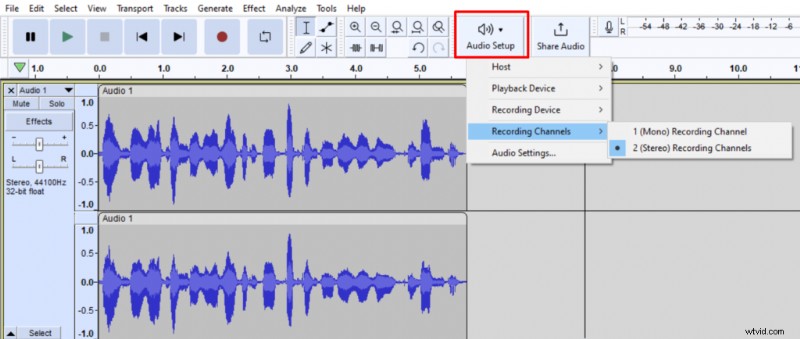 Choosing to record a stereo track in Audacity.
A microphone connected to the 1st input line will record into the left channel of the stereo track and a microphone connected to the 2nd input line will record into the right channel of the stereo track.
Once you’re done recording, you’ll end up with a stereo track, where the person who spoke into the 1st microphone will be audible on the left side of your audio device while the person speaking in the 2nd microphone will be audible on the right side of your audio device.
If you decide to edit your audio before uploading it, you’ll probably want to go through this process:
- Click the downward arrow on the left of your audio track
- Choose Split Stereo to Mono
- Edit each mono track separately
- Click the downward arrow on the first track and choose Make Stereo Track
- Select the stereo track and go to Track->Mix and click Mix Stereo Down to Mono
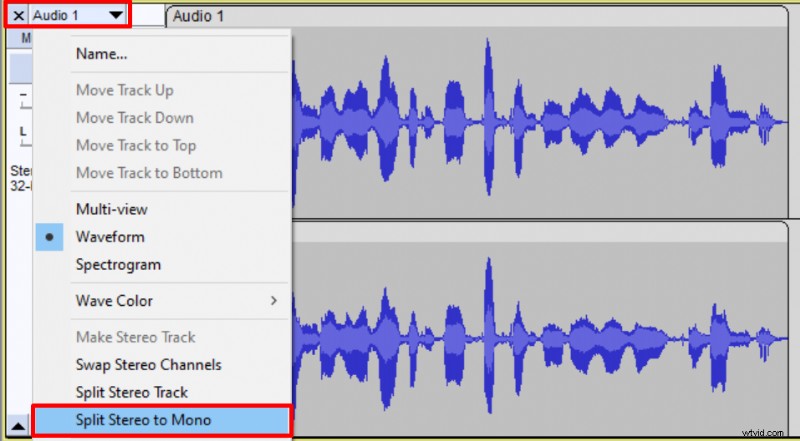 Splitting stereo channels into two mono tracks in Audacity.
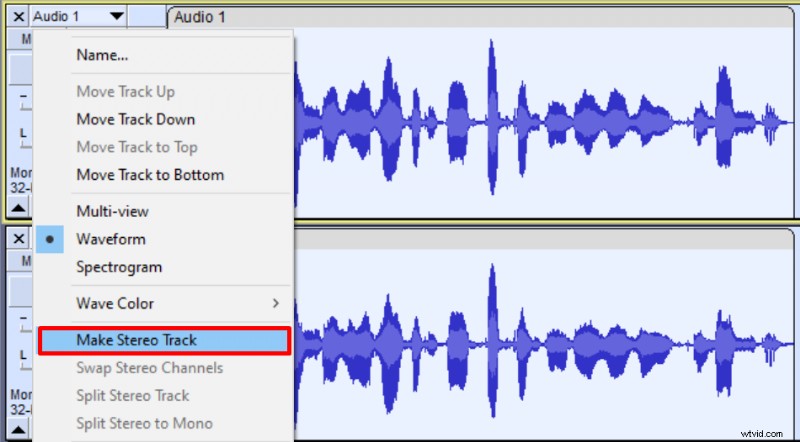 Combining two edited mono tracks back into a single stereo track in Audacity.
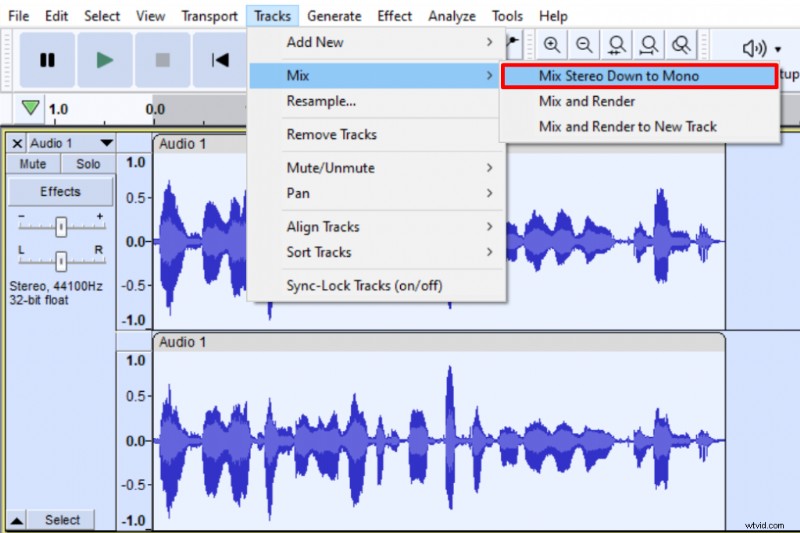 Mixing stereo track to a single mono track in Audacity.
Following these steps, you’ll end up with a single mono track in Audacity. Having a mono track will make sure that the audio from both of your microphones is simultaneously audible on both sides of your audio device instead of having one microphone’s audio on the left side and another one on the right side.
In this tutorial, I’m not going in-depth on how to edit your audio, but you would have to clean up your audio and then master it.
Exporting Audio in Audacity
You’ll have the option to export your podcast audio in a few different formats in Audacity. Among these, the most popular are WAV and MP3. In any case, you’ll want to end up with a mono track. WAV is of higher quality but will take up much more disc space. MP3 is a compressed file format, making it slightly lower quality, but it takes significantly less disc space.
Different platforms require different file formats for your podcast audio, so make sure you keep your project saved.
To export a mono track in WAV format in Audacity, go to File->Export->Export as WAV.
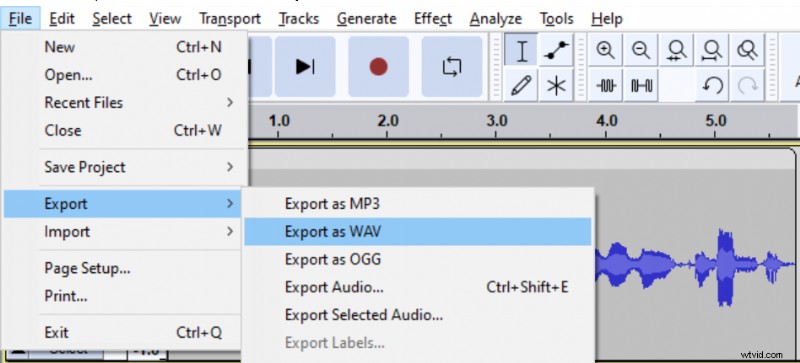 Exporting audio in WAV format in Audacity.
To export a mono track in MP3 format in Audacity, go to File->Export->Export as MP3 and make sure the Force export to mono box is checked.
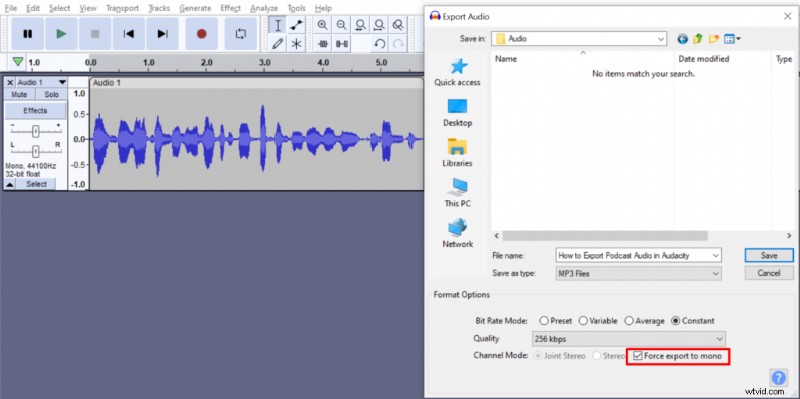 Exporting audio in MP3 format in Audacity.