
You can achieve a walkie-talkie or old radio audio effect in Adobe Audition by using an equalizer to cut out some of the high-end and low-end frequencies. Also, you might want to add some crackle noises to make it more authentic.
Follow these steps with EQ to achieve a walkie-talkie audio quality:
- Select your audio recording
- Go to Effects->Filter and EQ->Parametric Equalizer
- In the Presets menu, select ‘Old Time Radio’
- Click Apply.
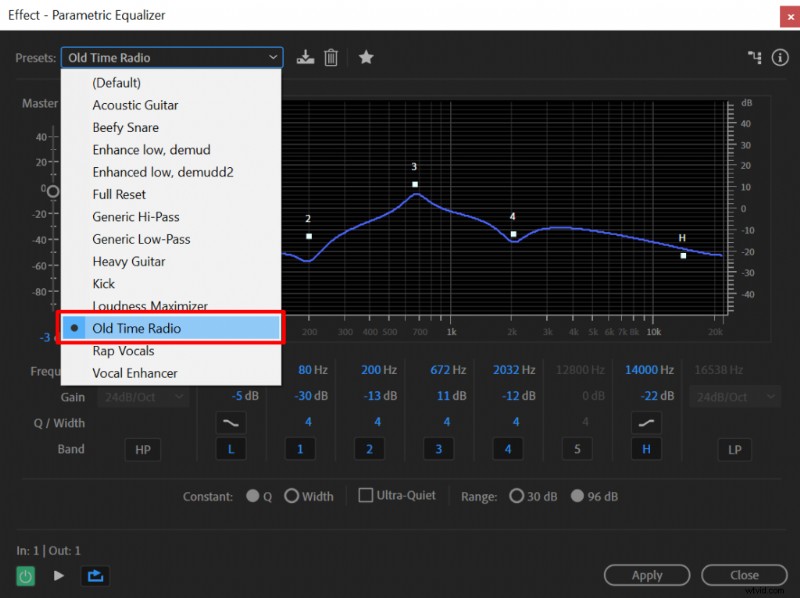 Applying ‘Old Time Radio’ preset in Parametric Equalizer to achieve a walkie-talkie sound effect in Adobe Audition.
On top of using an equalizer, you may add some crackling noise to make the effect more realistic.
You can add a crackling noise by:
- Opening up a Multitrack editor (top left corner)
- Clicking the right mouse button on a timeline and selecting Insert->Files
- Inserting your audio and a crackling sound clip
You can use the following sound clip for crackling noise:
Source: https://freesound.org/people/crcavol/sounds/154654/