
Hello! In this blog, I’ll tell you how to create the effect of a voiceover being slowed down just like a vinyl record.
To start, open Adobe Audition and you might want to add a few non-destructive effects to prepare your track.
You could add some EQ, like Parametric Equaliser, rolling off the low and high ends. And to make it pop out, add in some Dynamics, like Compressor, with a ratio of around 3, the Limiter on and the MakeUp Gain up. Also, some Modulation, like Flanger, will also help create a nice, imaging voiceover.
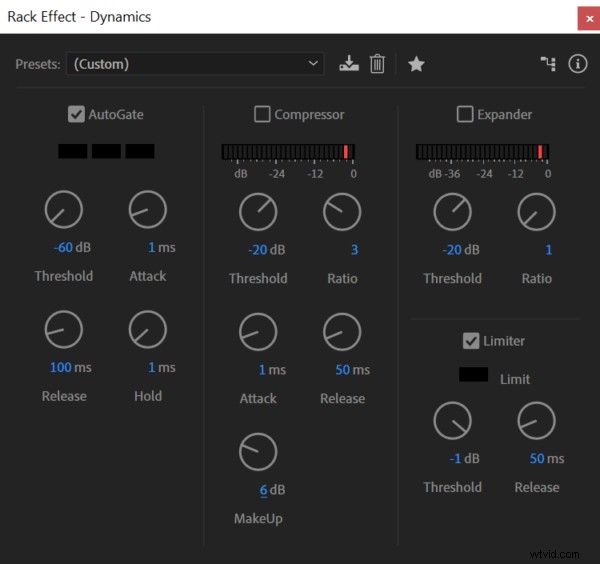
Now that you’ve done that, you’ll want to make it slow down so it sounds like a vinyl record coming to a halt.
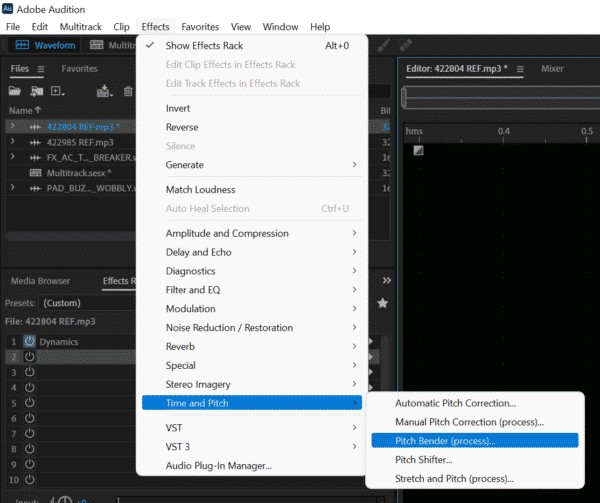
In waveform view, go to Effects > Time and Pitch > Pitch Bender (process), and you can just paint on what you want to do in terms of pitch, using keyframes to bring it down. When you’re happy, click Apply and have a listen.
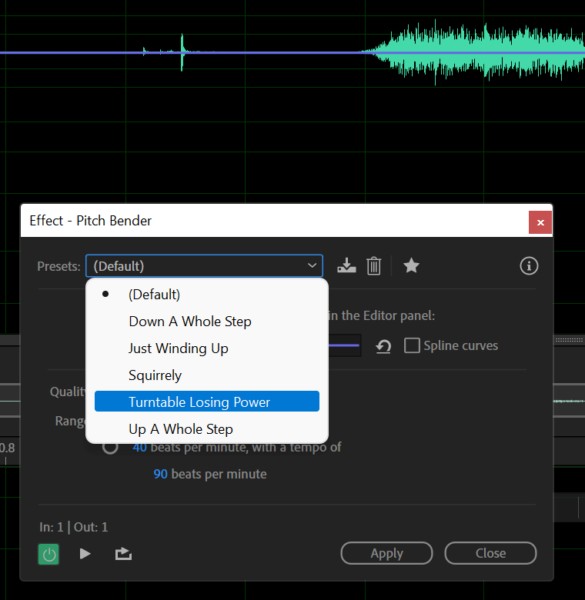
There are a few different ways to do this. For example, there’s also a cool preset called Turntable Losing Power, Squirrely, or Just Winding Up, which all work great too, depending on what effect you’re looking for.
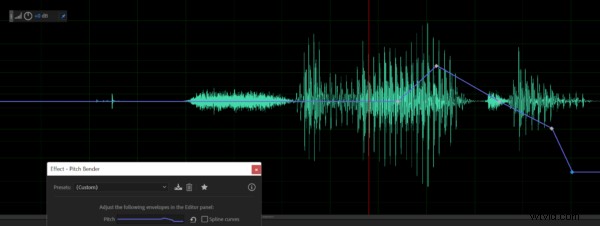
And you can even create your own effects within Pitch Bender using keyframes to drag the pitch up and down throughout your track.
So, there you go, a very easily applied effect that sounds great – I really recommend giving it a go!
Learn More About Effects
- The Most Popular DJ Sound Effects
- How to Make Sound Effects
- 7 Sound Effects Hacks Using Everyday Items
- Doctor Who Dalek Voice Changer Effects In Adobe Audition
- Making Radio Tuning Sound Effects in Adobe Audition
Adobe Audition Presets
Be time efficient and make great sounding audio every single time. Check out my Adobe Audition Presets here.