
REC

Recommended: Video Production, Editing & Gear Maintenance Guide

 WTVID >> WTVID >  >> Video Editing >> Adobe After Effects

Create Enchanting Harry Potter Magic Effects in Adobe After Effects

Create Enchanting Harry Potter Magic Effects in Adobe After Effects

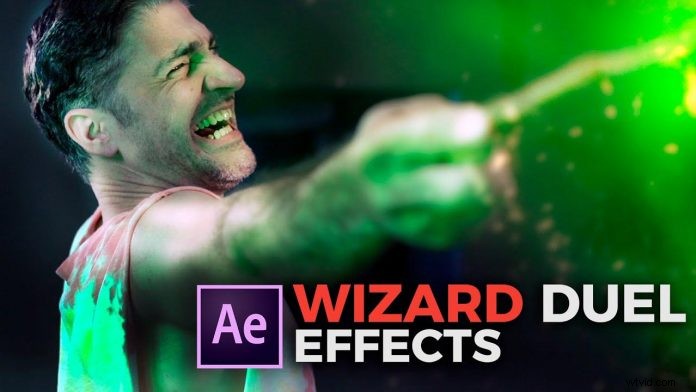
After all these years, Harry Potter is still a thing. Trust me, I know what I’m saying. I just had to create Harry Potter style pictures for a wedding (!) couple believe it or not.

If you are trying to apply that effect to videos with Adobe After Effects, the latest tutorial from ProductionCrate might be something for you. It’s as easy as tracking the tip of the wand and applying on of their assets from the huge library on their website.

Of course, you could go in and go all crazy with Plug-Ins like particular to create those magic particles and strokes. We will cover that in a later tutorial. But sometimes, when you just have to get the job done, it’s good to know where to find the necessary assets and how to apply them.


  1. Adobe After Effects Tutorial: Create Stunning Particle Flocks Like Birds & More

  2. Adobe After Effects vs. Premiere Pro: Ultimate Side-by-Side Comparison

  3. How to Effortlessly Remove Logos and Trademarks from Footage in Adobe After Effects

  4. Seamless Adobe Illustrator to After Effects Workflow: Step-by-Step Guide

  5. Create Stunning Magic VFX in After Effects: Effortless Light Sync Tutorial

Adobe After Effects
  1. Expert Review: Adobe After Effects 7.0 - Ultimate Professional Compositing Powerhouse

  2. Master Keyframe Interpolation in Adobe After Effects: Elevate Realism & Efficiency

  3. Best After Effects Alternatives: 8 Powerful Programs to Rival Adobe After Effects

  4. Master Animated Text Strokes in Adobe After Effects: Step-by-Step Tutorial

  5. Step-by-Step Guide: Apply Animation Presets in Adobe After Effects Effortlessly

  6. How to Create Stunning Bouncing Text Animations in Adobe After Effects

  7. Master Infinite Mask Loop Effects in Adobe After Effects: Pro Technique

  8. Master Sky Replacement in Adobe After Effects: Pro Techniques