
REC

Recommended: Video Production, Editing & Gear Maintenance Guide

 WTVID >> WTVID >  >> Video Editing >> Adobe After Effects

Effortlessly Swap Images in Adobe After Effects Using the Essential Graphics Panel

Effortlessly Swap Images in Adobe After Effects Using the Essential Graphics Panel

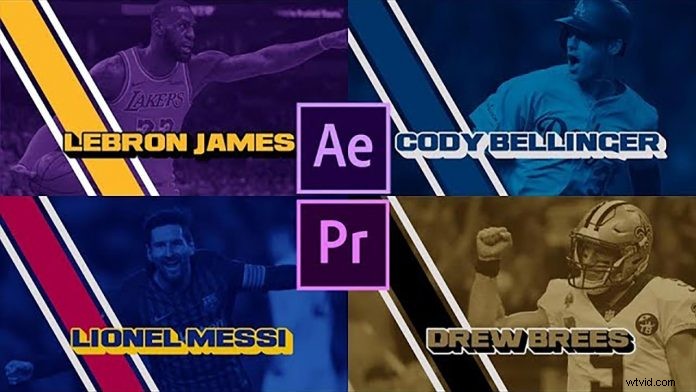
If you have some experience with Adobe After Effects you should already know that the Essential Graphics Panel is a very powerful tool to create very complex and customizable mograph templates. C.M. de la VEGA is showing you how to create a template with swappable background images in his latest tutorial.

Since you can use .mogrts in Premiere Pro as well, a couple of parameters are being promoted to the mograph template in the Essential Graphics Panel, to be tweaked within Premiere Pro as seen in the tutorial.

However, don’t get too excited just yet. Even if the title says “swap out images”, it’s still not possible to technically swap out images of a mograph template from within Premiere Pro. But this is still a powerful way, to create templates where the user can choose from the premade backgrounds and flick through multiple designs & backgrounds.

With some help of a little expression, you can create an elegant template to populate your next edit in Premiere Pro.


  1. Transform Everyday Objects into Stunning Fine Art Photography

  2. Create Professional Watermarks in Photoshop Using the Pen Tool: Step-by-Step Guide

  3. Photography Challenge: Master Cool Tones for Moody, Impactful Shots

  4. Transform Everyday Mundane into Stunning Fine Art Photography at Home

  5. How to Create Professional Videos with Photos and Music in Minutes

Adobe After Effects
  1. Leica SL2 Hands-On Review: 47MP Full-Frame Mirrorless Camera + Sample Images

  2. Sony a6600 Hands-On Review: First Impressions, Key Features & Sample Images

  3. Fujifilm X100V Hands-On Review: First Impressions and Stunning Sample Images

  4. 5 Must-Know Tips for Mastering Lightroom's Import Dialog

  5. Master Lightroom's Graduated Filter: Pro Tips to Elevate Your Images

  6. Effortlessly Create and Organize Professional Webinars with Our Template

  7. Master Motion Graphics: Create Custom Templates in Adobe After Effects Tutorial

  8. How to Create a Custom Color Profile for Accurate Photography: Expert Guide