
REC

Recommended: Video Production, Editing & Gear Maintenance Guide

 WTVID >> WTVID >  >> Video Editing >> Adobe After Effects

Seamlessly Import Adobe Animate Files into After Effects: Pro Tips

Seamlessly Import Adobe Animate Files into After Effects: Pro Tips

If you are an Adobe Creative Cloud user you probably know how convenient it is to switch from one program to another by just importing the source file. Importing Photoshop files to After Effects and retaining the layers is probably the most common example.

Import Animate Source files right into After Effects

Adobe is now going one step further with Adobe Animate files. Now you can import Animate project files into After Effects natively.

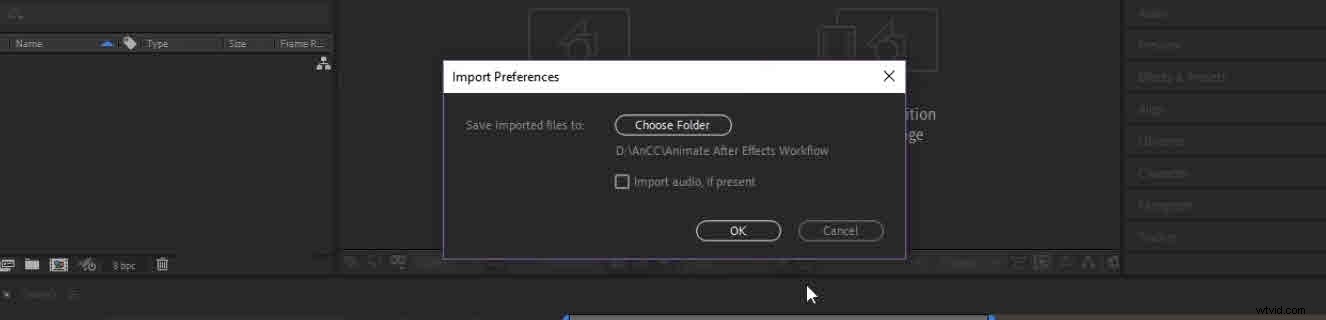
After Effects will convert your layers into .SWF files (Flash users might remember that file format). If your Animate project contained any audio files, you will be prompted with a checkbox if you want to import that as well.
Seamlessly Import Adobe Animate Files into After Effects: Pro Tips

Once imported in After Effects, you can work your usual Motion Design magic like adding backgrounds, scribble effects, lights etc. and exporting your final animation.

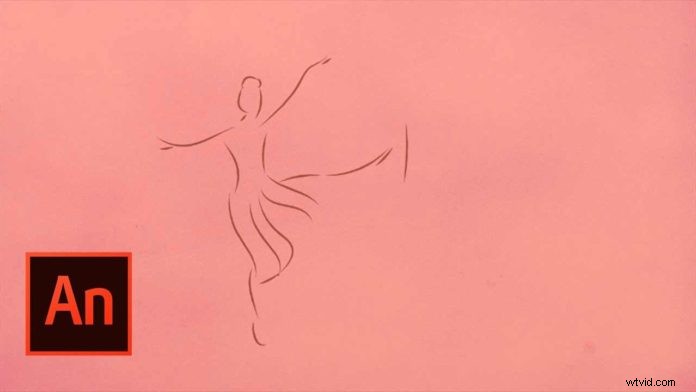
You’ve probably seen the popular “line scribble” dance videos from Blotter Media, which has been covered in countless After Effects tutorials to recreate that look. Now with native Adobe Animate import creating that kind of videos should be much easier.

Check out the video below for more details.


  1. Master Illustrator Files in After Effects: Create Stunning Motion Graphics

  2. Master Trim Paths: 5 Essential Animation Techniques in Adobe After Effects

  3. Master Fake 3D Motion in Adobe After Effects: Pro Techniques for Motion Designers

  4. Create Enchanting Harry Potter Magic Effects in Adobe After Effects

  5. Seamless Adobe Illustrator to After Effects Workflow: Step-by-Step Guide

Adobe After Effects
  1. Adobe After Effects Tutorial: Create Stunning Particle Flocks Like Birds & More

  2. Adobe After Effects vs. Premiere Pro: Ultimate Side-by-Side Comparison

  3. Animate Graphics with Audio Frequencies in Adobe After Effects: FreqReact Tutorial

  4. How to Effortlessly Remove Logos and Trademarks from Footage in Adobe After Effects

  5. How to Create Stunning Bouncing Text Animations in Adobe After Effects

  6. Animate Objects Along a Path in After Effects: Step-by-Step Tutorial

  7. Master Infinite Mask Loop Effects in Adobe After Effects: Pro Technique

  8. Master Sky Replacement in Adobe After Effects: Pro Techniques