REC

Recommended: Video Production, Editing & Gear Maintenance Guide

 WTVID >> WTVID >  >> video >> Video Tips

Managing Your Streamlabs Podcast Editor Subscription & Billing: A Complete Guide

Below is your definitive guide to managing your Streamlabs Podcast Editor subscription and billing. Whether you’ve recently opened a new bank account, changed your PayPal email address, or simply want to switch payment methods, this step‑by‑step tutorial covers everything you need to know. If you’re an Ultra subscriber, see our dedicated Ultra guide here!

Last Updated: April 25 2025

Accessing Your Billing Page

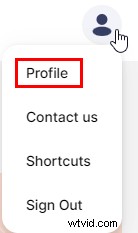
  1. Click your profile picture in the upper‑right corner and select Profile.
    Managing Your Streamlabs Podcast Editor Subscription & Billing: A Complete Guide
  2. Under the Subscription Plan section, click Billing Information.
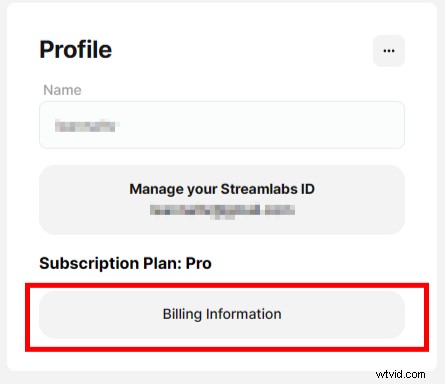
    Managing Your Streamlabs Podcast Editor Subscription & Billing: A Complete Guide
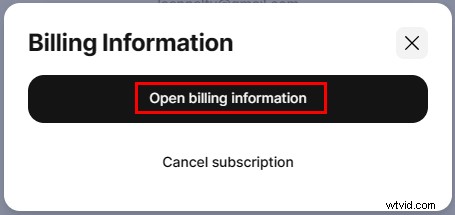
  3. Click Open billing information.
    Managing Your Streamlabs Podcast Editor Subscription & Billing: A Complete Guide
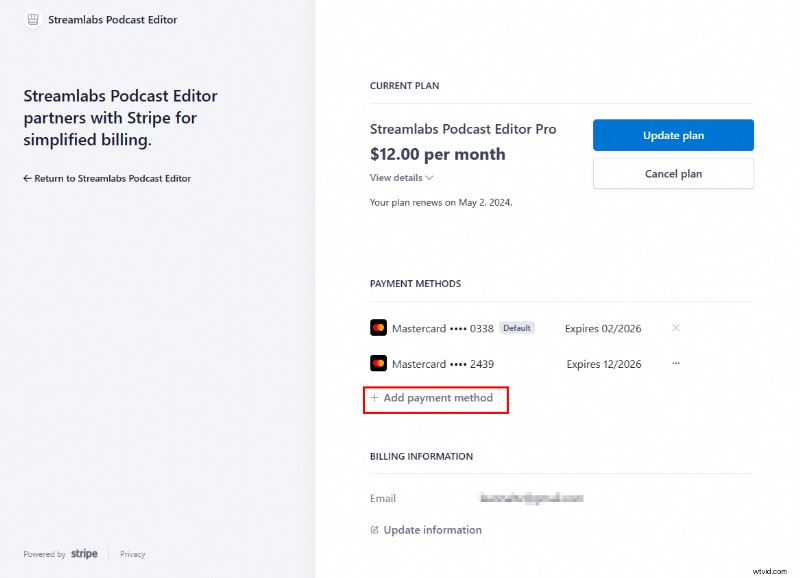
  4. A new tab will open with your Podcast Editor Billing page.

Retrieving Invoices and Receipts

  1. From the Billing Page, scroll to Invoice History.
  2. Click the launch icon to the right of the desired date.
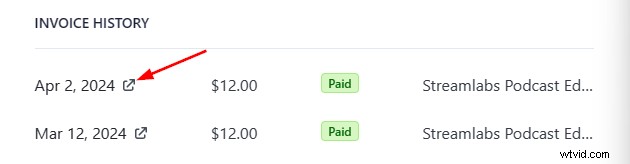
    Managing Your Streamlabs Podcast Editor Subscription & Billing: A Complete Guide
  3. A new tab opens. Choose to download the invoice, receipt, or both.
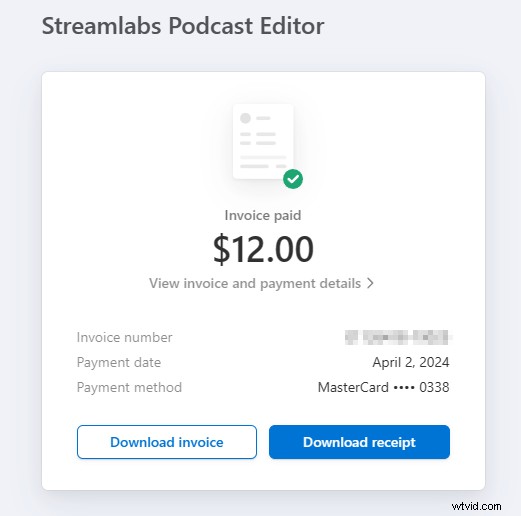
    Managing Your Streamlabs Podcast Editor Subscription & Billing: A Complete Guide

Updating Your Payment Method

  1. From the Billing Page, locate Payment Methods.
  2. Click Add payment method.
    Managing Your Streamlabs Podcast Editor Subscription & Billing: A Complete Guide
  3. Enter your payment details and click Add.
  4. Return to the main screen. Click the three dots beside the new method and select Make Default.
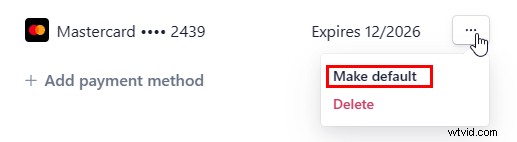
    Managing Your Streamlabs Podcast Editor Subscription & Billing: A Complete Guide
  5. Remove any outdated payment methods you no longer wish to keep.

Canceling Your Subscription

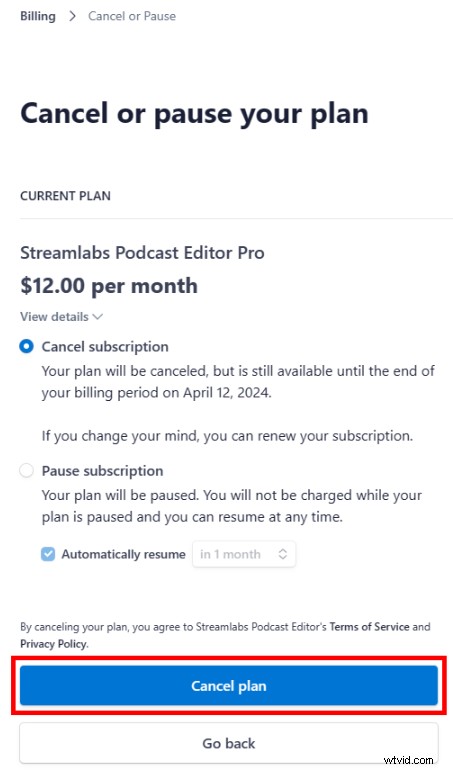
  1. From the Billing Page, click Cancel or Pause plan.
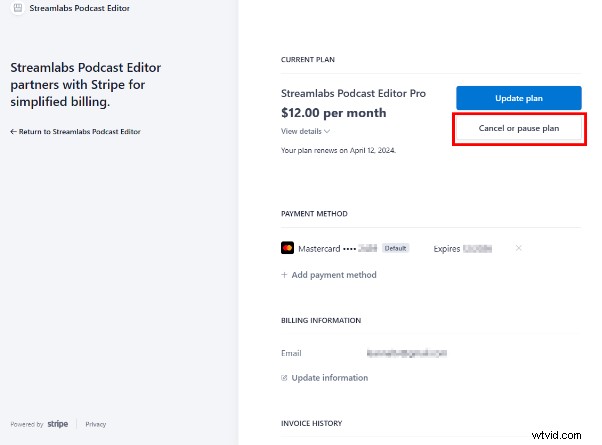
    Managing Your Streamlabs Podcast Editor Subscription & Billing: A Complete Guide
  2. Select Cancel Plan.
    Managing Your Streamlabs Podcast Editor Subscription & Billing: A Complete Guide

If you need additional assistance, our support team is ready to help—submit a ticket at any time.

  • streamlabs
  • subscription
  • pe_subscription

Edit your videos with text to grow your streams, podcasts & interviews!

Further Reading

Ways to Use Podcast Editor (Outside of Podcasting)
From transcribing blog posts to creating educational content, discover creative ways to leverage Streamlabs Podcast Editor.
March 07 2024
Mika Robinson

A Complete Guide to Streamlabs Podcast Editor (Formerly TypeStudio)
Everything you need to know about Podcast Editor—the latest app in the Streamlabs family.
June 15 2023
Mika Robinson

  1. Top 6 Legal Locast Alternatives for Streaming Local US TV Channels

  2. How to Upload Videos to Facebook: Easy Step-by-Step Guide for Desktop & Mobile

  3. Empower Your Entire Team to Create Videos: Proven Strategies for Success

  4. Free Online PDF to GIF Converter: Convert PDF to GIF & Vice Versa Easily

  5. How to Crop Videos in Wondershare Filmora: Step-by-Step Guide

Video Tips
  1. How to Add Professional Subtitles to YouTube Videos: Pro Step-by-Step Guide

  2. Master Video Presentations: Expert Tips, Strategies & Real Examples

  3. How to Convert Pinterest Videos to MP3: 4 Trusted Methods (2026)

  4. Master Tilt-Shift Portrait Photography: Lens Techniques & Post-Processing Guide

  5. Boost Your Workflow: 5 Expert Tips for Faster Editing in Adobe Premiere Pro

  6. Haze vs. Fog vs. Steam: Key Visual Differences Explained in This Video

  7. Best Free TV Screen Recorder: How to Record TV Shows on Your Laptop

  8. Gentle Posing Guide: Essential Prompts for Natural, Relaxed Portraits